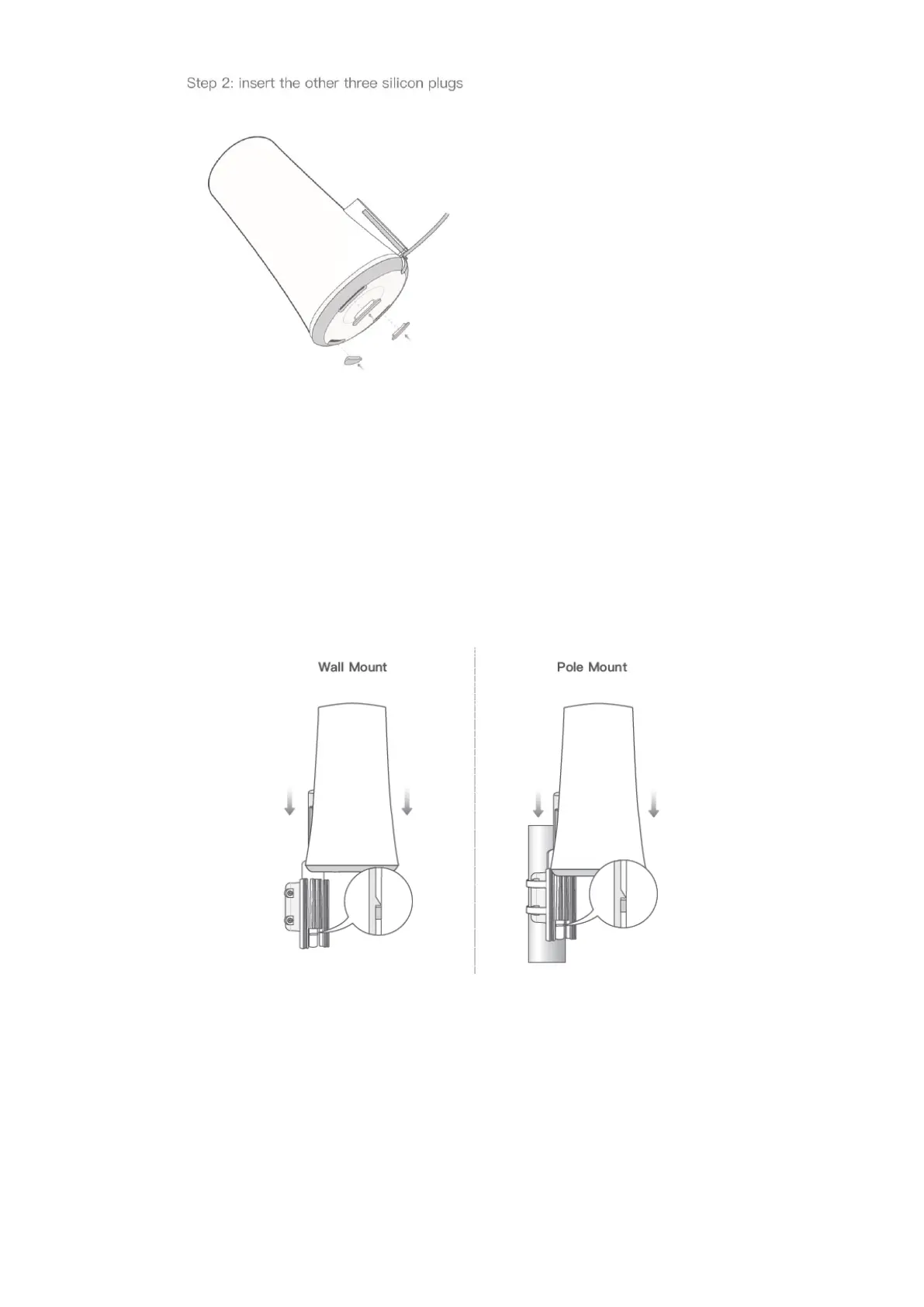
If the user wants to ground the gateway, there are many different types of cable
diameters and cable hardness levels. When a grounding cable and Ethernet cable are
used together, the resulting thickness might prevent silicone plug from sealing 100%.
When the silicon plugs are installed, the X1000 will be IP65. When the silicone plugs
are not installed, the IP level of X1000 will be IP33. In this case, the three rainwater
holes at the bottom of X1000 will avoid rainwater to stay in X1000, the user can seal
up space with putty or silicone gel to ensure IP65.
4. Slide X1000 down on wall or pole mount;
5. Connect the X1000 Gateway to the PoE injector or a PoE switch.
2.3.
E1000
Hardware
Cassia E1000 Gateway
Power-over-Ethernet (PoE) 802.3af/at compliant source, or PoE injector if PoE network
is not available



 To Next Page