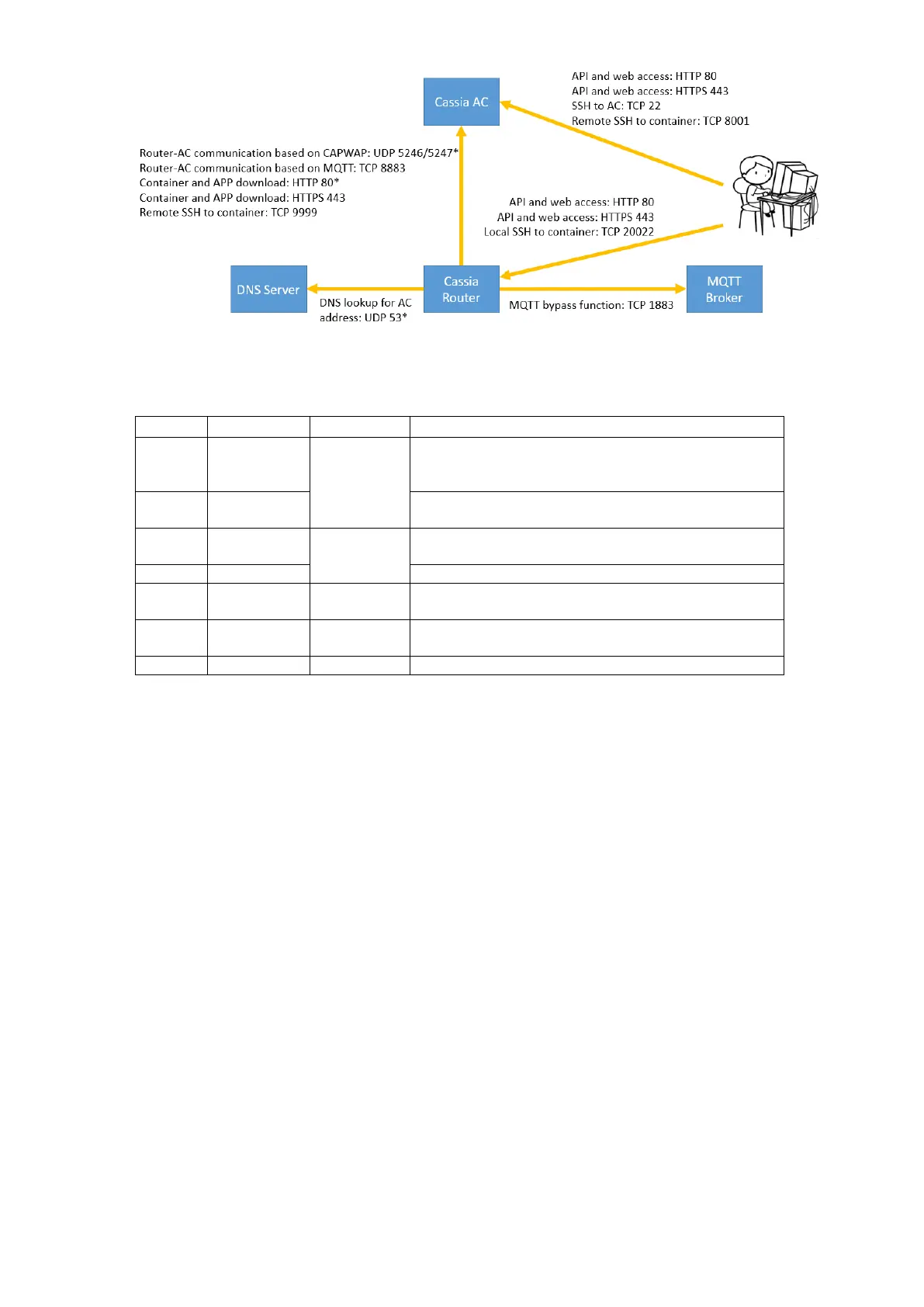
Gateway-AC communication based on CAPWAP. *Port
5246 and 5246 can be disabled after migrating gateway-
AC communication to MQTT (see chapter 4.4)
4.5.
CAPWAP and MQTT Setting
Before firmware 2.0.2, Cassia Bluetooth gateway communicates with AC using CAPWAP
protocol. CAPWAP is based on UDP port 5246 and 5247 and always uses DTLS 1.2 to
ensure security (secured CAPWAP).
From firmware 2.0.2, Cassia gateway can also use MQTT to communicate with AC. MQTT
uses TCP port 8883 and always uses TLS 1.2 (secured MQTT). MQTT improves the
robustness of gateway and AC communication. It brings a higher upgrade success rate and
less data drop rate. What is more, sometimes the user’s firewall doesn’t allow UDP
packets to pass. In this case, MQTT will help the packets between the gateway and AC to
pass through the user’s firewall.
TCP based MQTT protocol is more reliable on internet than UDP based CAPWAP protocol.
If the AC and gateways are connected through the internet, and the Cassia RESTful API
through the AC is used to collect Bluetooth device data, it is highly recommended to
disable CAPWAP ports in AC Settings page, which will force all the gateways to connect to
the AC through MQTT. Otherwise, there might be packet loss or an incorrect message
sequence between the gateway and AC. The API calls might return HTTP 502 or 504 errors,
depending on the internet connection quality.



 To Next Page