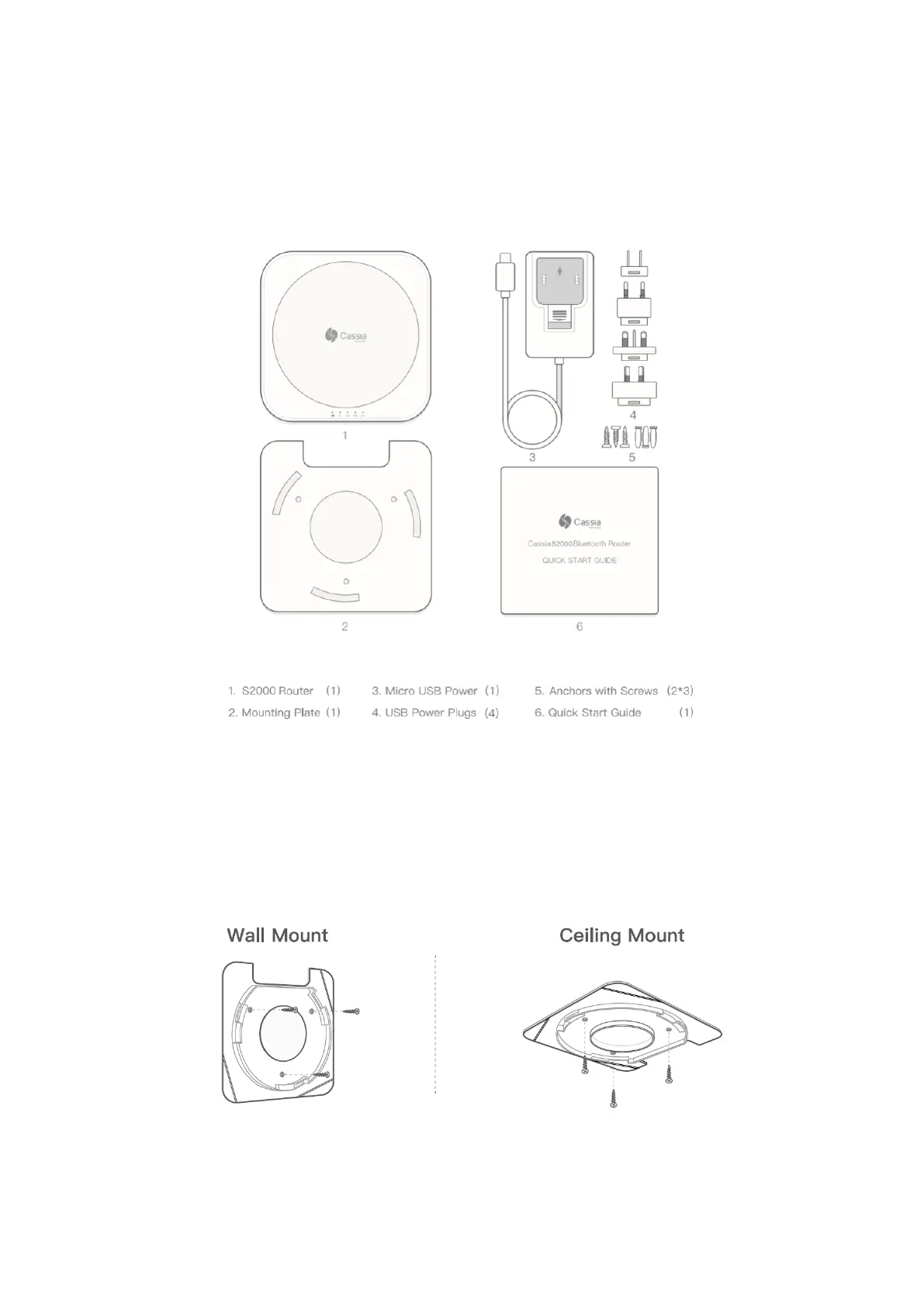
Micro USB power cable and universal plugs (if not using PoE)
Computer System (Desktop/Laptop/Smart Phone/Tablet) with Wi-Fi connectivity
USB cellular modem. This is only required if set up is over a SIM-based Internet
connection
Included in Package
Mounting
1. Place the S2000 on a flat, unobstructed surface or mount it using the supplied
mounting kit in a vertical or horizontal orientation.
2. If mounting, first screw mounting plate into wall or ceiling.
3. Connect the S2000 to power with the supplied Micro USB cable and power adapter
and to a Wi-Fi Access Point via Ethernet or Wi-Fi (2.4GHz only). For your network
setting information, please contact your IT administrator.



 To Next Page