EasyManua.ls Logo

Cassia X2000 - Page 32

Cassia X2000
113 pages
Print Icon
To Next Page IconTo Next Page
To Previous Page IconTo Previous Page
Loading...
32
Copyright 2023 Cassia Networks, Inc.
Version: EN-2023039-YJ
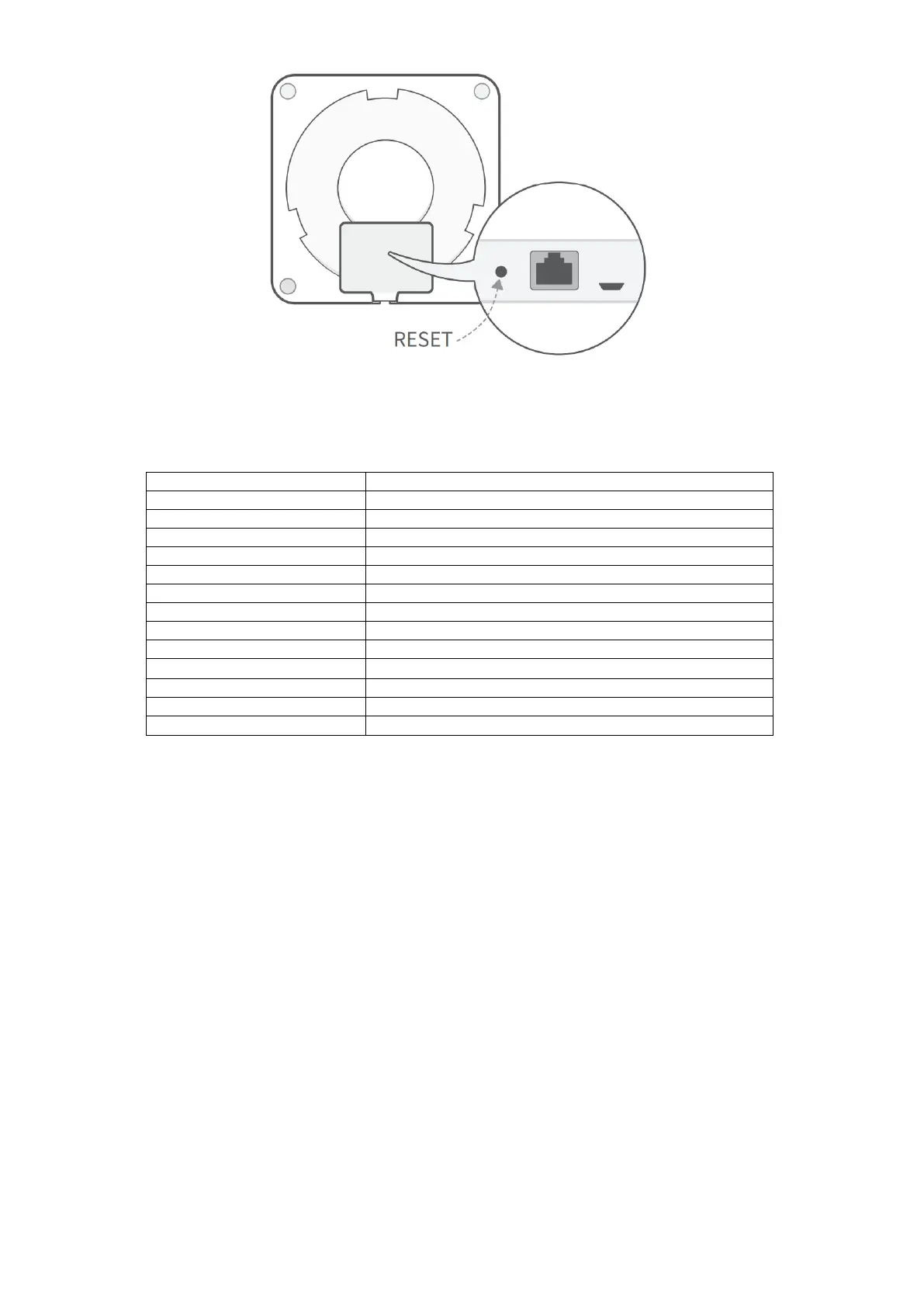
S2000 Reset Button
After reset, the gateway configurations in the below table will be set to the factory default
profile settings. The country code, container, and customer APP will not be impacted.
Parameter
Manufacturing Default Value
Gateway Console Username
admin
Gateway Console Password
Need to set new password
AC Server Address
Empty
Local RESTful API
OFF
Remote Assistance
OFF
Connection Priority
Wired
Wi-Fi / Operating Mode
Hotspot
Wi-Fi / SSID
cassia-xxxxxx
Wi-Fi / Password
cassia-xxxxxx
Local Time Zone
UTC +08:00
Local Time
1970-01-02, 00:00:00
Enable Local SSH Login
OFF
AC-Gateway Protocol Priority
MQTT (this configuration is available from firmware 2.0.2)

Other manuals for Cassia X2000