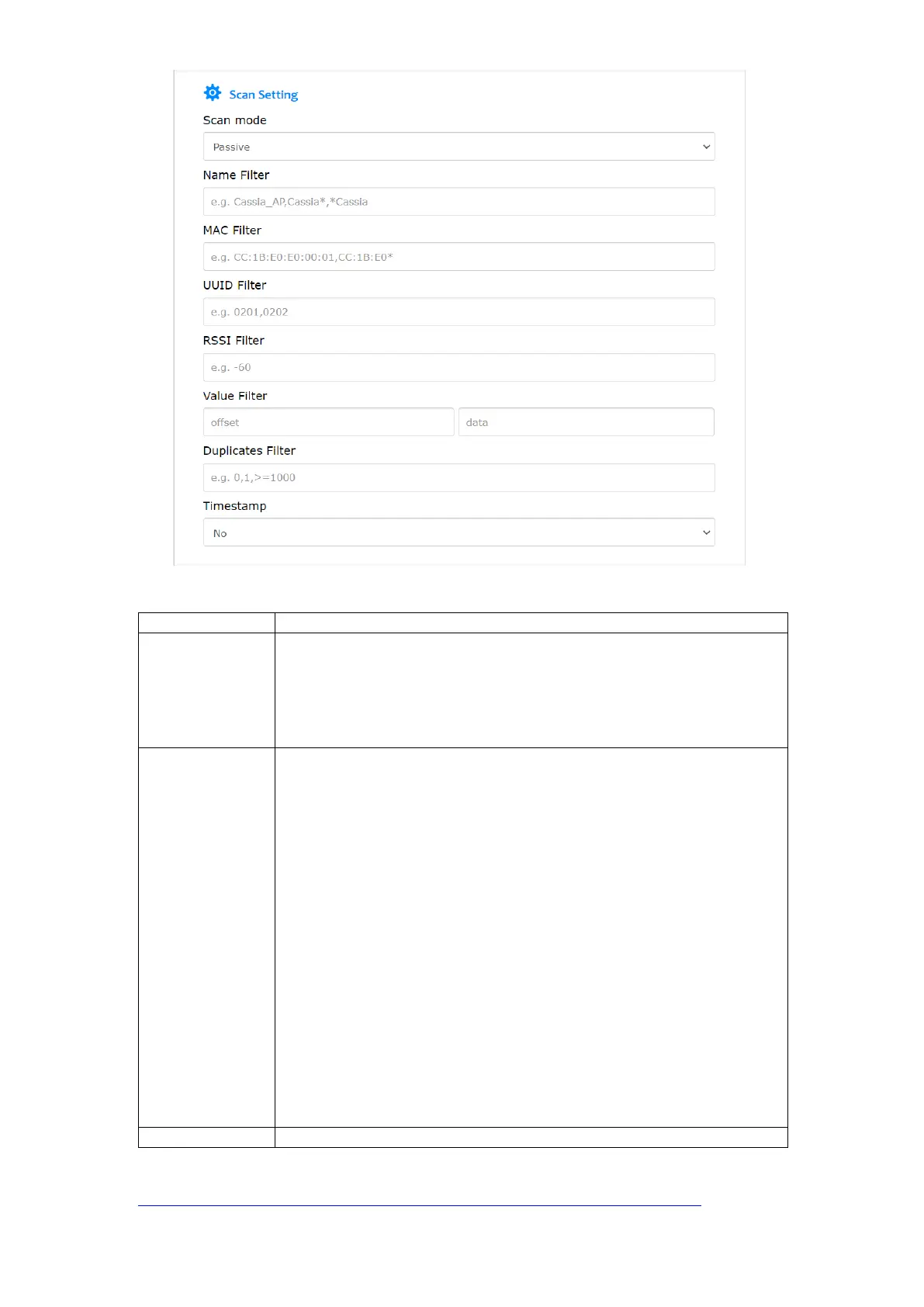
Passive or active scan
• The difference between active and passive scan is that active scan requests
a SCAN_RESPONSE packet from the advertiser.
• A passive scan generally takes more time since the gateway must listen and
wait for an advertisement versus actively probing to find an advertiser.
However, with the passive scan, devices consume less battery power.
Scan filters for advertisement packets
• Name: supports full name, prefix (for example Cassia*) and suffix (for
example *Cassia) name filters
• MAC: supports full MAC and prefix MAC filters (for example CC:DD:EE*)
• UUID: filter based on UUID in the advertisement packets.
• RSSI: filter out devices whose RSSI value is weaker than this value.
• Value: filter advertisement packets with data xx from offset yy. If offset is
not set, the gateway will filter data xx with any offset.
• Duplicates filter: for a value equal to or larger than 1000 (ms), if the
received advertisement packets are the same, the gateway will only send
one advertisement packet to the MQTT broker before the timer times out.
If the gateway receives a different advertisement packet, it will send the
new advertisement packet to the MQTT broker immediately. Value 1
means only send one packet for one device, which is usually used to detect
how many Bluetooth low energy devices are around the Bluetooth
gateway. Default is 0 (no timer).
The keywords used for filtering need to be in the advertisement packets. The
UUID in advertisement packets may be only part of the UUID in Bluetooth low
energy profile.



 To Next Page