100
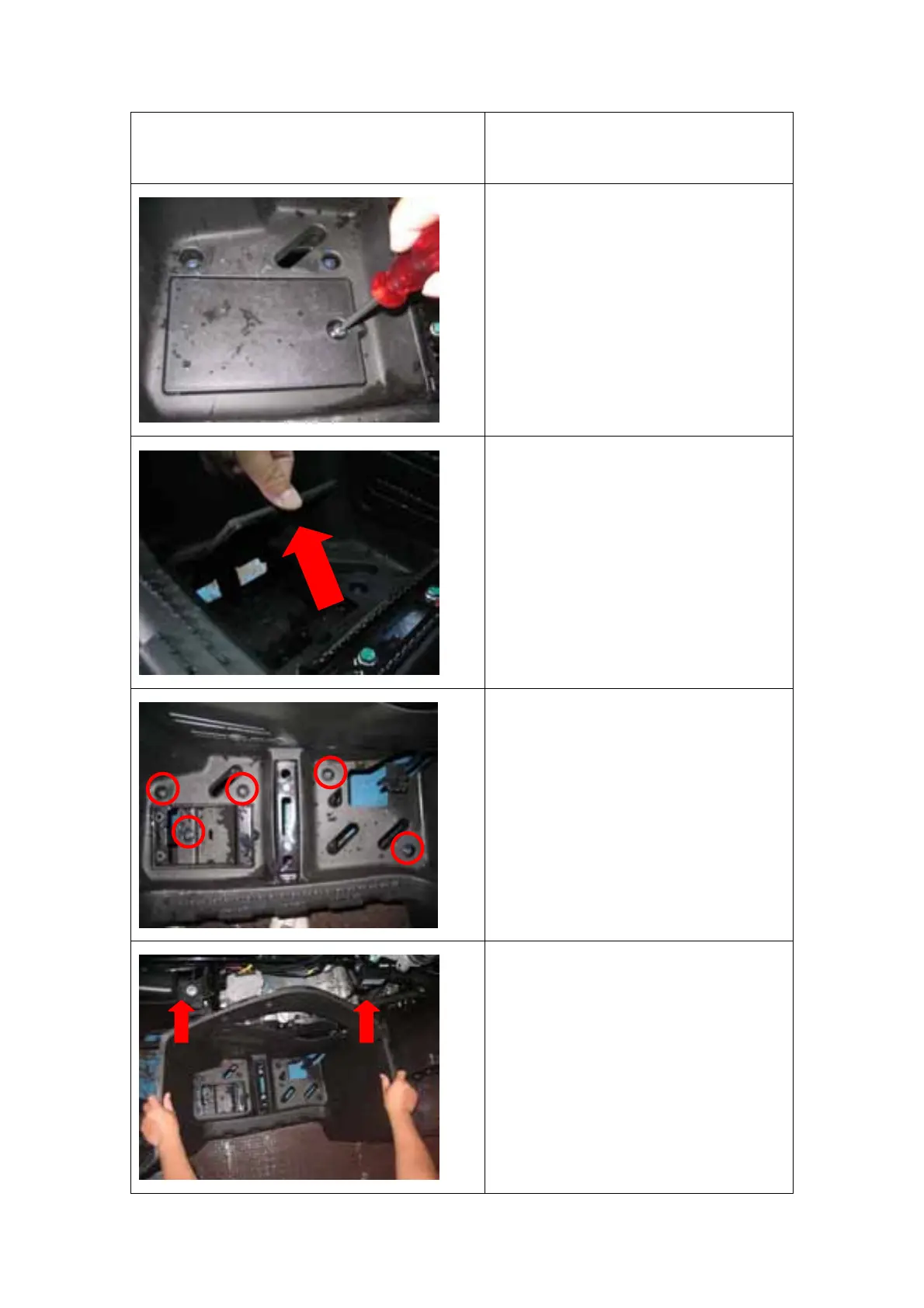
LHS & RHS FOOT REST COVERS
REMOVAL
Reversely perform the below
process to install.
1. Remove the screw on the
passenger foot rest mount
cover.
2. Remove the passenger foot
rest chamber mount cover.
3. Remove the 5 bolts on the foot
rest cover.
4. When install torque 10Nm
5. Lift the foot rest cover up to
remove it.


 To Next Page