101
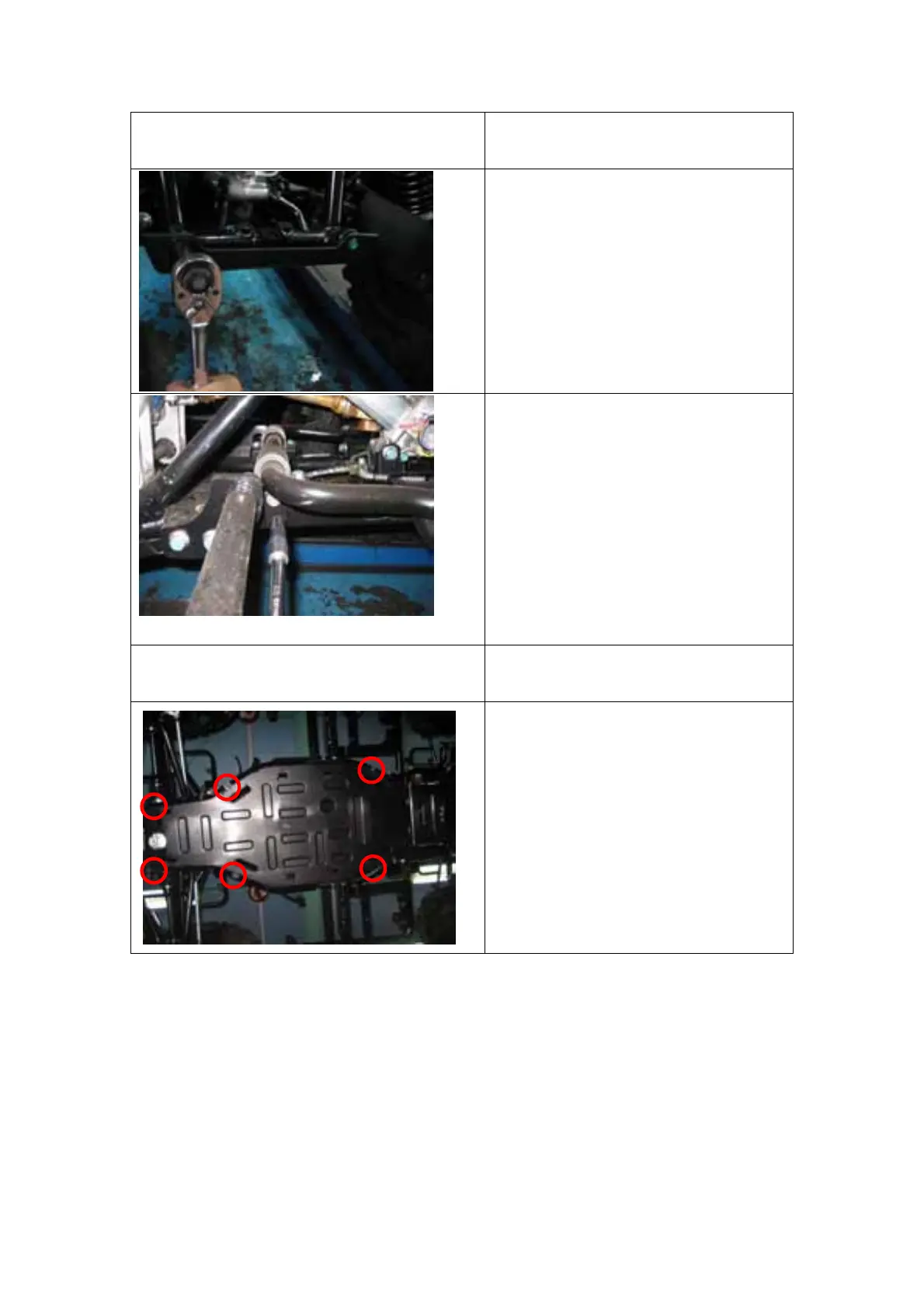
REAR BOTTOM PROTECTOR
REMOVAL
Reversely perform the below
process to install.
1. Remove the 2 bolts on the rear
side of rear bottom protector.
2. When install torque 10Nm
3. Remove the 2 bolts on the LHS
and RHS of rear bottom
protector.
4. Pull the rear bottom protector
down to remove it.
5. When install torque 10Nm.
MIDDLE BOTTOM PROTECTOR
REMOVAL
Reversely perform the below
process to install.
1. Remove the 6 bolts on the
middle bottom protector.
2. Pull the middle bottom
protector down to remove it.
3. When install torque 10Nm
(1)
(2)
(3)
(4)
(5)
(6)


 To Next Page