102
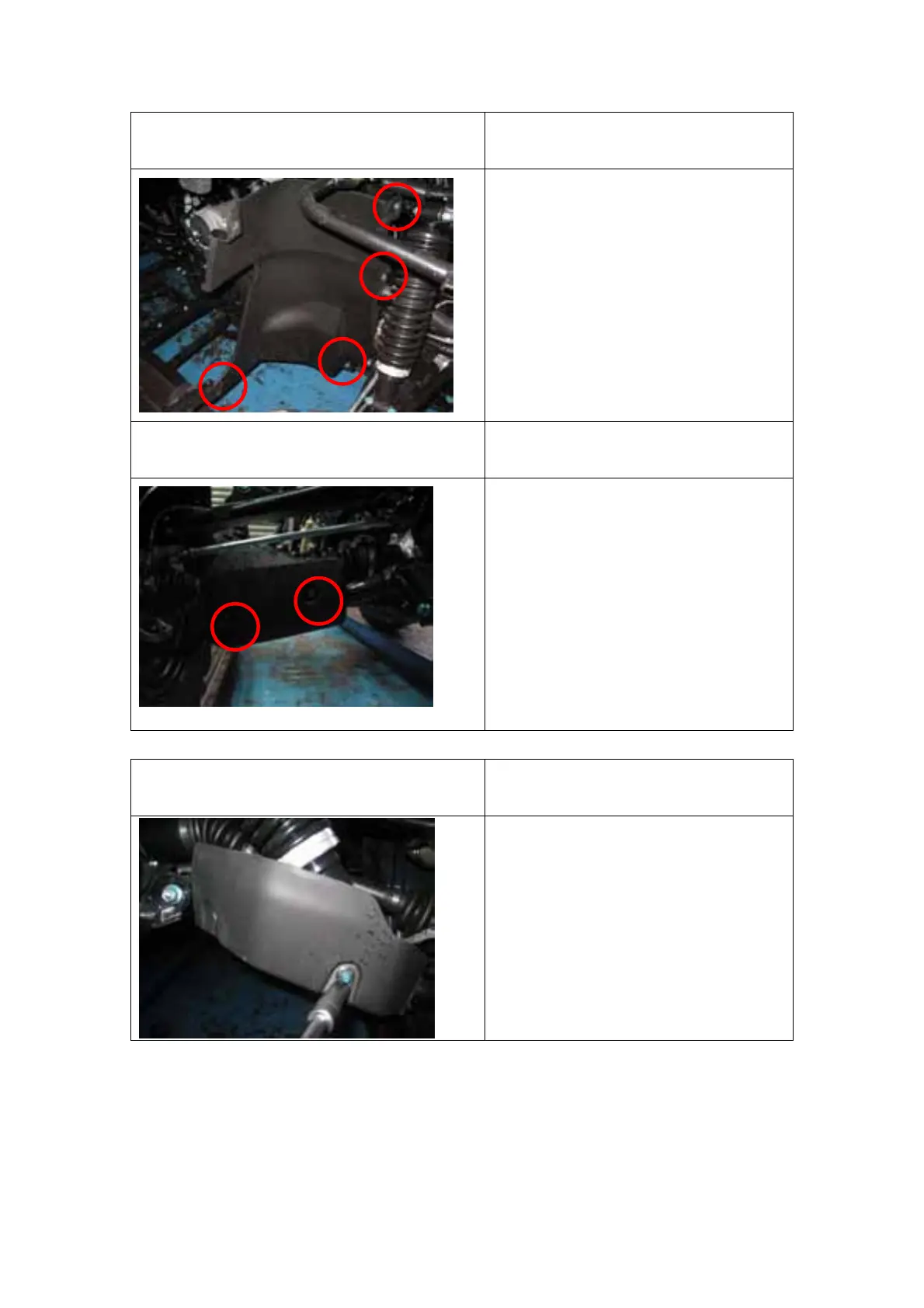
FRONT LHS & RHS FENDER
REMOVAL
Reversely perform the below
process to install.
1. Remove the 4 bolts on the
fender and lift the fender up to
remove it.
2. When install torque 10Nm
FRONT LHS & RHS A-ARM
PROTECTOR REMOVAL
Reversely perform the below
process to install.
1. Remove the 2 bolts on the
A-arm protector then remove
the protector.
2. When install torque 10Nm.
FRONT LHS & RHS A-ARM
PROTECTOR REMOVAL
Reversely perform the below
process to install.
1. Remove the 2 bolts on the
A-arm protector then remove
the protector.
2. Remove the bolt on the front
side of rear A-arm protector
then remove the rear A-arm
protector.
3. When install torque 10Nm.
(1)
(2)
(3)
(4)



 To Next Page