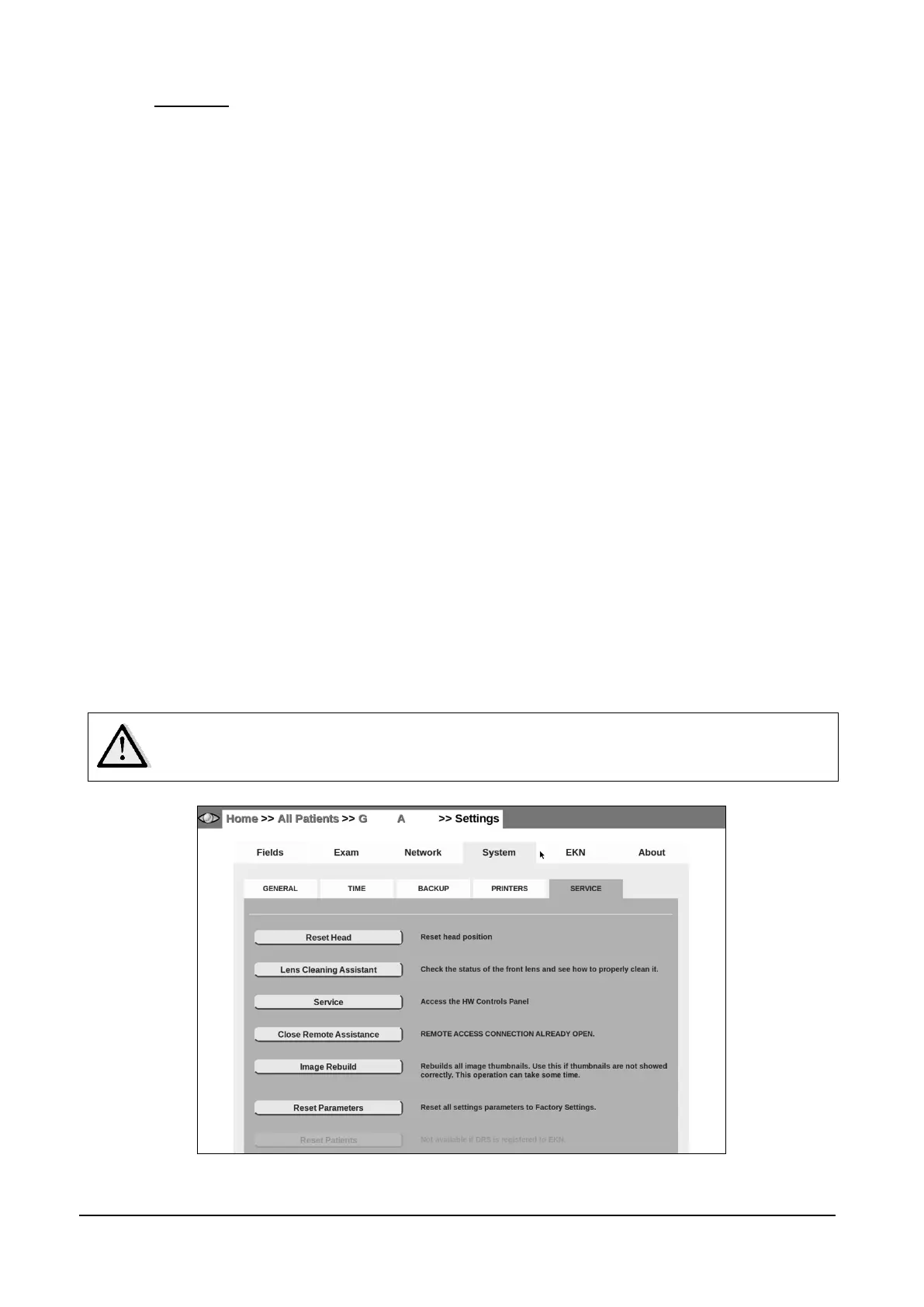
14.4.5 SERVICE
This tab provides access to various functionalities and tools, in particular:
Reset Head this tool resets the position of the optical head (same procedure performed at
unit startup);
Lens cleaning assistant: this tool helps checking the cleaning condition of the front lens.
See below for additional information.
Service gives access to a special password-protected panel available for authorized
personnel only.
Remote assistance opens a remote connection that allows authorized service
technicians to connect to the DRS. Once pressed, the disclaimer shown in Figure 54
appears, informing the operator that he/she is authorizing access to all data present on
the device, for servicing purposes. Once confirmed with the OK button, the DRS contacts
CenterVue servers and generates a random password and a port to connect to. These
parameters must be sent to the service operator in order to connect. The connection can
be closed by clicking the Close Remote Assistance button. Please note that, as stated in
the disclaimer (see Figure 54), the remote assistance is closed automatically if the
machine is restarted.
Image rebuild allows to regenerate image thumbnails, in case some are missing following
a data restore from backup;
Reset Parameters erases all device settings to Factory defaults (selected fields, network
configuration, shared folder, preferences, etc.).
Reset Patients erases all stored patient data and images. This function is disabled when
the DRS is connected to the EKN.
Reset Patients ERASES the whole database content. Once the operation has
been confirmed there is NO WAY to restore the data. Use this function with
caution.
Figure 53 - System tab in Settings (>> SERVICE)



 To Next Page