page 53www.CentSys.com
CONTROLLER FEATURES SECTION 25
25.9. Menu 10 - General Features
25.9.1. Operator
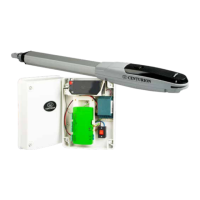
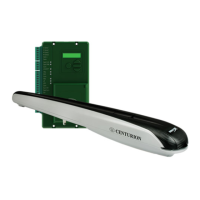
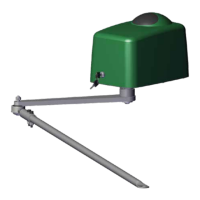
This menu item allows the user to set the type of V-Series operator currently
being used with the Controller. Always ensure that the correct operator is selected.
WhennotinSetupMode,i.e.NormalMode,thecurrently-enabledoperatorwillbe
displayedinthebottomleft-handcorneroftheLCDscreen;
‘VN’referstoVANTAGE,‘VX’refersto VERT-X,‘VC’referstoVECTOR2.
25.9.2. Operating Standard
RegionalOperatingStandardscanbeset.Applyingthissettingwillautomatically
conguretheControllersettingstoconformtothespecicregion’sstandard.Refer
toSection26(eg.UL325,CEorZA.)
25.9.3. Reset Options
The Controller settings can be reset through the Reset Options menu.
Variousresetoptionsareavailable:
• Factory Defaults -Allsettingswillberestoredtothedefaultvaluesdictatedby
theOperatingStandard/Prolethatiscurrentlyselected.
Remote controls and gate limits will not be aected
• Delete All Remotes-Deletealltheremotesstoredinthesystem.
No settings aected
• Reset All -Clearsanddefaultsthesystemcompletely.Theunitwillberesetto
the Factory Default settings in addition to clearing all remotes and Limits
25.9.4. Diagnostic Screen
Allows a diagnostic screen to be displayed. This can be useful when
troubleshooting, but requires some technical knowledge.
25.9.5. Round Test Button
Allows the round test button on the Controller to be disabled, in cases where
higher security is required.



 To Next Page