
EasyManua.ls Logo

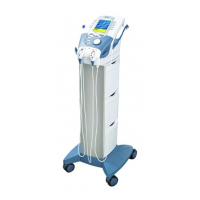
Chattanooga 2761 - User Manual

Chattanooga 2761
158 pages
Print Icon
To Next Page IconTo Next Page
Loading...
User Manual
Operation & Installation
Instructions for:
Therapy Systems
2761- Two Channel Combination System
2789- Four Channel Combination System
2764- Two Channel Electrotherapy System
2787- Four Channel Electrotherapy System
2871- Two Channel Electrotherapy System- no sEMG
2872- Two Channel Combination System- no sEMG
2873- Four Channel Electrotherapy System- no sEMG
2874- Four Channel Combination System- no sEMG
2875K- Two Channel Electrotherapy System with Cart- no sEMG
2876K- Two Channel Combination System with Cart- no sEMG
2877K- Four Channel Electrotherapy System with Cart- no sEMG
2878K- Four Channel Combination System with Cart- no sEMG
Optional Equipment
2775- Therapy System Cart (Unassembled)
2775ASY- Therapy System Cart (Assembled)
2767- NiMH Battery Module
2799- Dual Channel sEMG Module
27508 and 27079- User Remote Controls
2781- Channel 3/4 Electrotherapy Module
ISO 13485 CERTIFIED

Table of Contents

Questions and Answers

  • I
    iwhiteAug 2, 2025
    What to do if I see an overcurrent error on my Chattanooga 2761?
    • C
      Catherine CohenAug 2, 2025
      If you're getting an overcurrent error with your Chattanooga Medical Equipment, start by checking the electrodes and lead wires. Ensure the lead wires aren't damaged and are correctly connected to the system. Also, verify the lead wires are properly connected to the electrodes, and that the electrodes are undamaged and making good contact with the treatment area. If problems persist, consider replacing the lead wires and electrodes.
  • T
    Thomas BennettAug 9, 2025
    What to do if I suspect shorted lead wires in my Chattanooga 2761 Medical Equipment?
    • E
      ehunterAug 9, 2025
      If you suspect you have shorted lead wires with your Chattanooga Medical Equipment, check the electrodes and lead wires first. Make sure the lead wires are not damaged and are properly connected to the system. Also, make sure the lead wires are properly connected to the electrodes, and that the electrodes are not damaged and making proper contact with the treatment area. If the issue continues, replace the lead wires and electrodes.
  • B
    Barbara SmithAug 14, 2025
    How to improve bad contact quality with Chattanooga 2761?
    • A
      andrewstimothyAug 14, 2025
      If you are experiencing bad contact quality with your Chattanooga Medical Equipment, ensure the electrodes are making proper contact with the treatment area. Also, make sure the lead wires are correctly connected to the electrodes. If the problem persists, replace the electrodes and lead wires.
  • P
    Pamela MooreAug 21, 2025
    Why can't I delete Clinical Protocols on my Chattanooga 2761?
    • A
      Alyssa DunnAug 21, 2025
      You cannot delete factory set Clinical Protocols or factory set Sequences on your Chattanooga Medical Equipment.
  • N
    newmanthomasAug 27, 2025
    Why can't I delete a factory set Sequence on my Chattanooga 2761 Medical Equipment?
    • H
      Hannah MillsAug 27, 2025
      You cannot delete factory set Clinical Protocols or factory set Sequences on your Chattanooga Medical Equipment.

Summary

Safety Precautions

Precautionary Definitions

Explains the meaning of safety symbols such as Caution, Warning, Danger, and others.

Electrotherapy Indications, Contraindications, and Adverse Effects

Details therapeutic uses, limitations, and potential side effects of electrotherapy.

Set Up

Therapy System Set Up

Guides users through initial system configuration, including accessing utilities and setting clinic name.

Patient Preparation

Electrotherapy Patient Preparation

Details procedures for preparing the patient and applying electrodes for electrotherapy treatments.

Ultrasound Patient Preparation

Explains how to prepare the patient for ultrasound therapy, including area cleaning and applicator use.

Operation

sEMG+STIM Therapy Set Up

Provides instructions for setting up combined sEMG biofeedback and triggered electrotherapy.

Patient Data Card - Set Up of New Card

Instructions for initializing, configuring, and saving data to a new patient data card.

Clinical Resources Library

Installation;Removal

Installation- Channel 3;4 Electrotherapy, NiMH Battery, and Laser Module

Step-by-step guide for installing optional hardware modules into the therapy system.

Option Operation

Troubleshooting

Error Codes

Lists common error codes, their probable causes, and possible remedies for system issues.

Maintenance

Chattanooga 2761 Specifications

General IconGeneral
BrandChattanooga
Model2761
CategoryMedical Equipment
LanguageEnglish

Related product manuals







