Vectra Genisys® Therapy System
127
INSTALLATION/REMOVAL
NOTE: If installing the System to a
Therapy System Cart, refer to
pages 131 through 133 for
proper instructions.
If desired, install a Channel 3/4, Battery
or Laser Module to the System. Refer to
pages 118 through 122 for installation
instructions prior to the following
procedures.
INSTALLING
sEMG MODULE
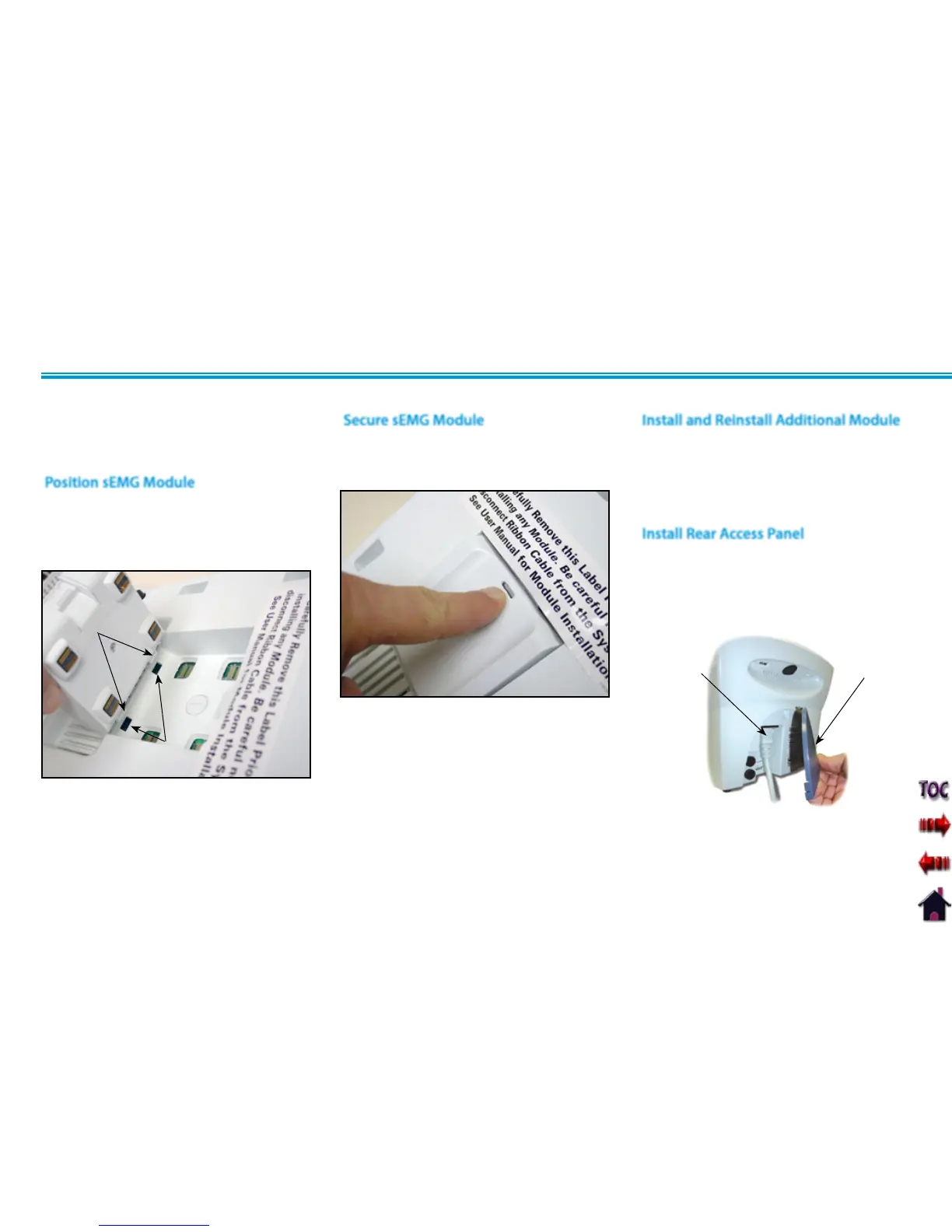
Position the sEMG Module so that the two
mounting tabs are inserted into the System
or Channel 3/4 Electrotherapy Module
mounting slots.
Position sEMG Module
MOUNTING
SLOTS
MOUNTING
TABS
Secure sEMG Module
Push the upper portion of the sEMG
Module until it snaps and is locked into
position.
Install and Reinstall Additional Module
Install Rear Access Panel
Insert the Power Cord into the System
Mains connector. Install the Rear Access
Panel.
REAR ACCESS
PANEL
CONNECT
POWER CORD
This section applies only to models capable
of supporting the functions of the sEMG
module.











 To Next Page