Vectra Genisys® Therapy System
76
OPERATION
sEMG + STIM THERAPY SET UP (CONTINUED)
During the preset 10 second contraction
period, the Therapy System captures
and retains the maximum level of the
contraction the patient performed, then
automatically displays the Adjust sEMG
Target screen.
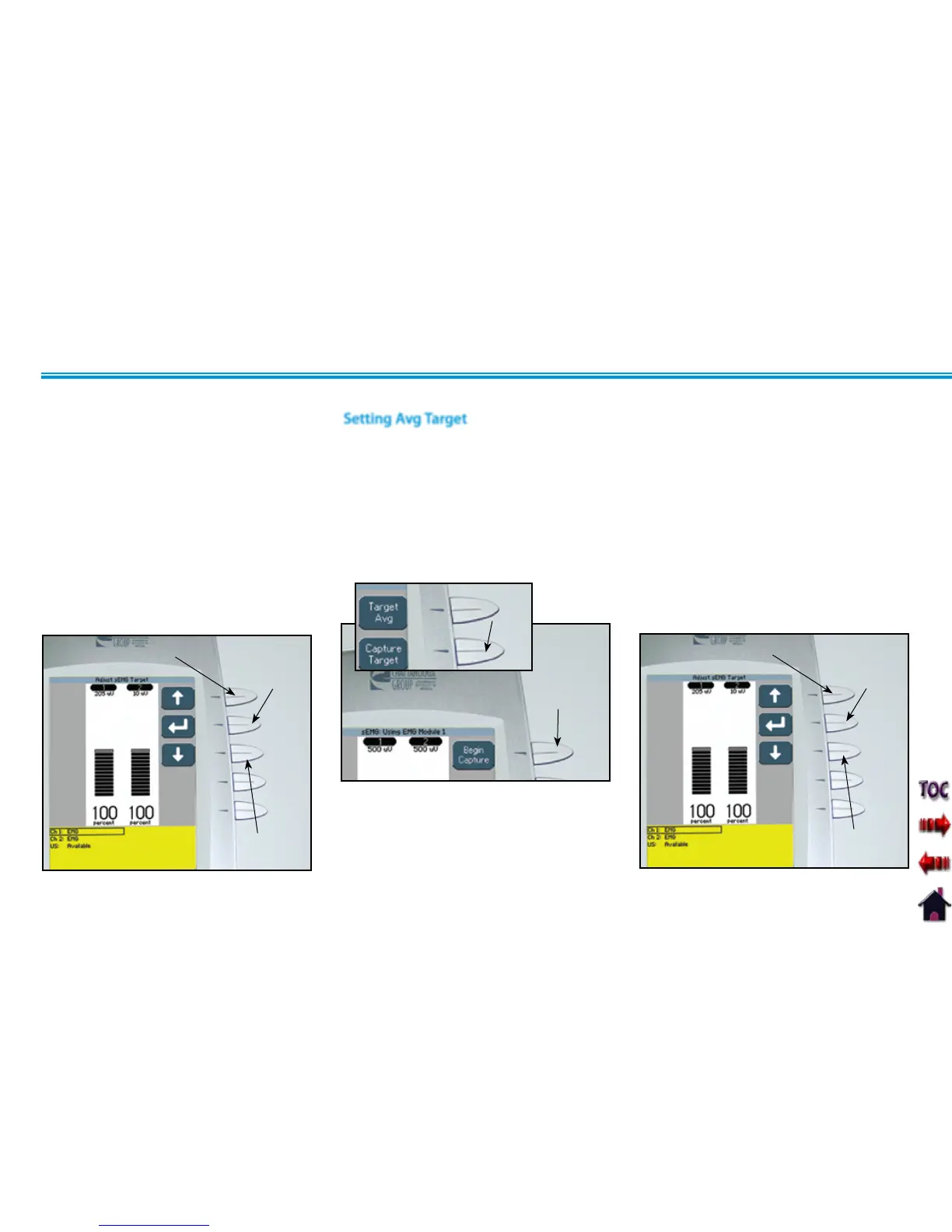
Use the Up and Down Arrow buttons to
adjust the Target percentage displayed at
the bottom of each channel column.
Press the Accept and Return Arrow button
to set the Target.
UP ARROW
BUTTON
ACCEPT AND
RETURN ARROW
BUTTON
DOWN ARROW
BUTTON
Setting Avg Target
Make certain Target Avg is displayed in the
Target icon.
Press the Capture Target button. Have the
patient begin contracting and releasing the
muscle. Press the Begin Capture button.
The patient should contract and release the
muscle as many times as possible during
the preset 15 second contraction period.
CAPTURE TARGET
BUTTON
BEGIN CAPTURE
BUTTON
During the preset 15 second contraction
period, the Therapy System captures and
retains the average maximum level of the
contractions the patient performed, then
automatically displays the Adjust sEMG
Target screen.
Use the Up and Down Arrow buttons to
adjust the Target percentage displayed at
the bottom of each channel column.
Press the Accept and Return Arrow button
to set the Target.
UP ARROW
BUTTON
ACCEPT AND
RETURN ARROW
BUTTON
DOWN ARROW
BUTTON











 To Next Page