Vectra Genisys® Therapy System
77
OPERATION
sEMG + STIM THERAPY SET UP (CONTINUED)
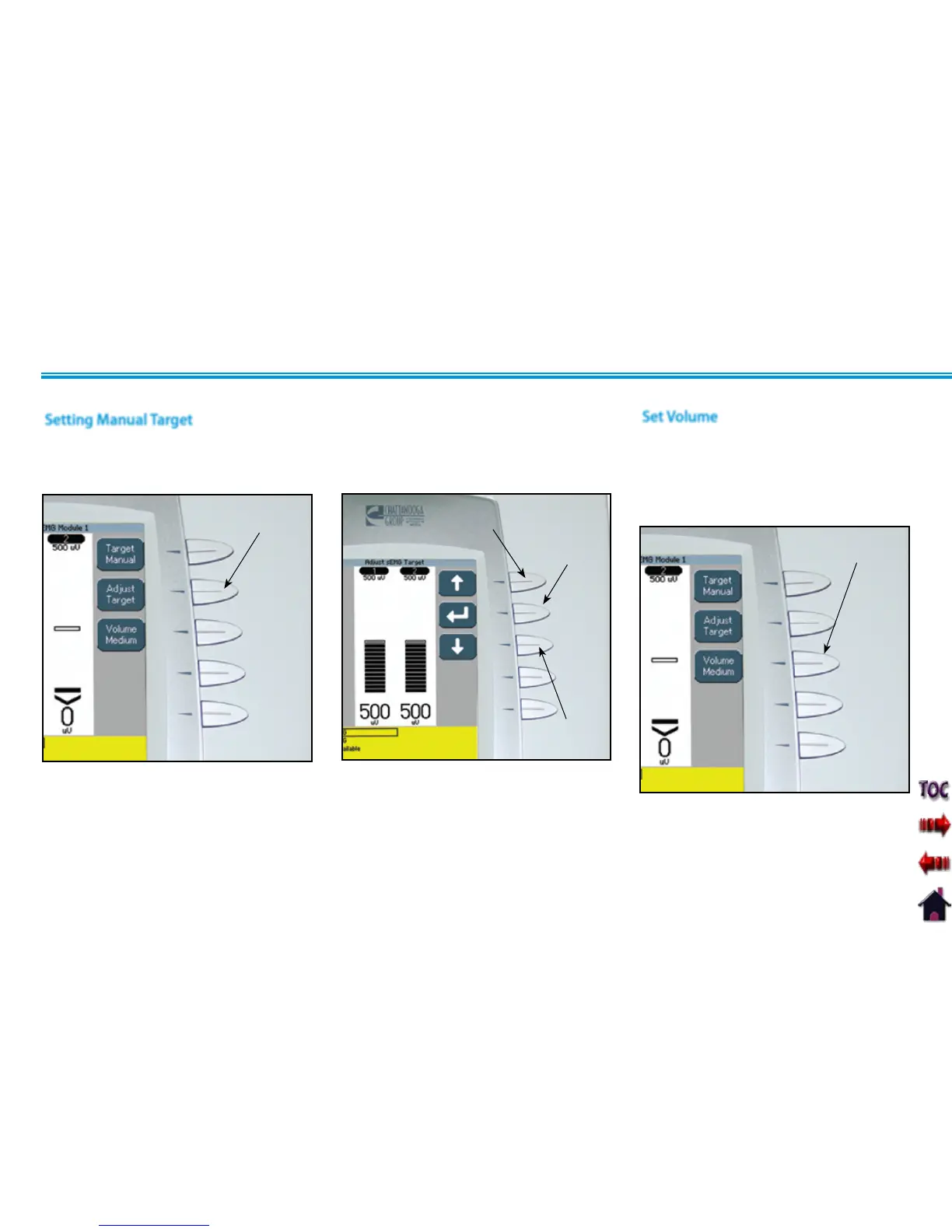
Press the Up and Down Arrow buttons to
adjust Target to prescribed level.
Press the Accept and Return Arrow button.
DOWN ARROW
BUTTON
ACCEPT AND
RETURN
ARROW BUTTON
UP ARROW
BUTTON
Make certain Target Manual is displayed in
the Target icon.
Press the Adjust Target button.
Setting Manual Target
ADJUST TARGET
BUTTON
Set Volume
Press Volume button until the desired
volume level is displayed in the Volume
icon.
The available volume levels are Low,
Medium, High, and Off.
VOLUME
BUTTON
NOTE: If Volume is Off, no alarm will
be heard when contraction reaches
the target setting.











 To Next Page