Vectra Genisys® Therapy System
55
OPERATION
Refer to pages 37 through 40 for Patient
Preparation and Electrode Placement.
Prepare Therapy System and patient. Refer
to pages 37 through 40.
sEMG THERAPY SET UP (CONTINUED)
Prepare System and Patient
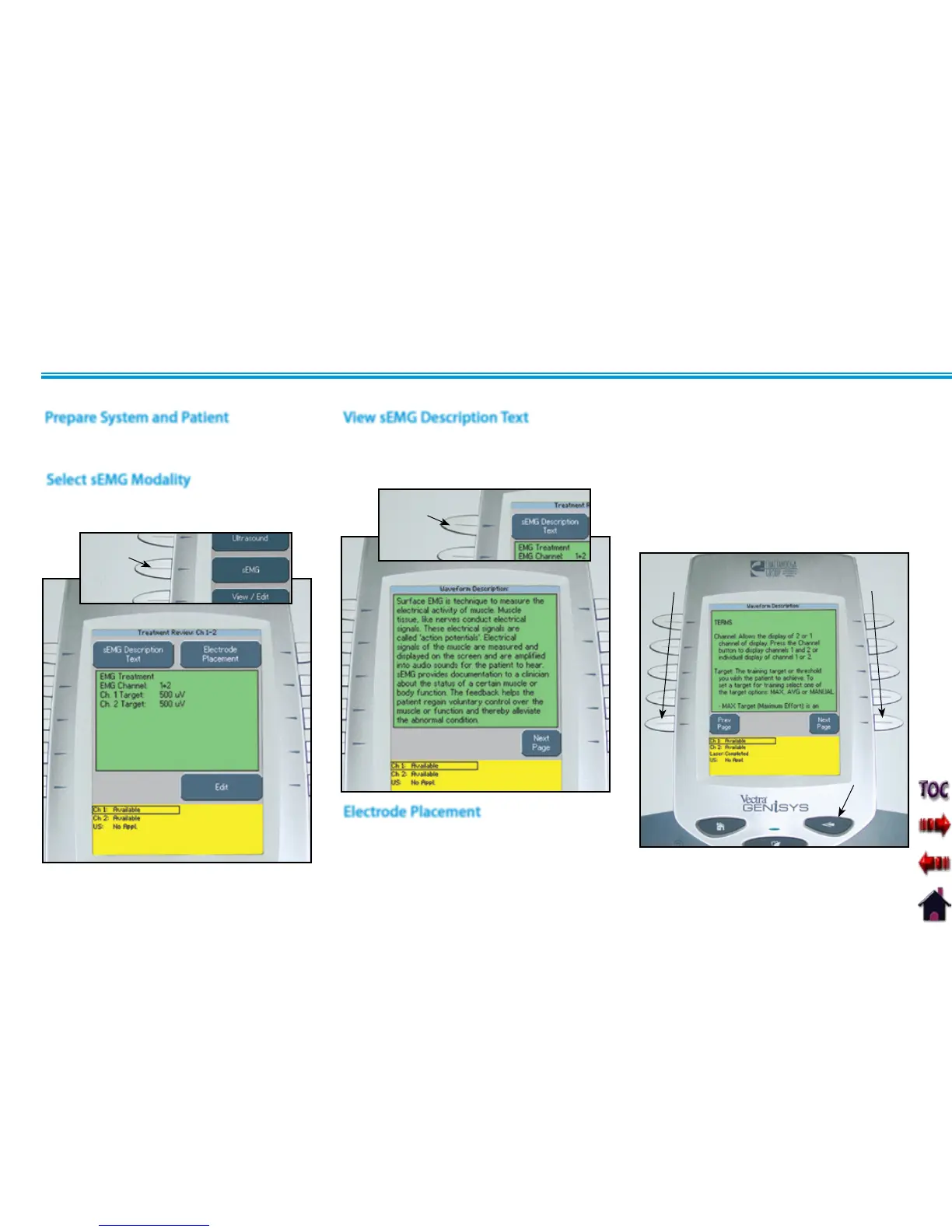
Press the sEMG button on the Home
screen.
Select sEMG Modality
sEMG
BUTTON
Press the sEMG Description Text button to
view text explaining the rationale of sEMG
Therapy.
View sEMG Description Text
sEMG DESCRIPTION TEXT
BUTTON
Press the Next Page button to view
additional text.
Press the Prev Page button to review
previous page.
Press the Back button to return to the
Treatment Review screen.
BACK
BUTTON
NEXT PAGE
BUTTON
PREV PAGE
BUTTON
Electrode Placement











 To Next Page