Vectra Genisys® Therapy System
67
OPERATION
NOTE: See page 50 for Head Warming
feature instructions.
COMBINATION (CONTINUED)
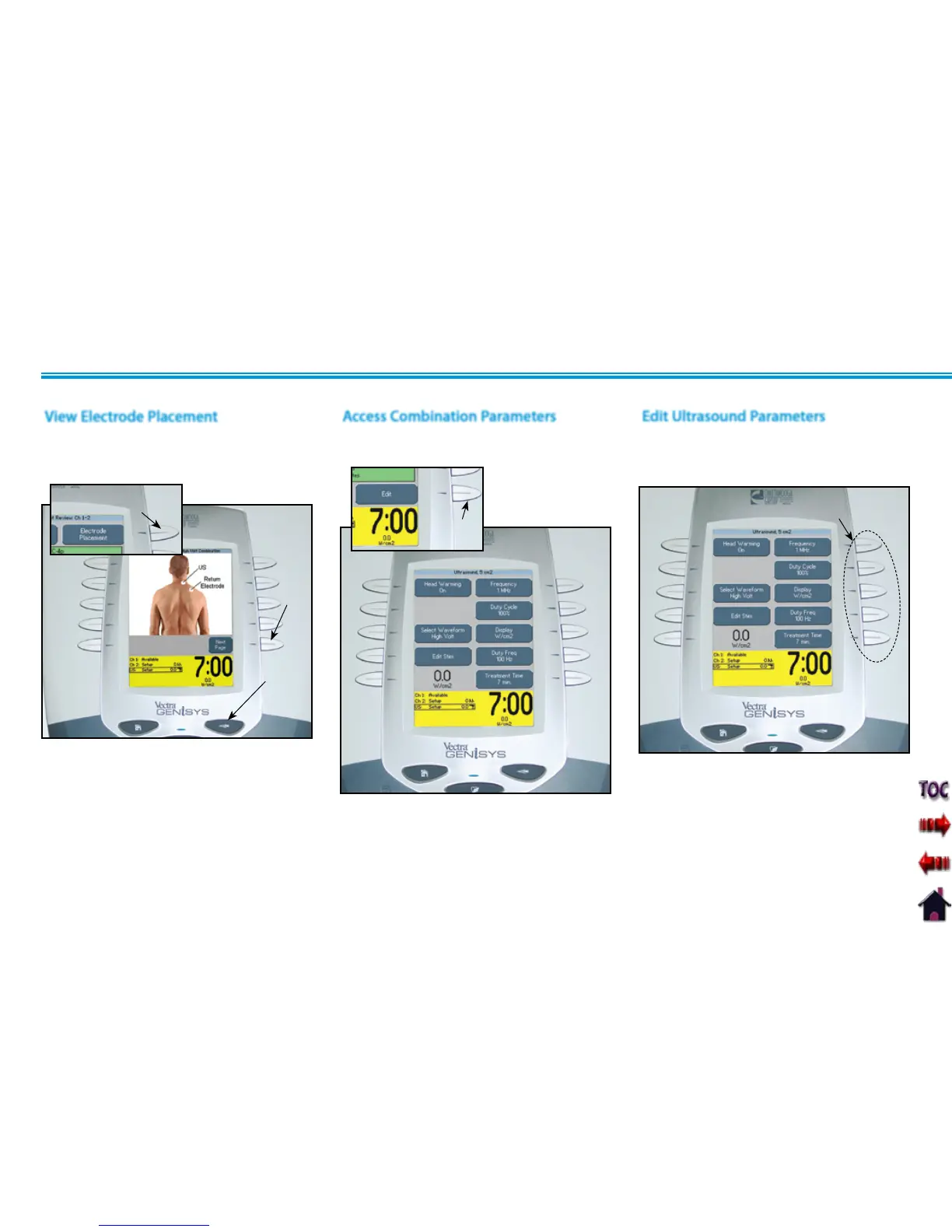
Press Edit button to access Combination
parameters.
Press the Back button to return to the
Treatment Review screen.
Access Combination Parameters
EDIT
BUTTON
Press the corresponding button to edit
the desired Ultrasound parameter as
prescribed.
Edit Ultrasound Parameters
PARAMETER
BUTTONS
Press the Electrode Placement button to
view the most commonly used electrode
placement for Combination therapy.
Press the Next button to read Electrode
Placement Text. Press the Back button to
return to the Treatment Review screen.
ELECTRODE PLACEMENT
BUTTON
View Electrode Placement
NEXT
PAGE
BUTTON
BACK
BUTTON











 To Next Page