Vectra Genisys® Therapy System
134
OPTION OPERATION
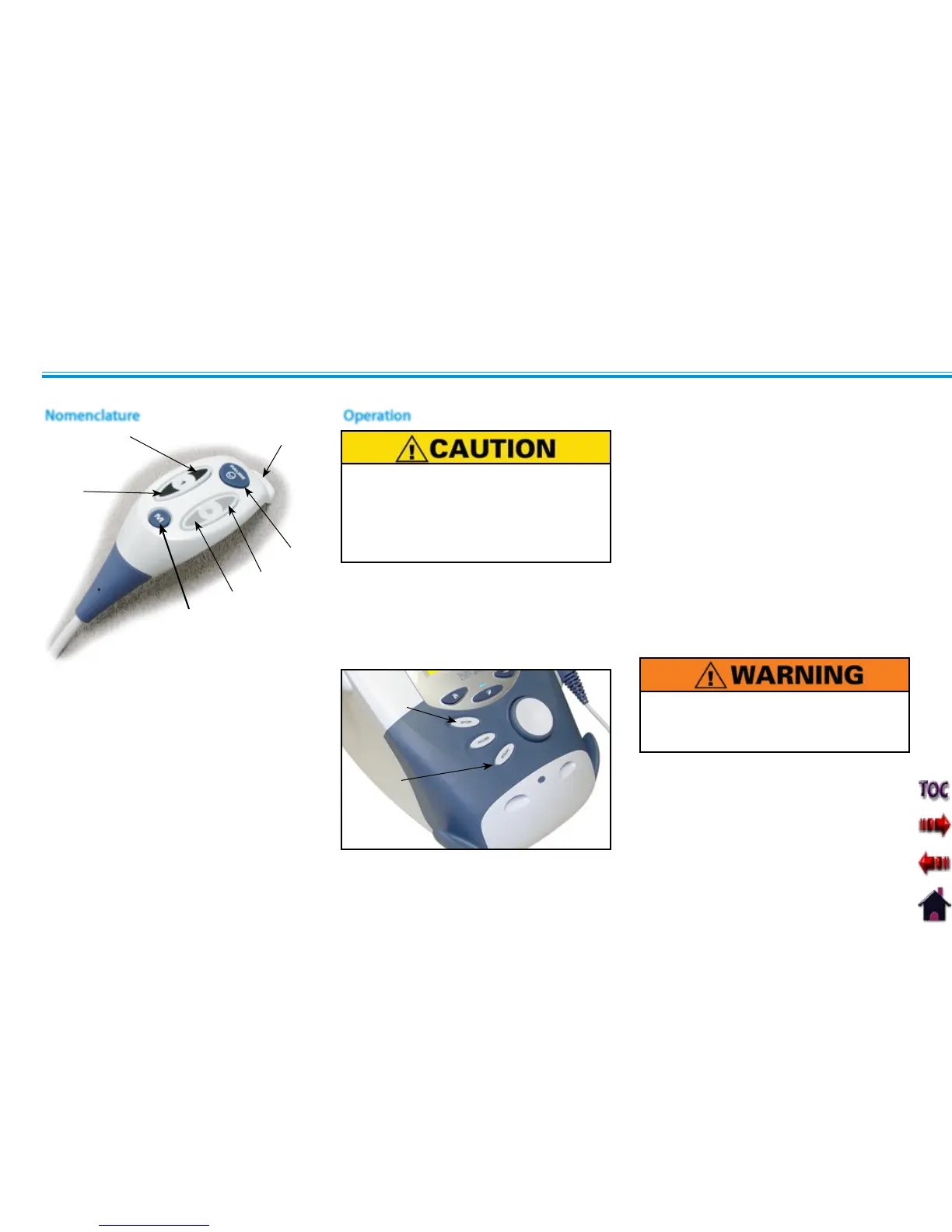
1. Remote Storage Hook
2. Treatment Pause button
3. Channel 2 Increase Intensity button
4. Channel 2 Decrease Intensity button
5. Manual Stimulation button
6. Channel 1 Decrease Intensity button
7. Channel 1 Increase Intensity button
NOTE: Refer to page 16 for Symbol
definitions.
Install the Operator Remote as described
on page 130. Set up electrotherapy session
as described on pages 44-46.
Start electrotherapy session by pressing the
Start Treatment Button.
1
2*
3
4
6
5
7
* BLUE FOR CHANNELS 1/2 OPERATOR REMOTE
ORANGE FOR CHANNELS 3/4 OPERATOR REMOTE
OPERATOR REMOTE OPERATION
START
TREATMENT
BUTTON
Pause session by pressing the Pause Button
on the Remote being used.
Press the M Button on the remote to apply
Manual Stimulation. Release the M Button to
stop Manual Stimulation application.
STOP
TREATMENT
BUTTON
Verify each Operator Remote is
connected to the applicable jack for the
channels being used.
Operator Remote is to be used under
supervision of a physician or licensed
practitioner only.
The Operator Remote is not intended for
patient use.
Increase or decrease the intensity by pressing
the Up or Down Button on the Operator
Remote for the respective channel being
used. This can be done while Manual
Stimulation is being applied.
To Stop session, press the Stop Treatment
Button.
Nomenclature Operation











 To Next Page