Vectra Genisys® Therapy System
78
OPERATION
sEMG + STIM THERAPY SET UP (CONTINUED)
Start sEMG Therapy Session
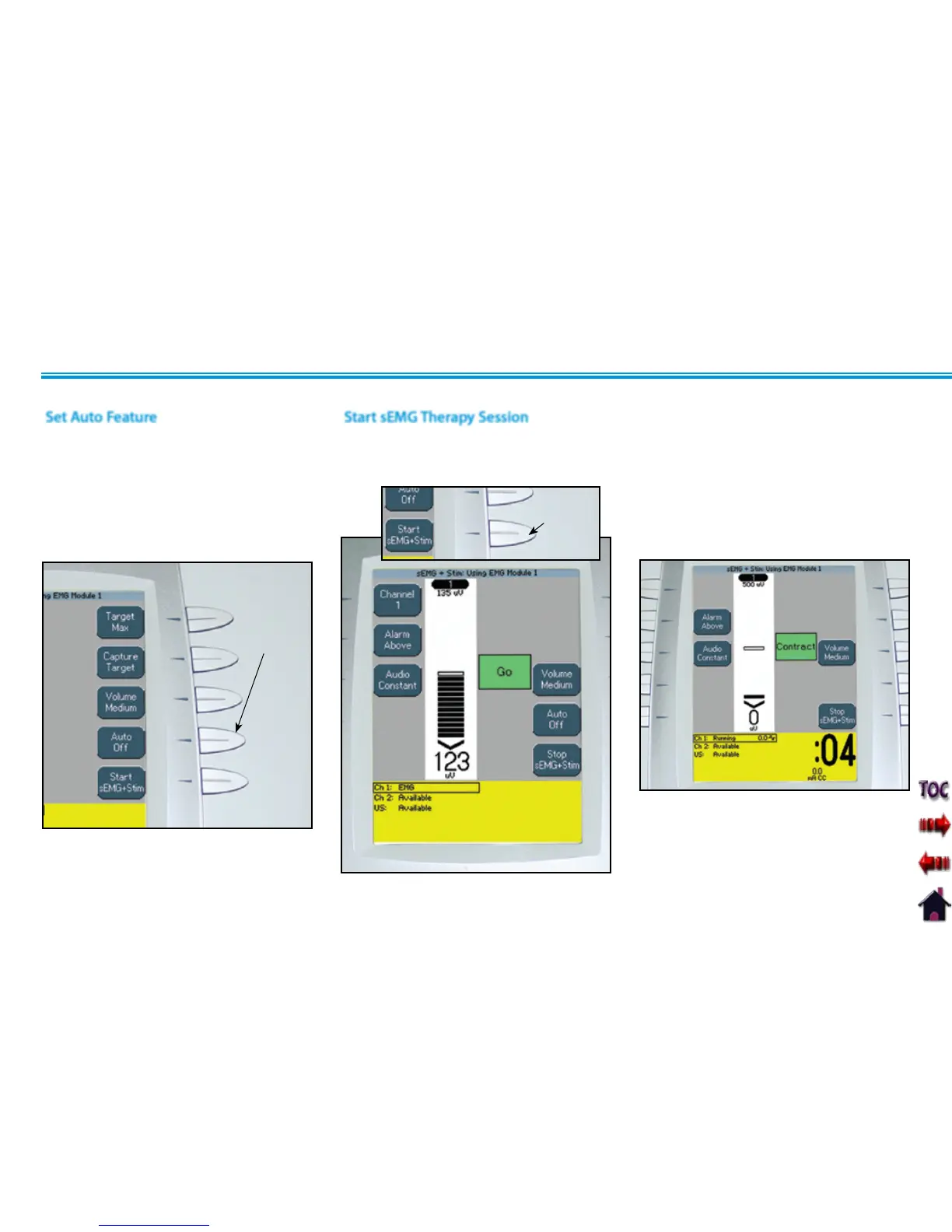
Have patient perform contractions as
prescribed.
When the contraction reaches the target,
the alarm will sound, the screen will change
and Stim will begin. The patient should
hold the contraction throughout the short
period of Stim.
After all parameters for sEMG and Stim have
been completed, press the Start sEMG +
Stim button.
START SEMG+STIM
BUTTON
NOTE: The Stim Intensity may be adjusted
only during the Stim portion of
the sEMG + Stim therapy session.
Set Auto Feature
The sEMG + Stim Auto feature is designed
to work in conjunction with the Target
settings. When On, the Auto feature will
automatically adjust the maximum target
as the patient fatigues.
Press the Auto button until Off or On is
displayed in the Auto icon.
AUTO
BUTTON











 To Next Page