Vectra Genisys® Therapy System
138
OPTION OPERATION
When charging Battery Module,
make
certain the System is electrically grounded
by connecting
only to a grounded
electrical service receptacle conforming to
the applicable national and local electrical
codes. Using any other power source
will cause extensive damage to internal
components and render the System
unsafe for patient therapy.
CHARGING BATTERY MODULE
Use the following instructions to properly
charge the Genisys Battery Module for use.
With Battery Module installed on the Vectra
Genisys Therapy System, plug the System
into an approved, grounded power outlet.
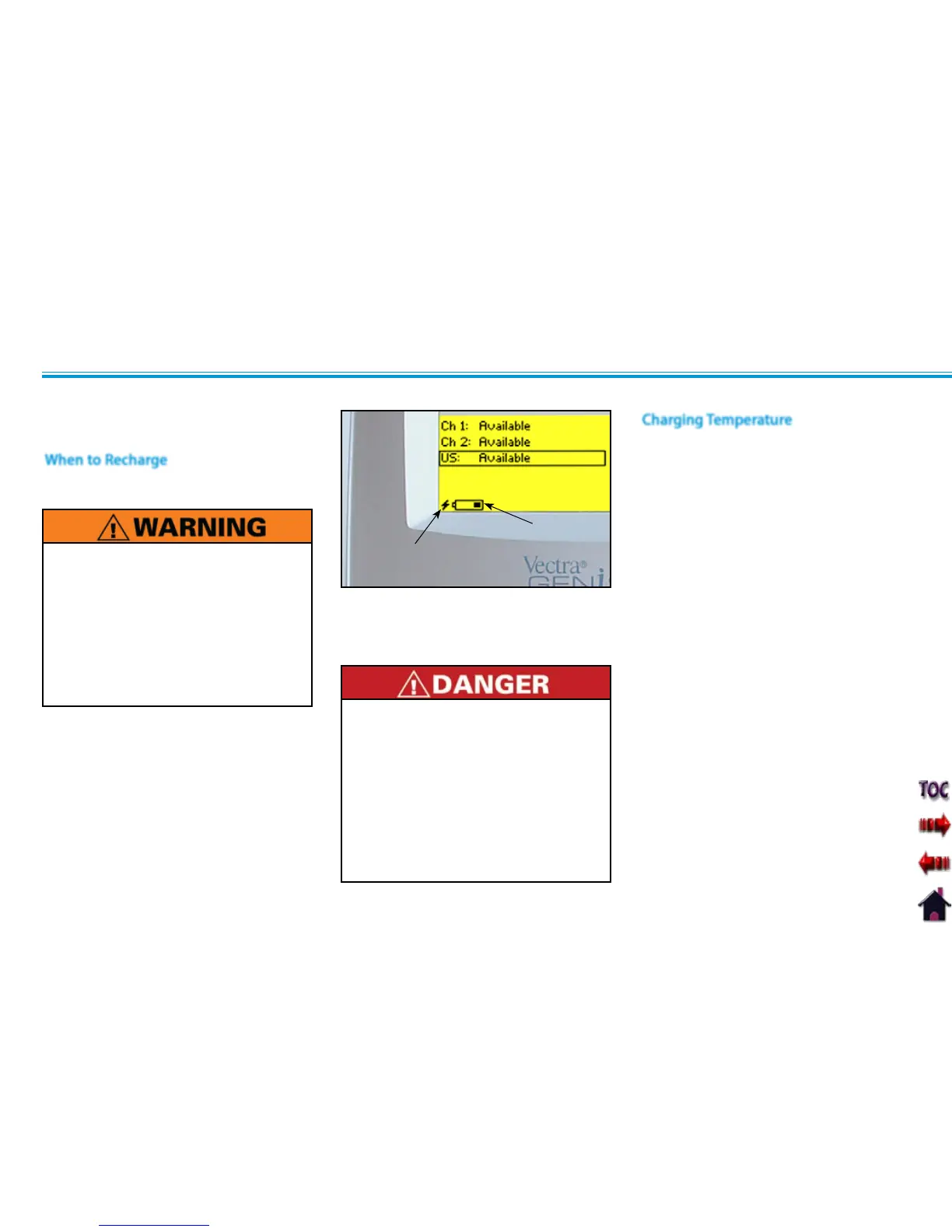
Turn the System on. The Lightning Bolt
icon will display indicating the battery
is charging. As the battery charges, the
Battery indicator icon will progressively fill
until it is solid black indicating full charge.
BATTERY
INDICATOR
ICON
Charge the battery according to the •
instructions found in this manual.
Never attempt to charge the battery
on any other charging mechanism.
Use the Battery Module only with the •
Vectra Genisys Therapy System.
Do not reverse the polarity of the •
Battery Module. Doing so can increase
the individual cell temperature and
cause cell rupture or leakage.
LIGHTNING
BOLT ICON
Charging efficiency is optimum within a •
temperature range of 50 °F to 86 °F (10
°C to 30 °C). Charge the Battery Module
within this temperature range.
At temperatures below 32 °F (0 °C) the •
gas absorption reaction is not sufficient
and causes an increase of the gas
pressure inside the battery. This condition
can activate the safety vent and lead
to alkaline gas leaking and battery
performance deterioration.
Charging efficiency of the Battery Module •
drops at temperatures above 104 °F
(40 °C) and can disrupt full charging,
lead to deterioration in performance and
battery cell leakage.
Charging of the Battery Module is required
when the Battery Indicator begins flashing.
When to Recharge
NOTE: The Lightening Bolt icon will
continue to display as long as
the System is connected to
a power source.
Charging Temperature











 To Next Page