26
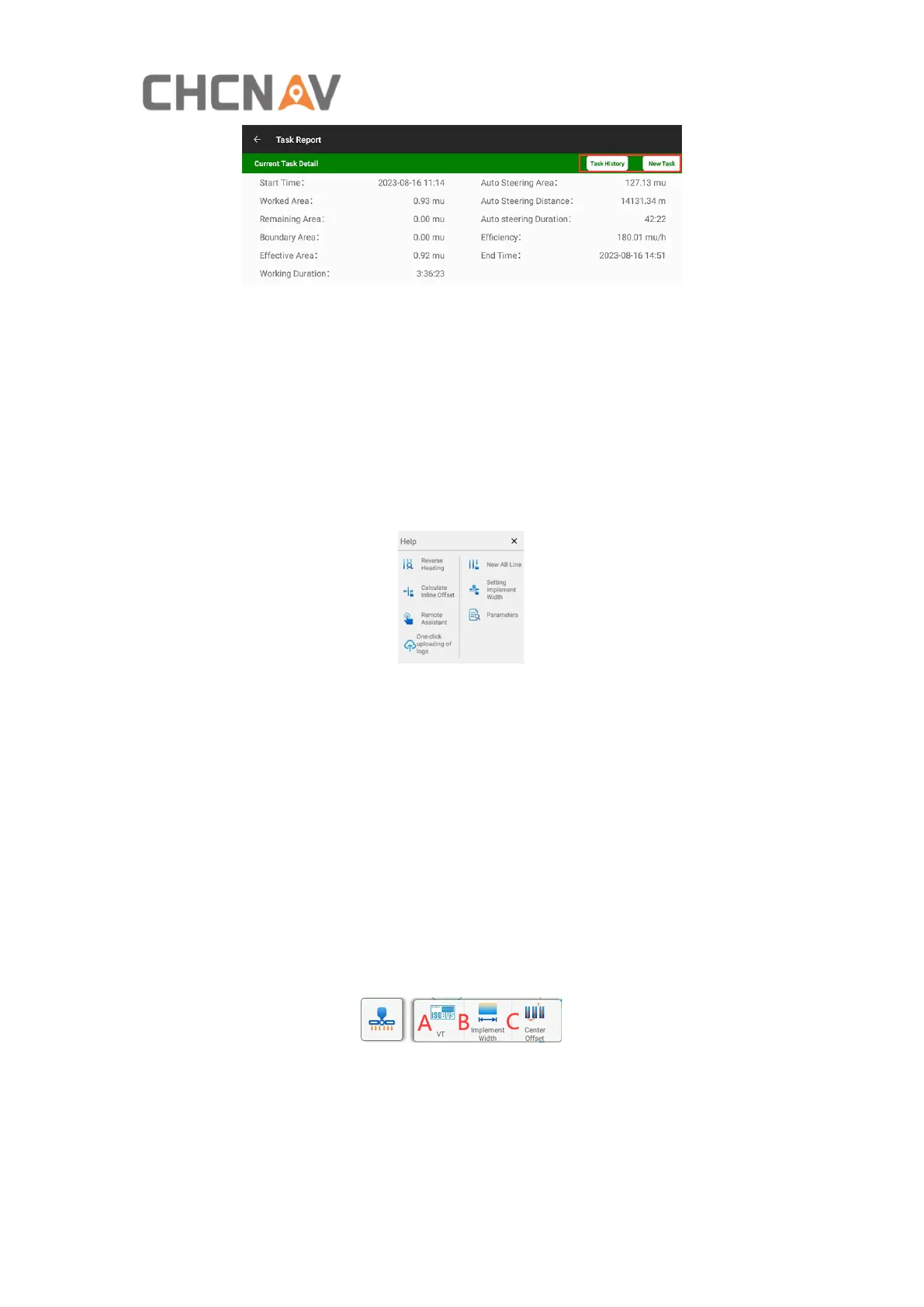
Worked Area: The painting/drawing area with overlap.
Remaining Area: The area which is subtracted effective area from boundary area.
Boundary Area: The inner area of boundary.
Effective Area: The painting/drawing area without overlap.
This interface allows to view historical tasks and create new tasks.
8. Help. It includes Reverse Heading, Calculate Inline Offset guidance, New AB Line
guidance, Remote Assistant, Setting Implement Width guidance, One-click uploading
of logs and Parameters.
Reverse Heading: When the vehicle is driving forward and the software interface
indicates that it is reversing, please click it to get the correct heading. Also the
shortcut can be turned on/off in Other Settings-Reverse heading shortcut.
Calculate Inline Offset: Guide users on how to adjust the inline offset.
New AB Line: Guide users on how to create AB line.
Remote Assistant: Contact technicians for remote assistance via an identification
code.
Setting Implement Width: Guide users on how to input implement’s parameters.
One-click uploading of logs: Quickly send logs to the server for technicians checking.
Parameters: Vehicle, configuration and calibration parameters, etc.
9. Implement settings.
A: ISOBUS UT (Requires extra activation)
B: Implement configuration



 To Next Page