LCR Meter 11021 / 11021-L User’s Manual
6-2
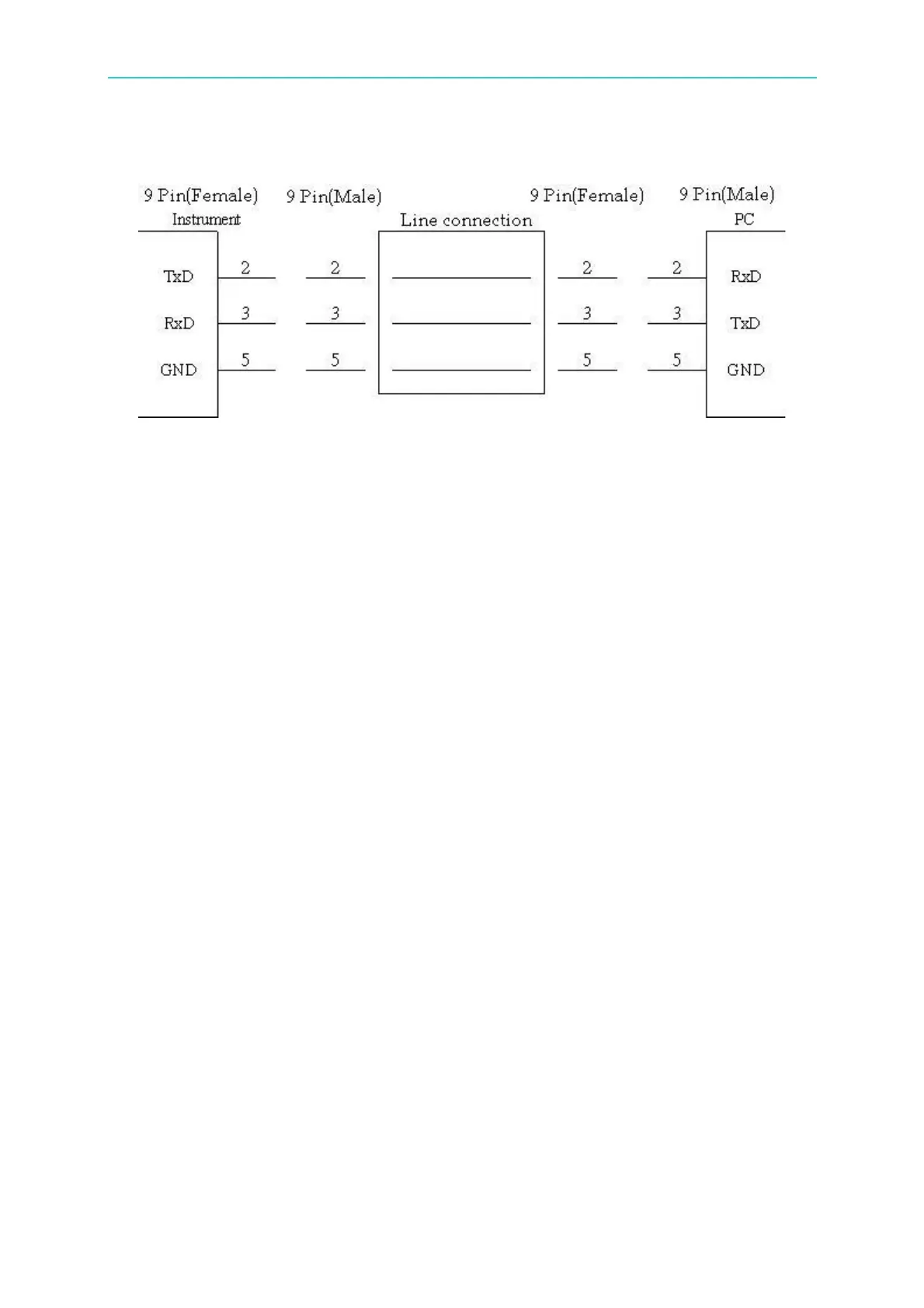
6.2.3 RS-232C Signal Line Connection
6.3 Setting RS-232C Interface Baud Rate
Press [System Setup] to enter <SYSTEM CONFIG> and then set the RS-232C BAUDRATE.
There are 2400, 4800, 9600, 19200 and 38400 five selections. The default setting is 19200.
6.4 RS-232C Interface Command
The detail description of RS-232C interface commands, please refer to the GPIB commands
description.



 To Next Page