Disarming the alarm system by SMS
The main menu, which you receive after texting ‘?’, will display the command for
disarming the system (‘0’). If you want to disarm the system you only have to send a ‘0’
succeeded as shown in the picture below.
Disarming
0
System disarmed.
Arming the system by SMS
If you want to arm the system you only have to send a ‘1’ to the number of the SIM
card in the control panel.
Arming
1
System armed.
Home Mode (Stay)
2
System in home mode.
Partially arming (home mode) the system by SMS
If you want to partially arm the system you only have to send a ‘2’ to the number of the
SIM card in the control panel.
13
14
Phone dial
You can directly enter a phone number and press the button. The system dials out
and you can make the call via the built-in microphone and speaker of the alarm system.
When you press again the call is ended.
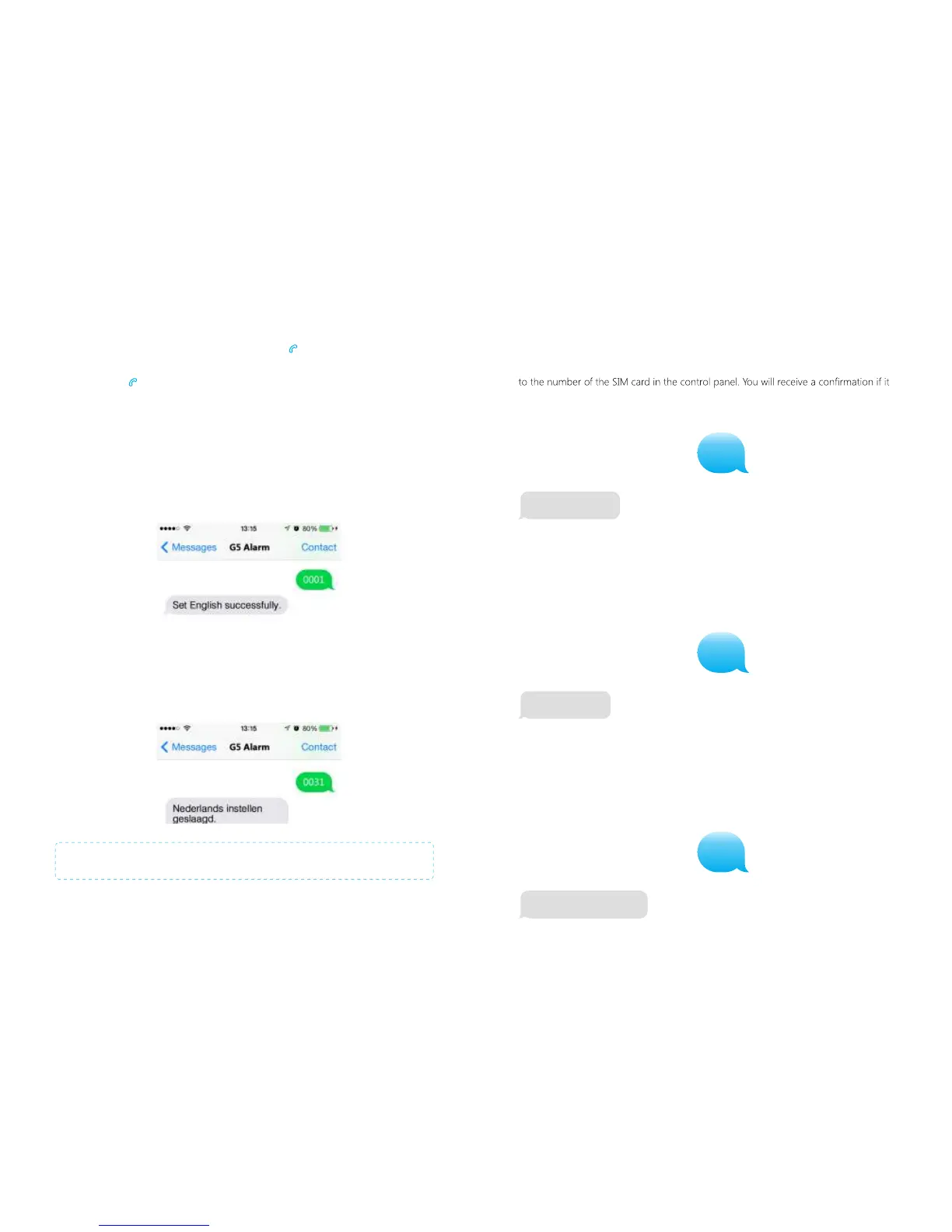
Changing the language
English
Send a SMS message with ‘0001’ to the telephone number of the SIM card in the
control panel. The language of the alarm system will be changed into English. The
control panel will send an SMS message to confirm the language is set successfully.
Dutch
Send a SMS message with ‘0031’ to the telephone number of the SIM card in the
control panel. The language of the alarm system will be changed into Dutch. The
control panel will send a SMS message to confirm the language is set successfully.
Note: The language can also be set in the G5 Alarm App.
PIR-900 Wireless PIR Motion Detector
1.
2.
3.
1.
2.
3.
IMPORTANT: When single zone group is selected, the sensor will always be in
the normal group. It is not possible to place it in the home group.
3 Years
Warranty



 To Next Page