25
26
Setting alarm volume and duration
Both alarm volume and duration of the siren can be adjusted in this menu.
12
Siren volume(0 Mute,
1 Low, 2 High):
2
Siren ringing time(1-9min):
5
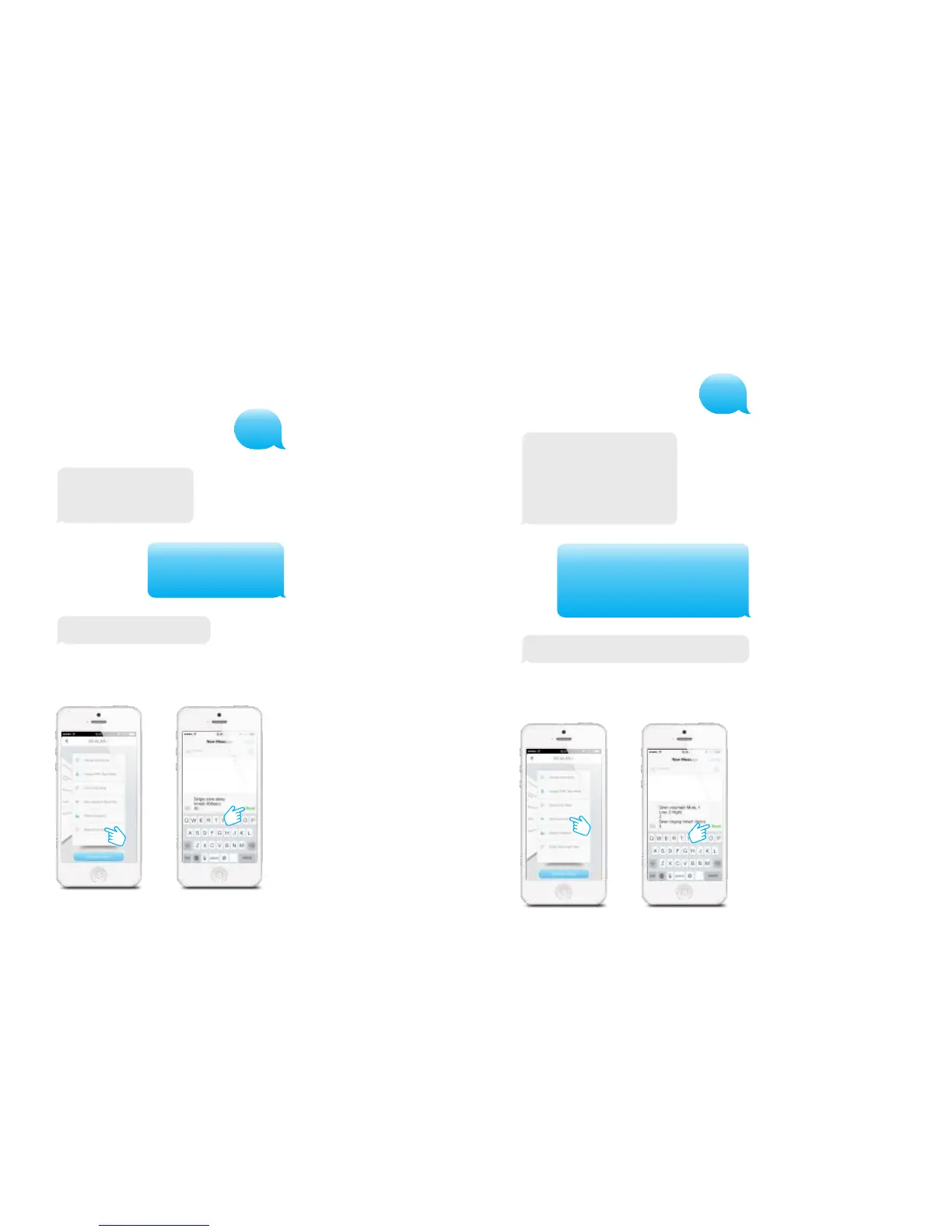
Left is the response message of the alarm
system shown when texting ‘12’ to the control
panel. Copy the message and adjust the
volume (‘0, 1 or 2’) of the siren and the
duration of the siren as shown below.
In the App:
Siren volume (0 Mute, 1 Low, 2 High):
0
Siren ringing time (1-9 min):
3
Change entry/exit delay time
The system can be armed or alarmedwith a time delay. When a delay time is set you
will hear a beep every second as a warning of this delay. The beep will go faster in the
last 15 seconds.
11
Entry and exit delay time
(0-300 sec.):
0
Entry and exit delay time
(0-300 sec.):
30
Set delay time successfully.
Left is the response message of the alarm system
shown when texting ‘11’ to the control panel. Copy
the message and adjust the time as shown below.
In the App:
Set siren volume and ringing time successfully.
PIR-900 Wireless PIR Motion Detector
1.
2.
3.
1.
2.
3.
IMPORTANT: When single zone group is selected, the sensor will always be in
the normal group. It is not possible to place it in the home group.
3 Years
Warranty



 To Next Page