Mounting Options 8-5
5150 Service Aggregation Switch Hardware Installation and Start-up Manual
009-3222-001 Standard Revision H
Copyright
©
2012-2015 Ciena
®
Corporation July 2015
Procedure 8-1
Installing the Wallmount Bracket
Step Action
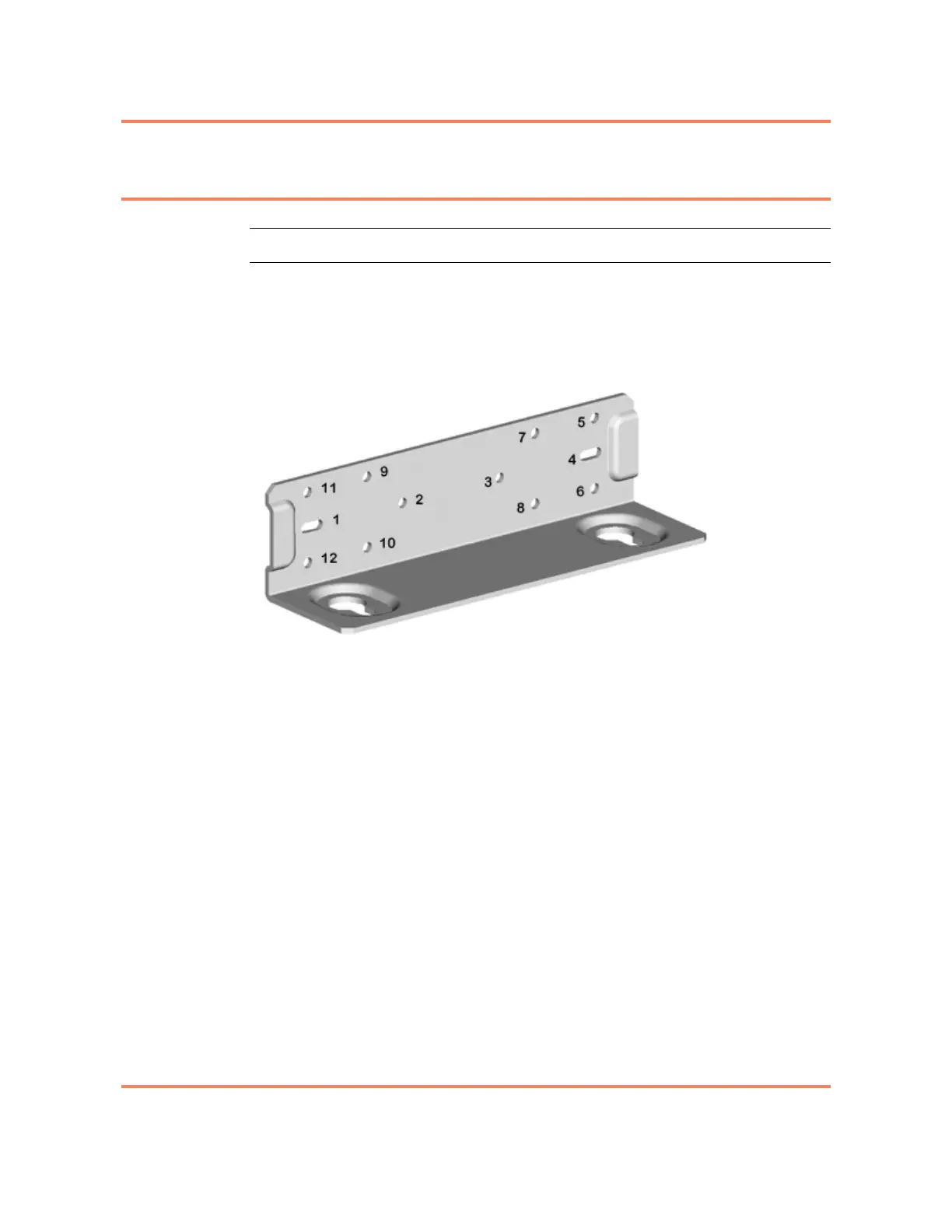
1 Align the holes of the mounting bracket with the holes on the left side of the
unit (see Figure 8-2) as follows:
• beginning with hole 3, install screws in holes 3, 4 and 2
Figure 8-2
Left Side Application
2 Align the holes of the mounting bracket with the holes on the right side of the
unit (see Figure 8-3 on page 8-6) as follows:
• beginning with hole 3, install screws in holes 3, 4 and 2



 To Next Page