9-1
5160 Service Aggregation Switch Hardware Installation and Start-up Manual
009-3207-001 Standard Revision A
Copyright
©
2013 Ciena
®
Corporation September 2013
Reset Button 9-
It is possible to initiate soft resets of the system through the local console port,
local management port, or the management VLAN. Instructions for initiating a
soft reset are included in the 39XX/51XX Command Reference. This is the
recommended way to reset the system.
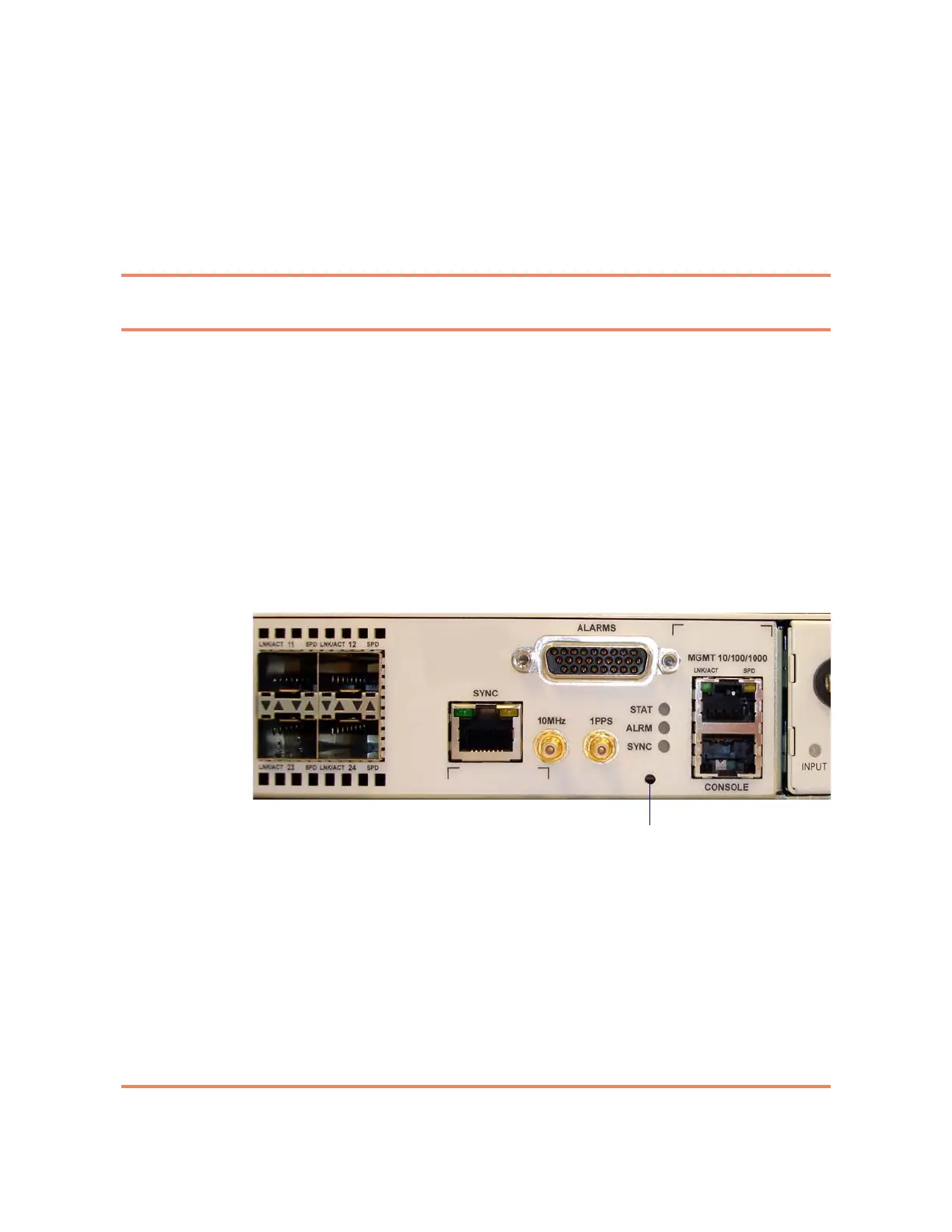
The 5160 has a reset button. To avoid accidentally triggering the reset button,
it is recessed behind the faceplate. You will need a straightened paper clip or
similar small tool to depress the reset button. The reset button is located to the
left of the management port on the far right of the chassis. Figure 9-1 shows
the location of the reset button.
Figure 9-1
Location of the 5160 Reset Button
There are two different types of resets available:
• Quick reset, which is accomplished by depressing the reset button for less
than three seconds. A quick reset reboots the system with the current
saved configuration. When you press the reset button for less than 3
seconds, all the LEDs on the faceplate will be lit.
• Hard reset, which is accomplished by depressing the reset button for three
seconds or more continuously. When you press the reset button for more
than 3 seconds, all the LEDs on the faceplate will be lit, then they will flash



 To Next Page