10
LE-3xx/LE-4xx Hardware Installation & User Guide
HARDWARE DESCRIPTION
The following LE-4xx SCS models are currently available:
The LE-427 chassis occupies only one rack unit (RU) of a standard 19-inch equipment rack,
allowing up to 42 devices to share a single rack (without redundant power supplies).
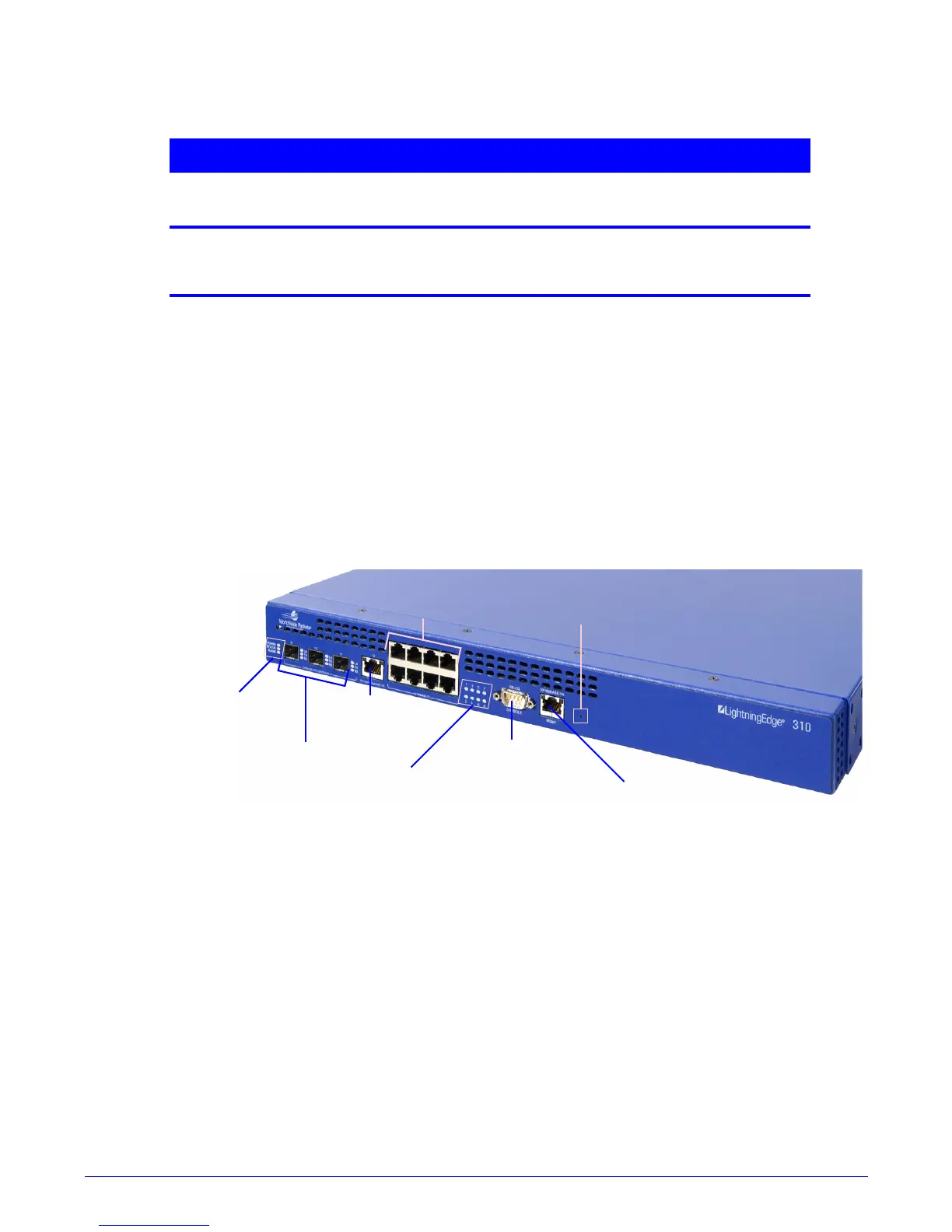
LE-310
On the LE-310, the Status LEDs for the 10/100/1000Base-TX ports are located in a bank to the
right of the actual ports
. The status LEDs for the 3 SFP 100/1000 Mbps uplink ports are
located to the right of each port
. Status LEDs for the 10/100/100BASE-TX port and the
management port are integrated into the port itself.
Figure 1-1:
LE-310 Hardware Location
LE-311/LE-311v
Table 1-2: The LE-4xx SCS Family of Products
Model Interfaces Location of
Connectors
Rack Units
Occupied
Power
LE-427
•
16 Gigabit SFP
•
1 10/100BASE-TX
Ethernet ports on front,
power connections on rear
of device
1AC
Local Management Port
Console Port
Reset Button
10 / 10 0 M b p s
Port LEDs
10 / 10 0 M b p s
Port LEDs (8)
10 0 BA S E - F X /
10 0 0 B A S E -X
Uplink Ports
10/100/1000
Mbps Port
Unit Status
LEDs



 To Next Page