M B
P
S M O U L D E
R O C E S 1 S
P R O C E S 2 S
P R O C E S 3S
P R O C E S I N DS
→
≡
≡
≡
≡
≡
P I D
S H U T D O 1NW
S H U T D O 2NW
S H U T D O 3NW
≡
≡
≡
≡
A V
B
L E U I M T I I N
V D
G
4 8
S
5
A T T E R L Y
M O D B U S S R
D
D A T A L O
T
G
C A L I B
I O S E
C R
N
O S
G
X
I
T
≡
≡
≡
≡
≡
U S E R P C
A
S
E
D
T & M
I
A T
E T D A T E
S
E
L A G
O
L E R D A
C
S
M N
E
T R
E T S I
R
T E
S
E E
T
A C O Y
F
STOP
OK
BACK
ARCONTROLBMS.COM
S e t D a t e
0 0 / 0 0 / 0 0 0 0
STOP
OK
BACK
ARCONTROLBMS.COM
S e t T i m e
0 0 : 0 0 A M
52
3.4.13 SET DATE & TIME
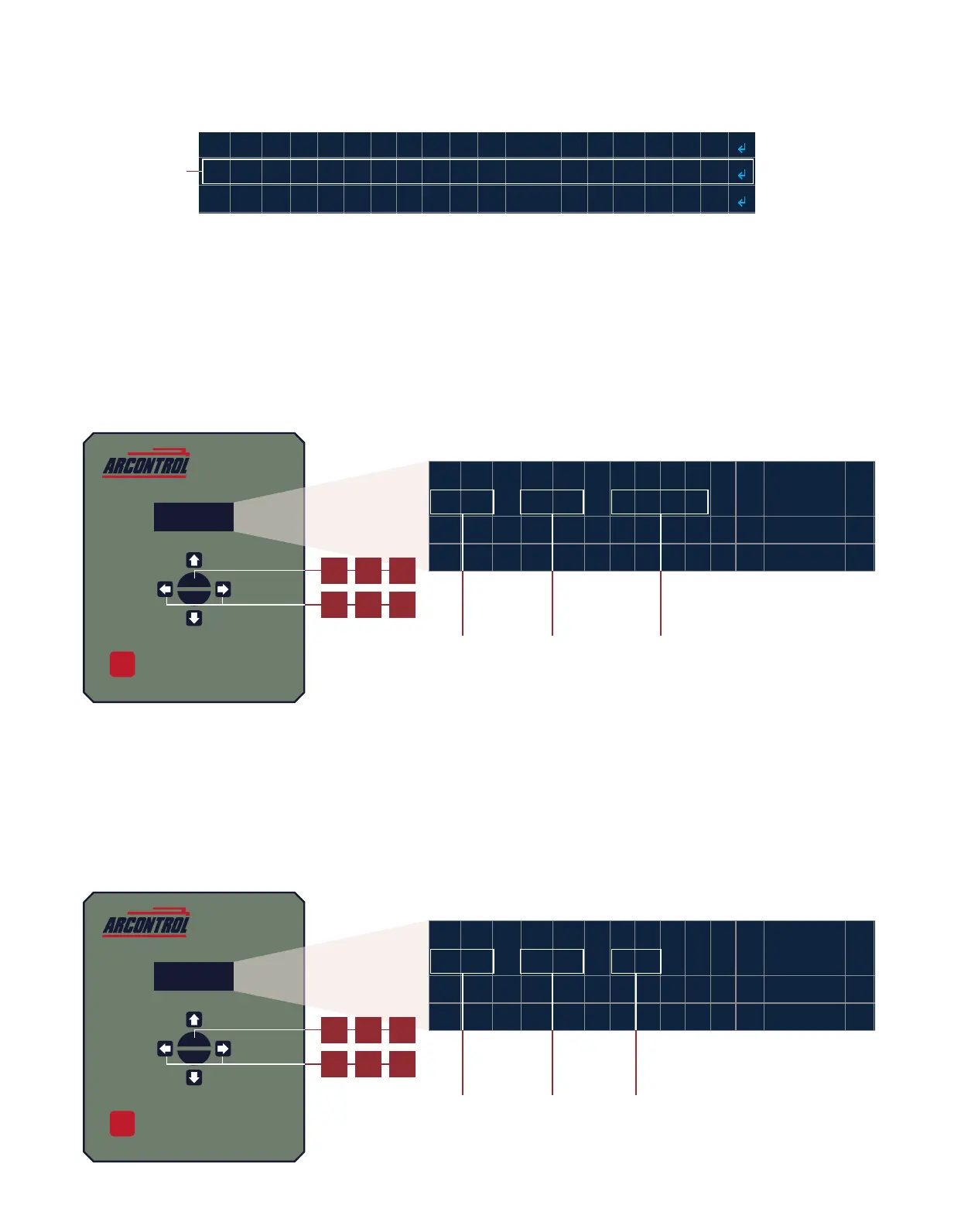
Select the SELECT DATE & TIME menu (Image 3.4.39) to access the date and me sengs.
Follow these steps to set the system date (Image 3.4.40):
1. Use the LEFT or RIGHT key and enter the month.
2. Press the OK key.
3. Use the LEFT or RIGHT key and enter the day.
4. Press the OK key.
5. Use the LEFT or RIGHT key and enter the year.
6. Press the OK key to exit the date seng and enter the me seng.
Follow these steps to set the system me (Image 3.4.41):
7. Use the LEFT or RIGHT key and enter the hour.
8. Press the OK key.
9. Use the LEFT or RIGHT key and enter the minute.
10. Press the OK key.
11. Use the LEFT or RIGHT key and enter AM or PM.
12. Press the OK key to return to the system sengs menu.
Image 3.4.39 · SET DATE & TIME menu
Select SET DATE
& TIME menu
2
1
Image 3.4.40 · Set date
3 5
4
Set month Set day Set year
6
8
7
Image 3.4.41 · Set me
7 11
10
Set hour Set minute Set AM or PM
12



 To Next Page