17
Other signals:
LED flashing in sequence from READY to VOICE means server is updating system.
Server “beep” codes: a single beep per 3 seconds (telephone line is disconnected); beeps repeating 1
long 2 short (server failure)
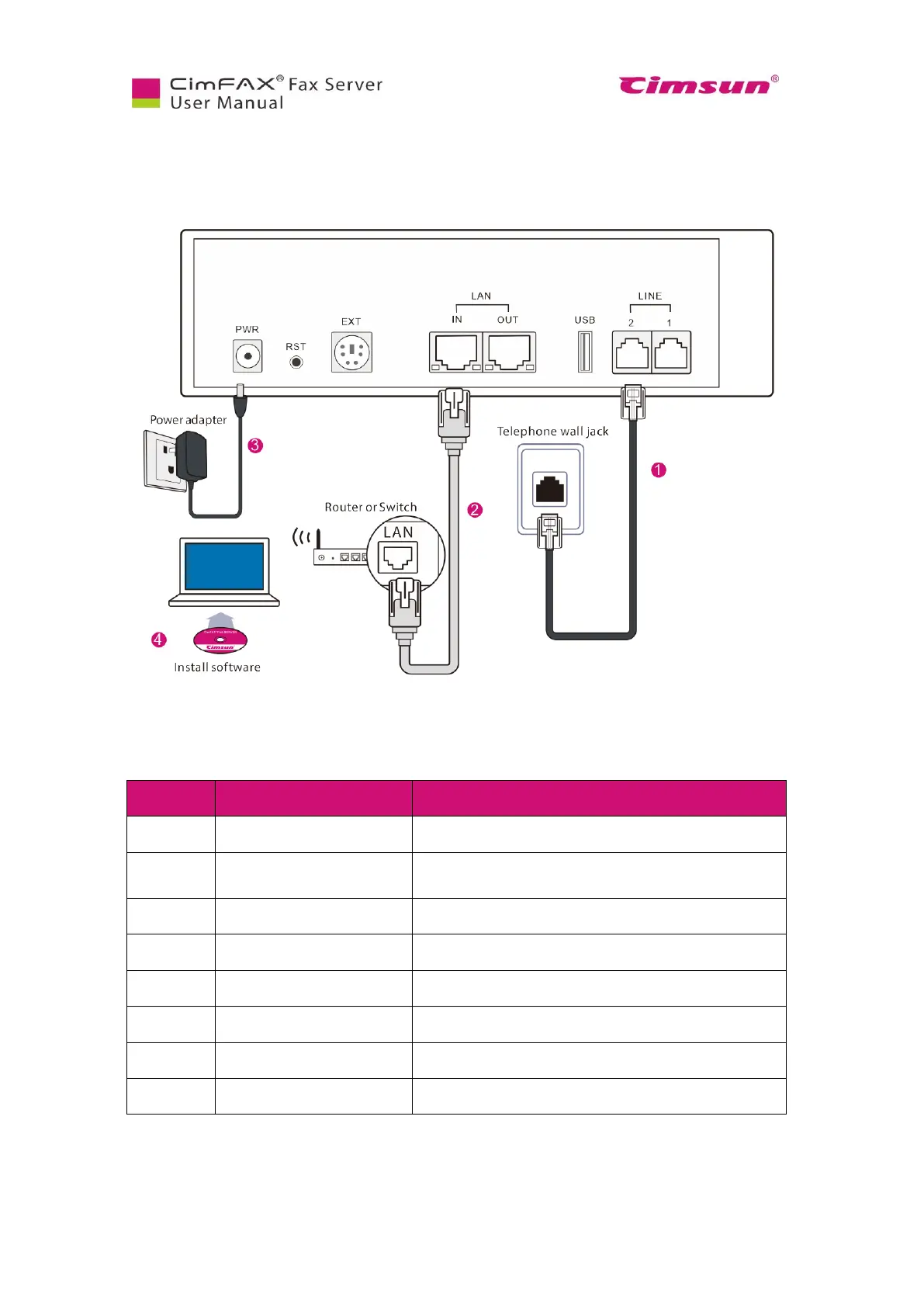
Fig. 2.6 Deployment of Professional Two-line Edition and Ultimate Two-line Edition
Connects to a power adapter.
Restores settings to factory default. Details refer
to “5.8 Restore Factory Settings”.
Connects to a local Ethernet 10/100M based network.
Connects to another fax server or PC.
Connects to a telephone line.
Connects to a telephone or fax machine.
Fig. 2.7 Rear panel of Professional Two-line Edition and Ultimate Two-line Edition



 To Next Page