79
7.4 Fax to Email Settings
Note: Please login as admin account or an account with the permission of “Administer” to set up user
account.
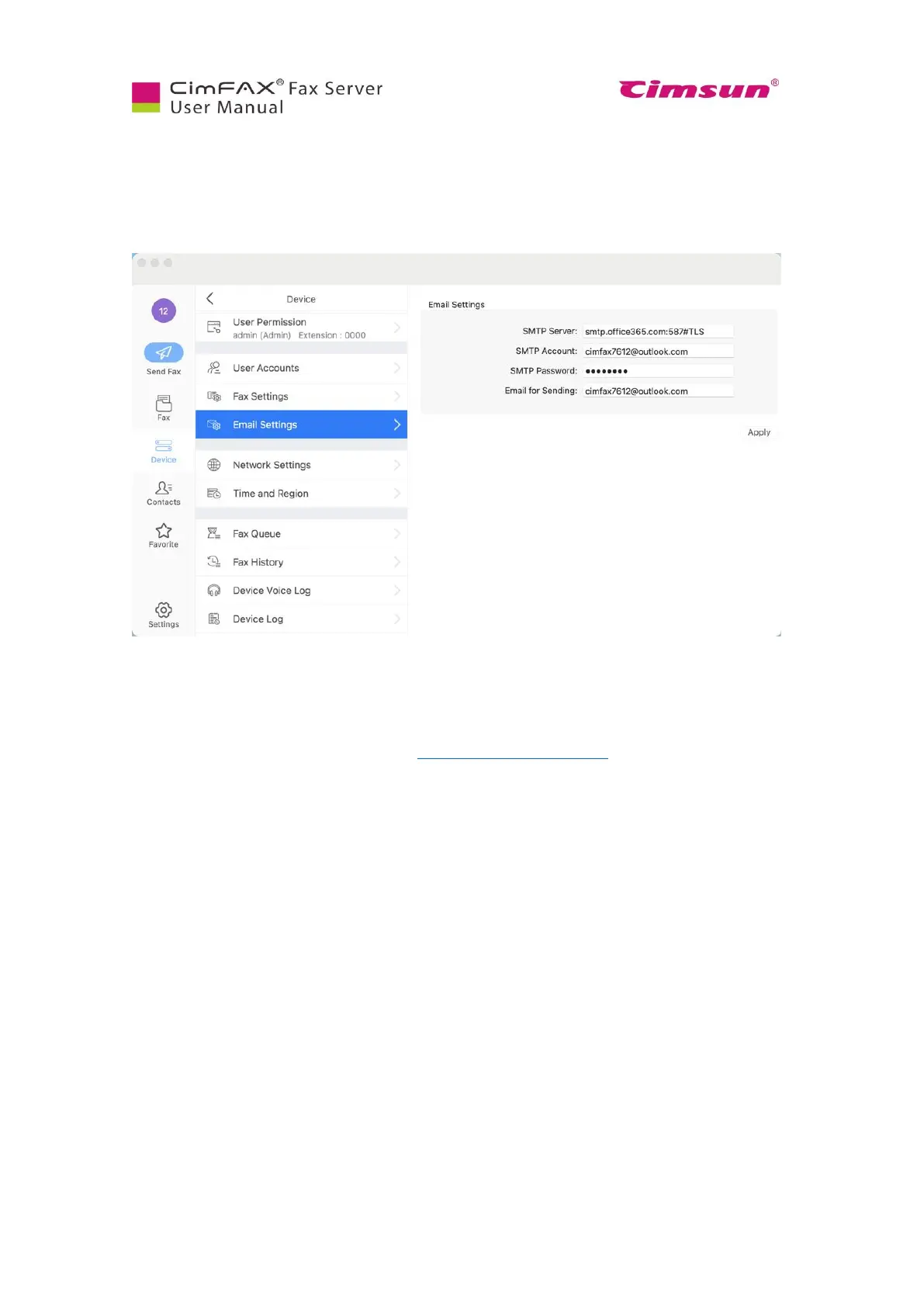
Click “Device”, then “Email Settings”. Set this up and you will get incoming faxes in your email as
PDF attachments.
● SMTP Server”: the SMTP server address like: smtp.MailServer.com.
If your email requires encrypt link, you'll have to assign the port such as "465" and encrypt type
like "#SSL". “SMTP account”: your SMTP account.
● “SMTP password”: your SMTP password.
● “Email address”: your email address like youraccount@MailServer.com.
We suggest you use outlook email as the sending email and use outlook smtp service.



 To Next Page