76
7.1 Check CimFAX Server Version and Status
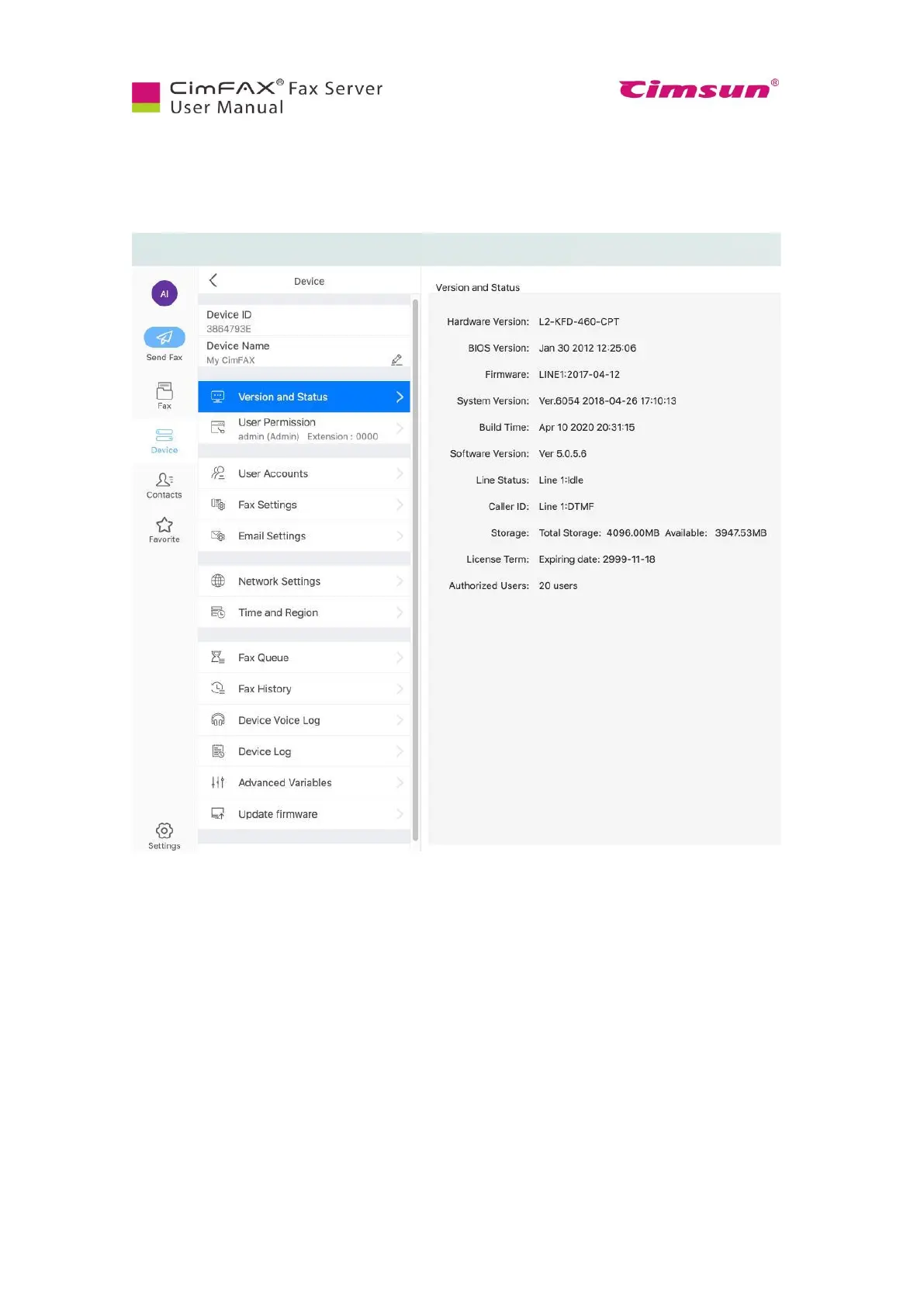
You may need to check CimFAX server software version and firmware version when there’s any issue
sending and/or receiving faxes. Log into CimFAX client software, then click “Device” and then
“Version and Status”.
In this window, you can see the software and firmware version. You can also see the line status, storage
and authorized users of the server. You can tell check whether or not the server is sending or receiving
faxes by the line status.



 To Next Page