80
7.5 Network Settings
Note: Please login as admin account or an account with the permission of “Administer” to network
settings.
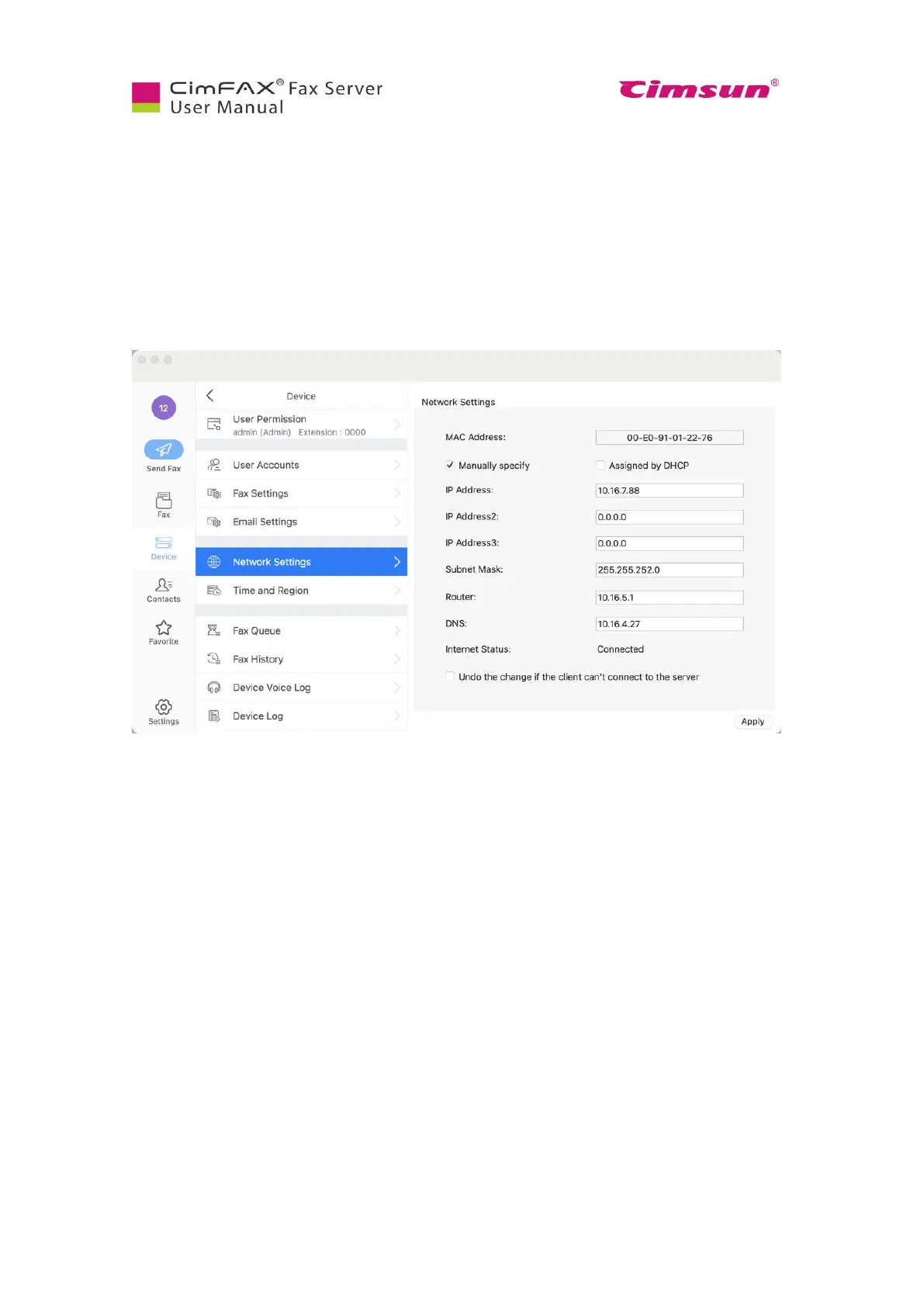
CimFAX IP address is set to be assigned by DHCP by default. If you’d like to specify an IP address,
please click “Device” and then “Network Settings”. Check on the option of “Manually specify”. Then
enter the IP address, Subnet Mask, Router and DNS information. Click “Apply”.
Please make sure the IP address is valid and available. You’d better check on the option of “Undo the
change if the client can’t connect to the server”.



 To Next Page