11-15
Cisco Catalyst Blade Switch 3130 and 3032 for Dell Software Configuration Guide
OL-12247-04
Chapter 11 Configuring Interface Characteristics
Using the Internal Ethernet Management Port
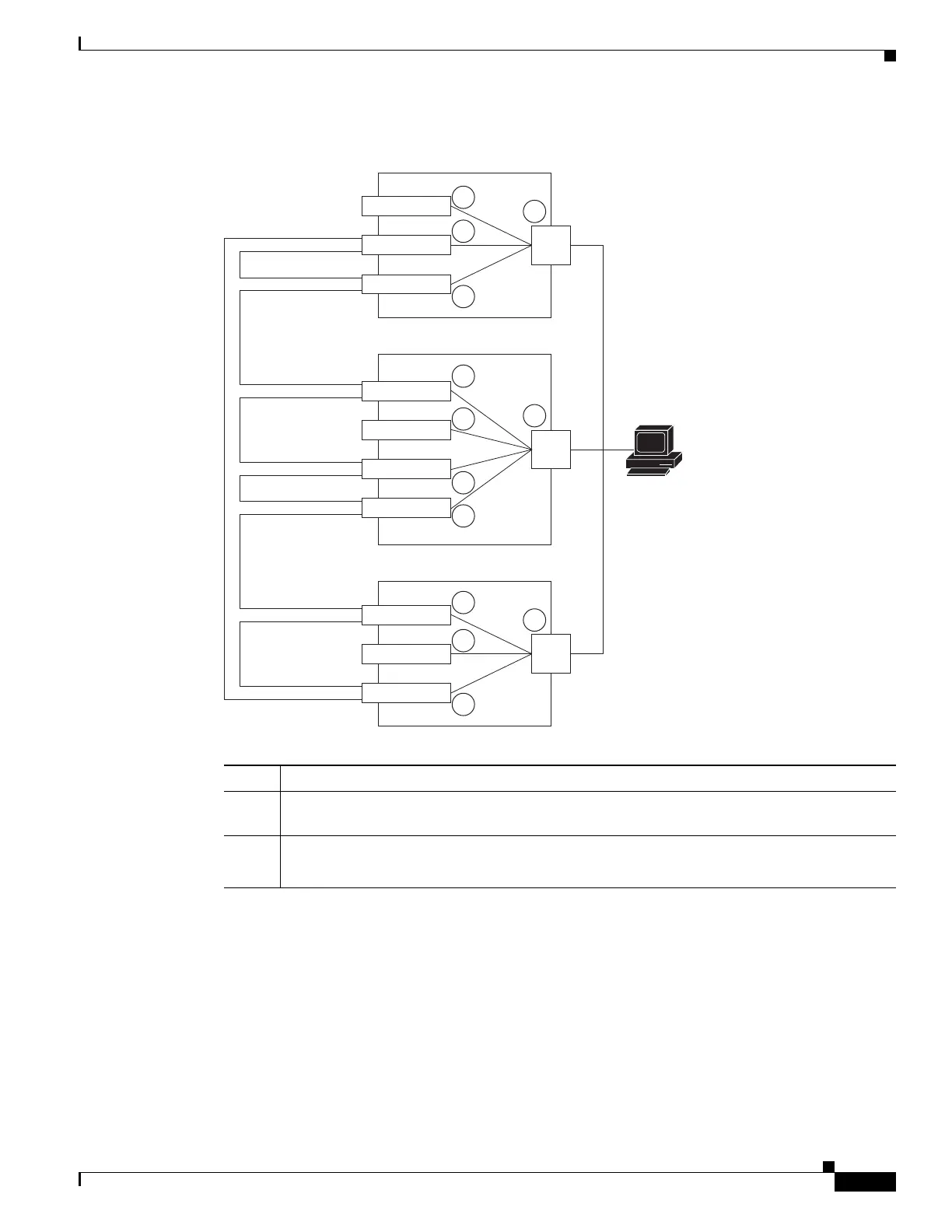
Figure 11-3 Connecting a Switch Stack to a PC
By default, the Ethernet management port is enabled. The switch cannot route packets from the Ethernet
management port to a network port and the reverse.
Supported Features on the Ethernet Management Port
The Ethernet management port supports only these features:
• Express Setup (only in switch stacks)
• Network Assistant
1 Chassis Management Module
2 Internal Ethernet management port that are not active because they are not on the stack master
(stack member 4)
3 Active internal Ethernet management port on the stack master
Note The internal Ethernet management ports on the stack members are disabled.
201910
PC
Blade switch
Blade switch
Enclosure 1
Enclosure 2
Blade switch
Stack member 1
Stack member 2
Stack member 3
Stack member 4
and stack master
Stack member 5
Stack member 6
Stack member 7
1
2
3
2
Blade switch
Blade switch
Blade switch
Blade switch
1
2
3
3
2
Blade switch
Blade switch
Blade switch
1
2
2
3



 To Next Page