10-4
Cisco Catalyst Blade Switch 3130 and 3032 for Dell Software Configuration Guide
OL-12247-04
Chapter 10 Configuring Web-Based Authentication
Understanding Web-Based Authentication
• If the authentication server does not respond to the switch, and if an AAA fail policy is configured,
the switch applies the failure access policy to the host. The login success page is sent to the user.
(See the “Local Web Authentication Banner” section on page 10-4.)
• The switch reauthenticates a client when the host does not respond to an ARP probe on a Layer 2
interface, or when the host does not send any traffic within the idle timeout on a Layer 3 interface.
• The feature applies the downloaded timeout or the locally configured session timeout.
• If the terminate action is RADIUS, the feature sends a nonresponsive host (NRH) request to the
server. The terminate action is included in the response from the server.
• If the terminate action is default, the session is dismantled, and the applied policy is removed.
Local Web Authentication Banner
You can create a banner that will appear when you log in to a switch by using web authentication.
The banner appears on both the login page and the authentication-result pop-up pages.
• Authentication Successful
• Authentication Failed
• Authentication Expired
You create a banner by using the ip admission auth-proxy-banner http
global configuration command.
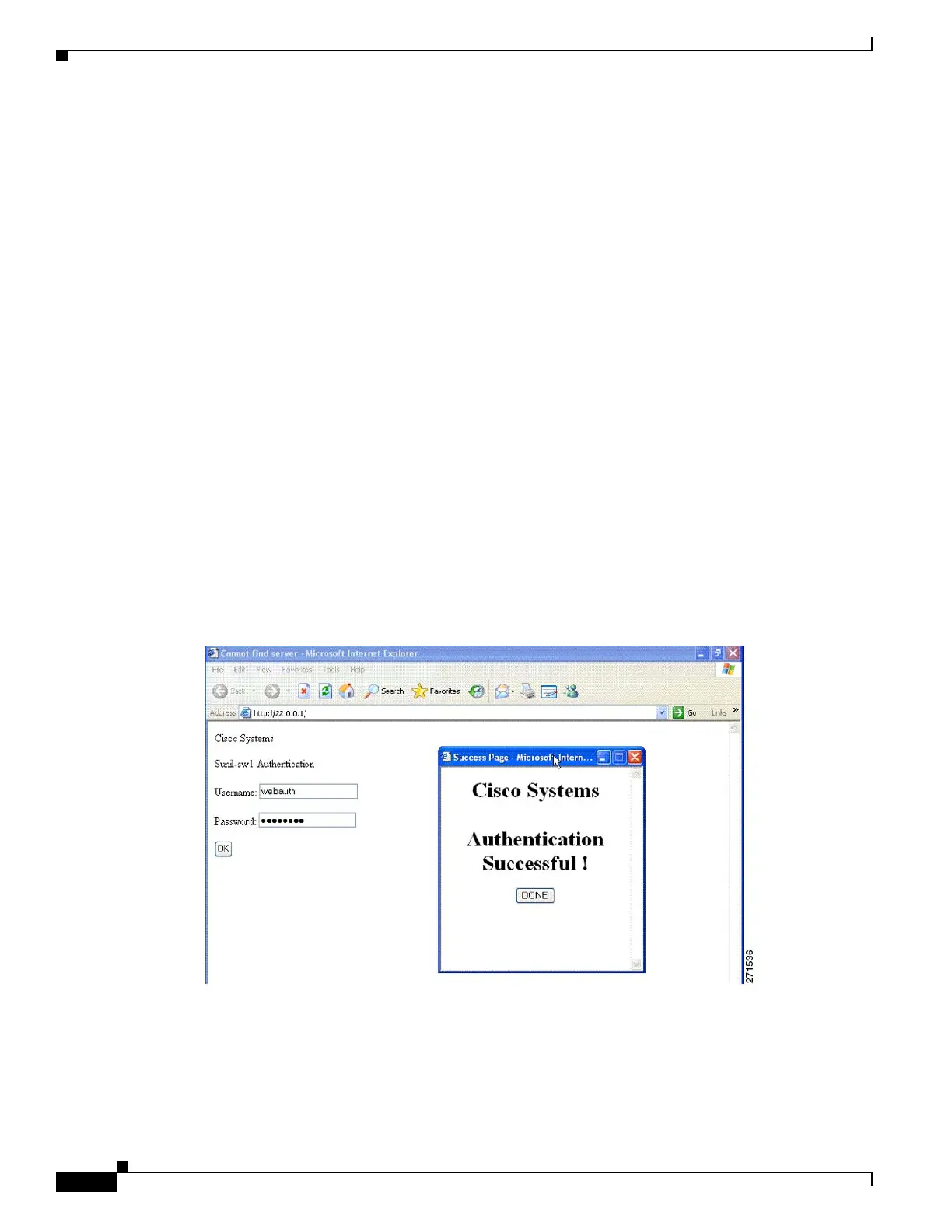
The default banner Cisco Systems and Switch host-name Authentication appear on the Login Page. Cisco
Systems appears on the authentication result pop-up page, as shown in Figure 10-2.
Figure 10-2 Authentication Successful Banner
You can also customize the banner, as shown in Figure 10-3.
• Add a switch, router, or company name to the banner by using the ip admission auth-proxy-banner
http banner-text global configuration command.
• Add a logo or text file to the banner by using the ip admission auth-proxy-banner http file-path
global configuration command.



 To Next Page