34-35
Cisco Catalyst Blade Switch 3130 and 3032 for Dell Software Configuration Guide
OL-12247-04
Chapter 34 Configuring Network Security with ACLs
Configuring VLAN Maps
Applying a VLAN Map to a VLAN
Beginning in privileged EXEC mode, follow these steps to apply a VLAN map to one or more VLANs:
To remove the VLAN map, use the no vlan filter mapname vlan-list list global configuration command.
This example shows how to apply VLAN map 1 to VLANs 20 through 22:
Switch(config)# vlan filter map 1 vlan-list 20-22
Using VLAN Maps in Your Network
These sections describes how to deny access to a server on another VLAN (see the “Denying Access to
a Server on Another VLAN” section on page 34-35).
Denying Access to a Server on Another VLAN
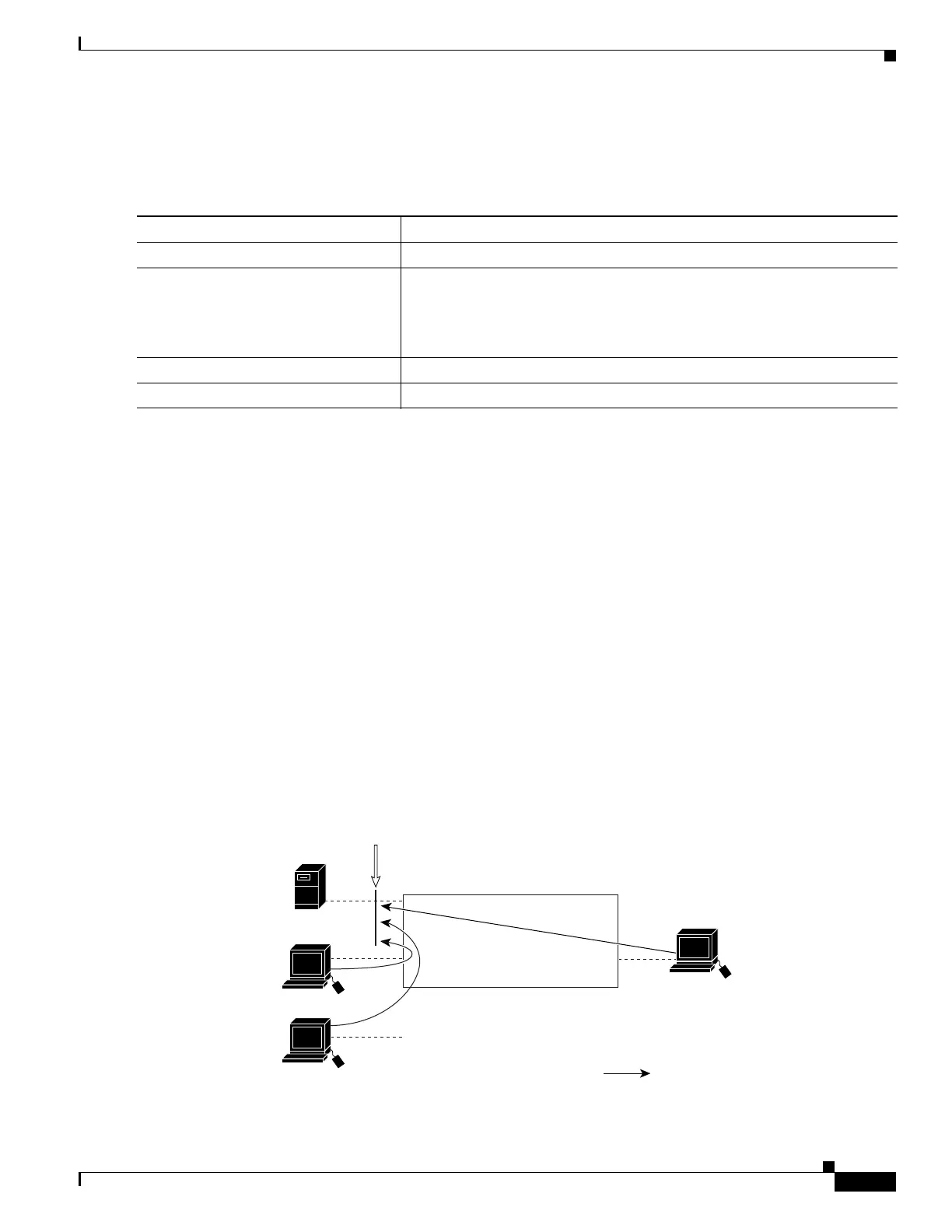
You can restrict access to a server on another VLAN. For example, server 10.1.1.100 in VLAN 10 needs
to have access denied to these hosts (see Figure 34-4):
• Hosts in subnet 10.1.2.0/8 in VLAN 20 should not have access.
• Hosts 10.1.1.4 and 10.1.1.8 in VLAN 10 should not have access.
Figure 34-4 Deny Access to a Server on Another VLAN
Command Purpose
Step 1
configure terminal Enter global configuration mode.
Step 2
vlan filter mapname vlan-list list Apply the VLAN map to one or more VLAN IDs.
The list can be a single VLAN ID (22), a consecutive list (10-22), or a string
of VLAN IDs (12, 22, 30). Spaces around the comma and hyphen are
optional.
Step 3
show running-config Display the access list configuration.
Step 4
copy running-config startup-config (Optional) Save your entries in the configuration file.
Layer 3 switch
Host (VLAN 20)
Host (VLAN 10)
Host (VLAN 10)
Server (VLAN 10)
101356
VLAN map
Subnet
10.1.2.0/8
10.1.1.100
10.1.1.4
10.1.1.8
Packet



 To Next Page