1-24
Cisco Catalyst Blade Switch 3130 and 3032 for Dell Software Configuration Guide
OL-12247-04
Chapter 1 Overview
Where to Go Next
With the multilayer switches providing inter-VLAN routing and other network services, the routers
focus on firewall services, Network Address Translation (NAT) services, voice-over-IP (VoIP) gateway
services, and WAN and Internet access.
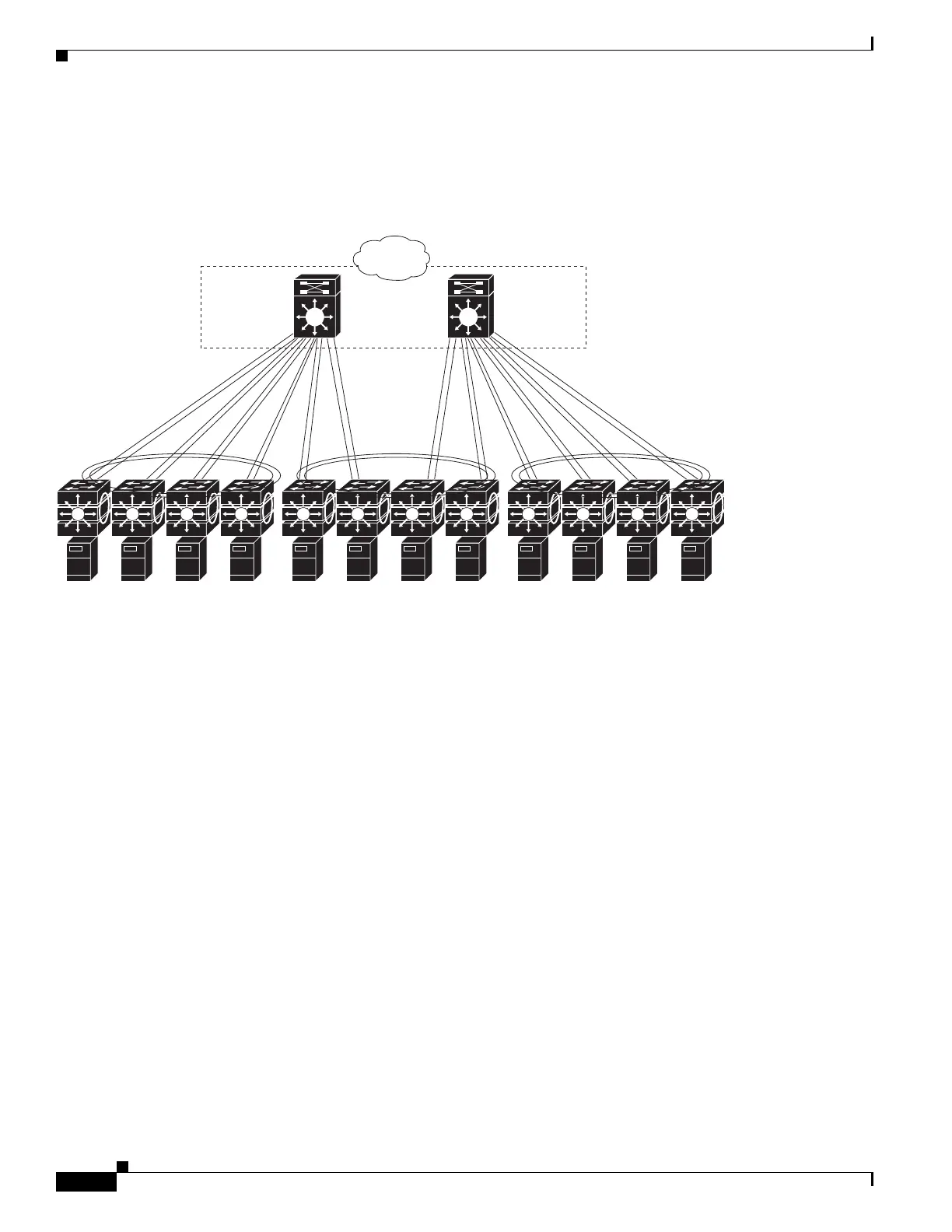
Figure 1-3 Switch Stack in a Collapsed Backbone
Where to Go Next
Before configuring the switch, review these sections for startup information:
• Chapter 2, “Using the Command-Line Interface”
• Chapter 3, “Assigning the Switch IP Address and Default Gateway”
201914
Campus
core
Catalyst
6500 switches
Blade switch
StackWise
switch stacks
Blade server
enclosures



 To Next Page