CHAPTER 3
Calls
•
Access the Phone App, page 31
•
Make Calls, page 32
•
Answer Calls, page 36
•
End a Call, page 40
•
Mute Your Audio, page 41
•
Hold Calls, page 41
•
Forward Calls From Your Phone, page 43
•
Transfer a Call to Another Person, page 44
•
Conference Calls and Meetings, page 44
•
Intercom Calls, page 46
•
Supervise and Record Calls, page 47
•
Prioritized Calls, page 48
•
Multiple Lines, page 50
Access the Phone App
We make it easy for you to make and receive calls with the Phone app.
Procedure
Use one of these ways to access the Phone app:
•
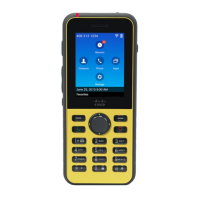
From the home screen, press the Select button to select Phone .
•
Press Answer/Send to make a call or to answer an incoming call.
•
Enter a number using the keypad to make a call.
Cisco Wireless IP Phone 8821 and 8821-EX User Guide
31




 To Next Page