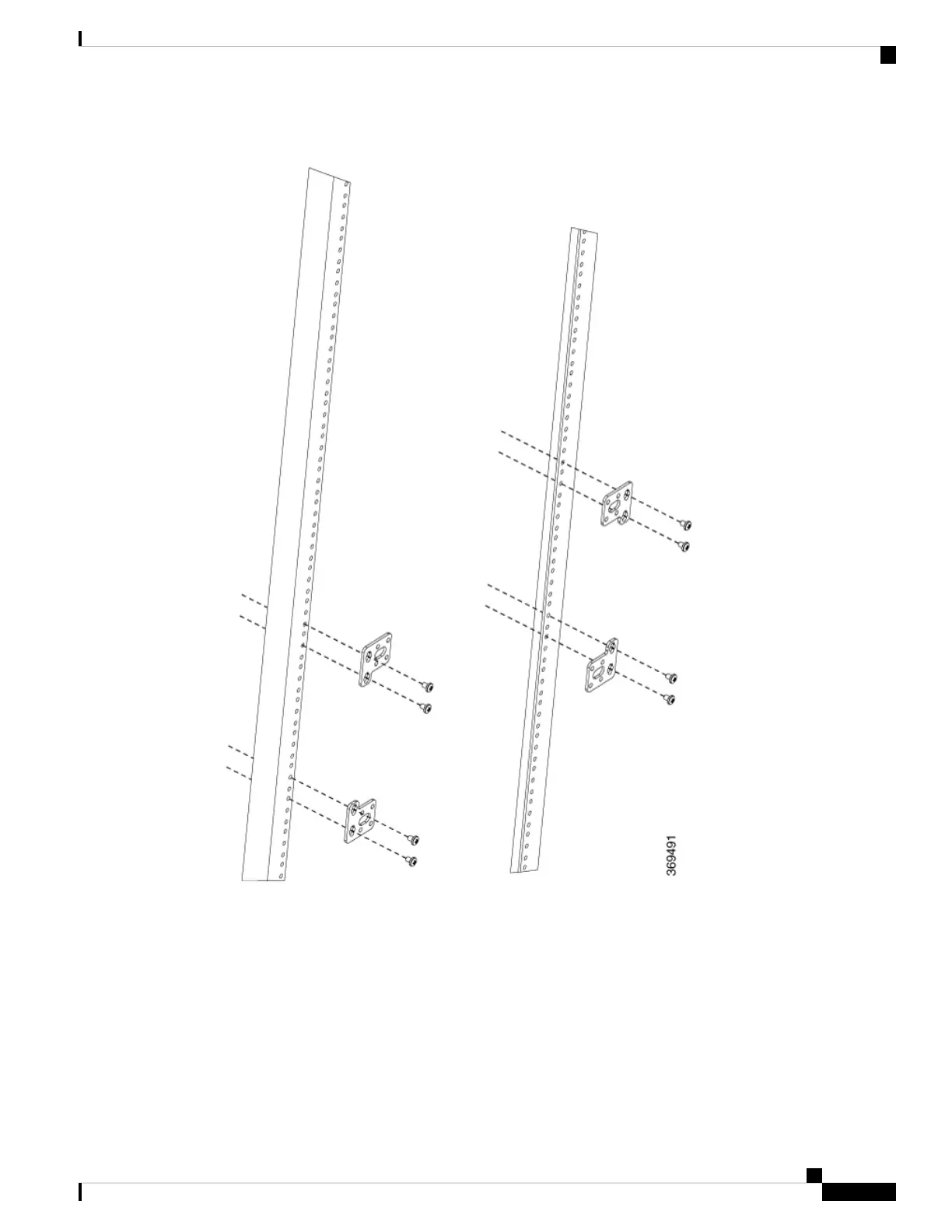
Figure 23: Attaching the Brackets on the Rack
Step 4 Slide the plenum over the router as shown in the figure below.
Step 5 Using the screws that came with the bracket, secure the plenum to the rack.
Cisco NCS 560-4 Router Hardware Installation Guide
53
Installing the Cisco NCS 560-4 Router
Installing the Plenum on the Rack When Router is Installed on the Rack



 To Next Page