Tes
If the user has not fixed the test type in the system configuration the
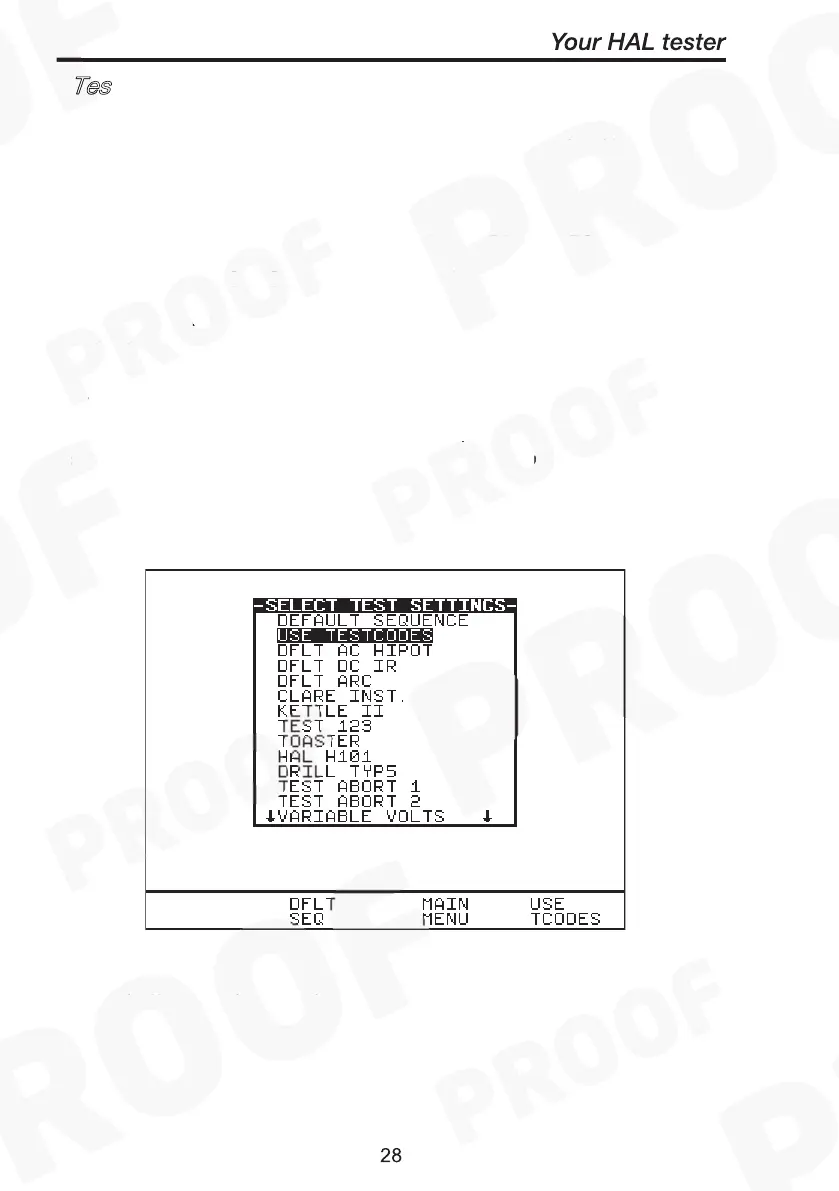
Select Test settings menu will be display each time after New Test is
pressed and the product number entered.
The user has the ability to: -
- Set a specific test sequence by selecting DEFAULT SEQUENCE
- Allow use of TESTCODES to determine the test to be carried out
- Use any preprogrammed sequences for specific EUTS, e.g. Toaster
Selecting either of the first two options allows settings to be altered.
See Default Sequence & Test codes Sequence for instructions to edit
test sequence variables.
Selecting any of the remaining 20 options (preprogrammed test
settings created by user) allows the user to commence immediately
with that test. This will also bring up the test meter screen.
Use the encoder to highlight a Test Sequence Setting and press the
green button to select the desired option.



 To Next Page