Ab
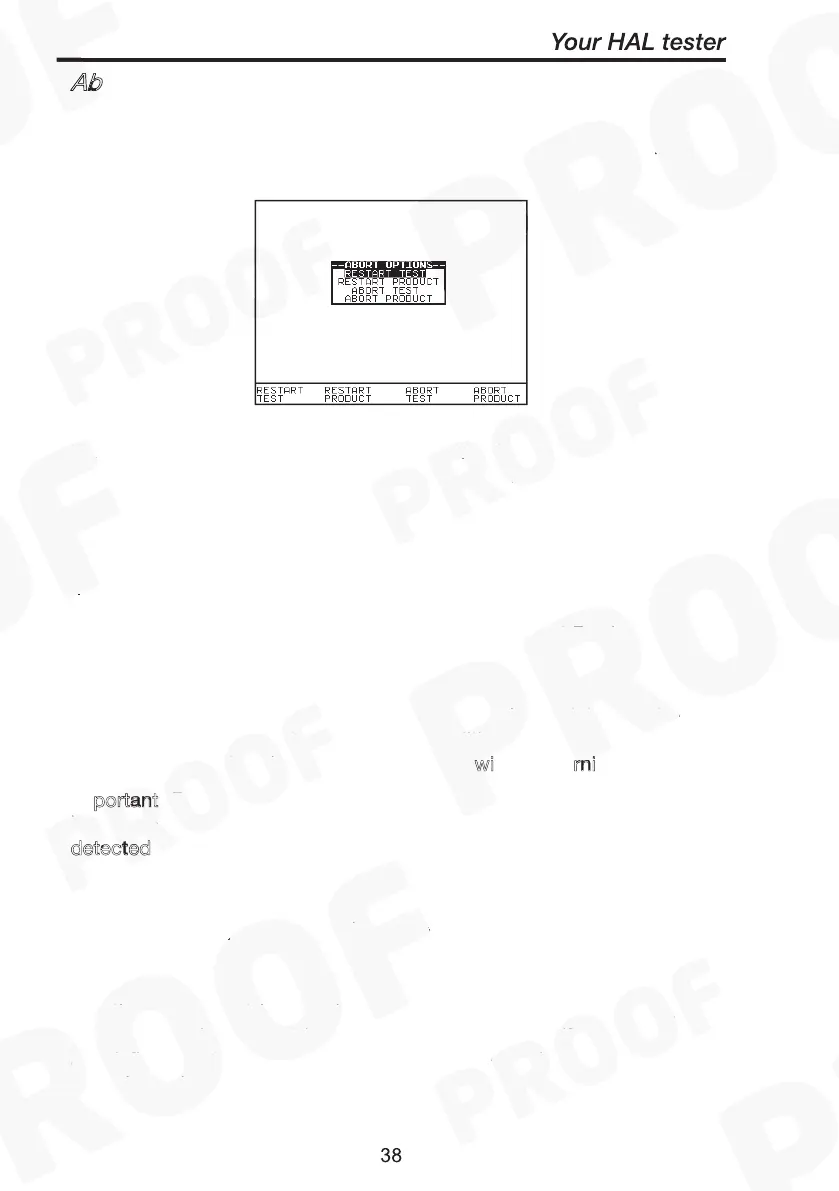
During an Automatic test, opening the guard switch or pressing the
Red Button immediately stops the test in progress and displays the
Abort Options menu: -
Caution
without warning
Important
Over current Arc
detected
Use fast key functions or the encoder to highlight an action following
abort and press the green button to select the desired option.
Restart Test
Restart the current test.
Restart Product
Restart the first test in the test sequence for the current Product.
Abort Test
Abort the test without storing a test result and select the next test.
: Depending on the test Start Conditions set pressing this key
will immediately start the next test sequence w
i
rni
.
portant: Do not select or press this option if previously the test had
been aborted automatically by the tester due to O
or A
detected or any other fault condition.
Abort Product
Abort the test sequence and select a new Product.
End Current Loop
End the current test-loop and proceed to the next test sequence. May
also mean end of current loop for the current channel if more channels
are defined by the test code, then the test loop will restart using the
next channel.
Abort Actions
Caution
without warning
Important
Over current Arc
detected



 To Next Page