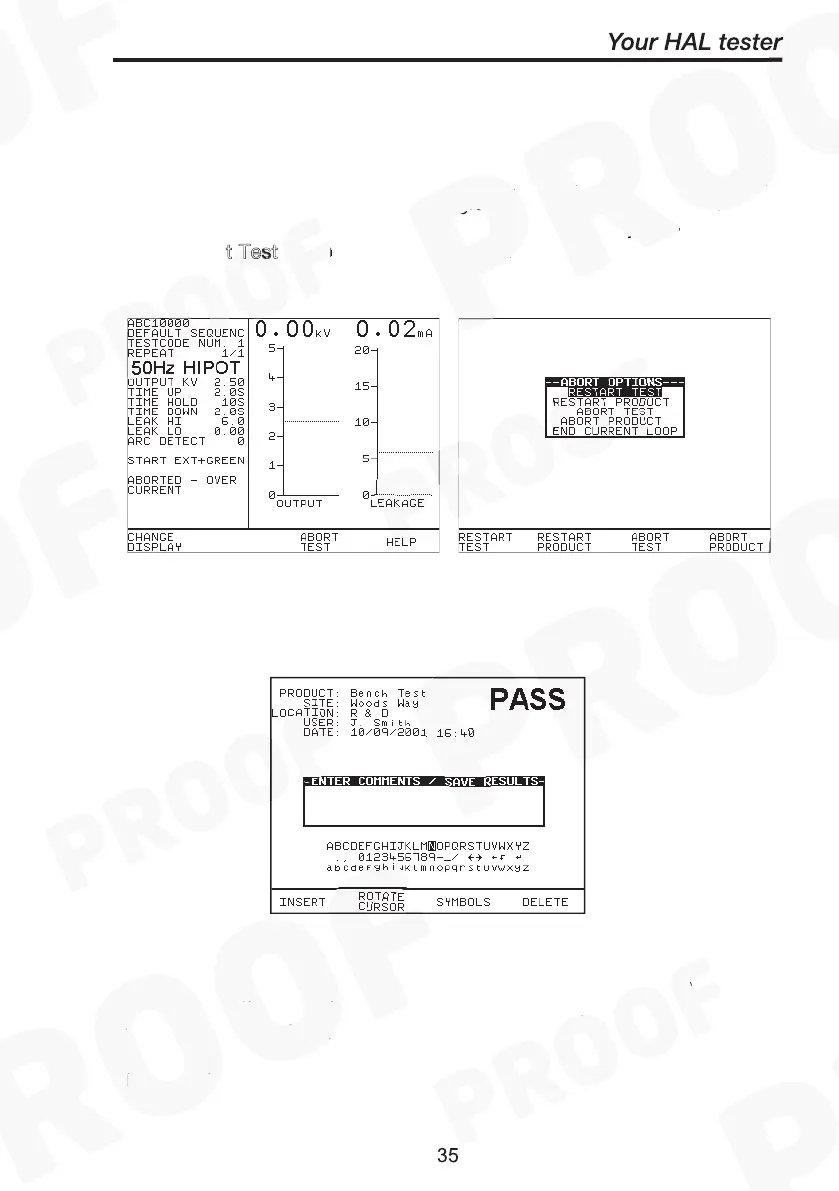
However if an Abort warning signals during any test indicating an
interruption detected due to O
, A
or any other
reason that causes a tester system fault the test will be aborted
immediately with the buzzer beeping continuously until the Green or
Reset button is pressed. Then the Abort Options box will show. Select
to exit from test programme. This will ensure No test
results are stored against the product number. In any case D
press A
t Test as this will store an empty record to the product data
memory.
When a test has completed you can add/enter comments reference to
the Product number. See system configuration setup to select this
option. Use the encoder or barcode scanner to enter comments into
the box. Select Rotate Cursor and turn encoder for a new line. To
store the comments press Green. Your results and comments will now
be stored.



 To Next Page