EasyManua.ls Logo

clare H101 - Test Settings Editor

clare H101
164 pages
Print Icon
To Next Page IconTo Next Page
To Previous Page IconTo Previous Page
Loading...
Edit Test Settings
This allows the user to add, modify, remove or confirm test settings
that can then be selected during automatic testing.
Also see Change Password.
Edit Test Settings
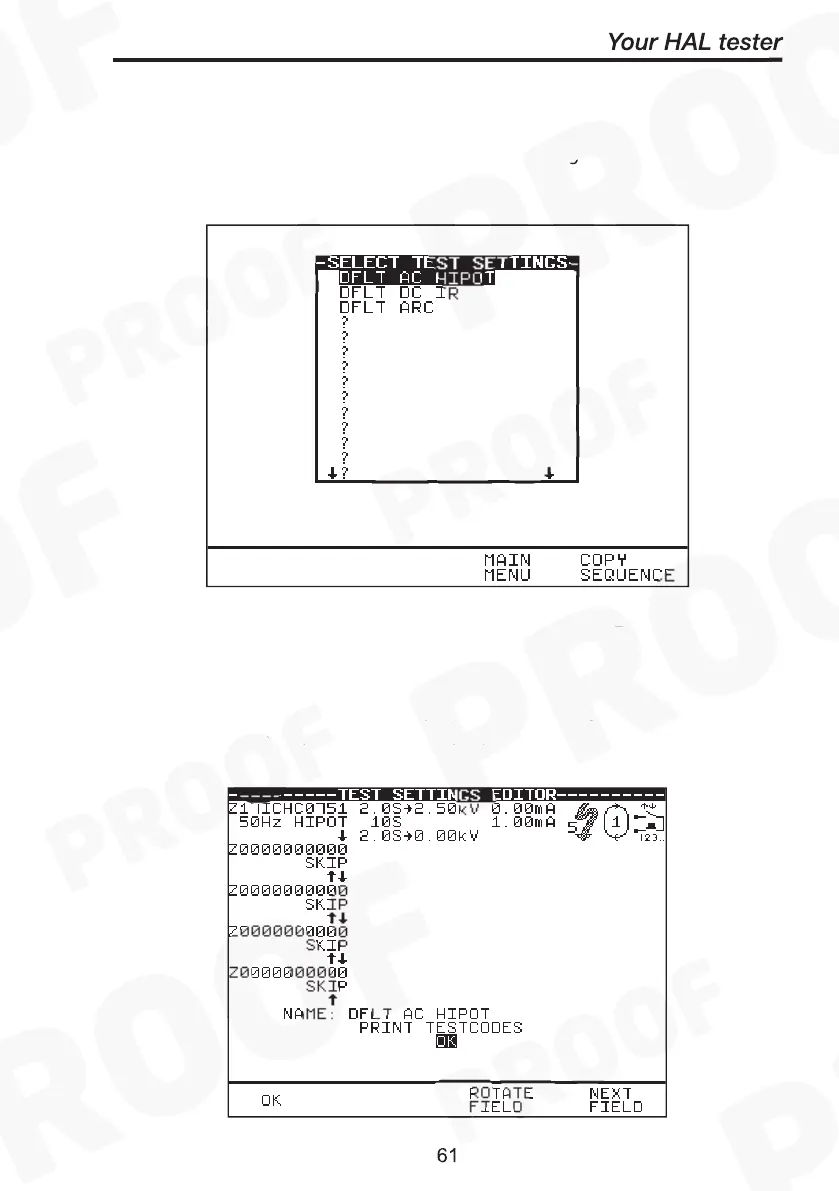
Use the encoder to highlight a Test Setting and press Green to enter
the Test Settings Editor: -
Test Settings Editor
The Test Settings Editor allows the test sequence for the selected test
to be examined and changed if required: -.

Edit Test Settings
Edit Test Settings
or confirm
testing.
test settings
the test seq
quired: -.
and press Gre
nce for the se
en to enter
etting
mined an
s Edito
nd ch

Related product manuals