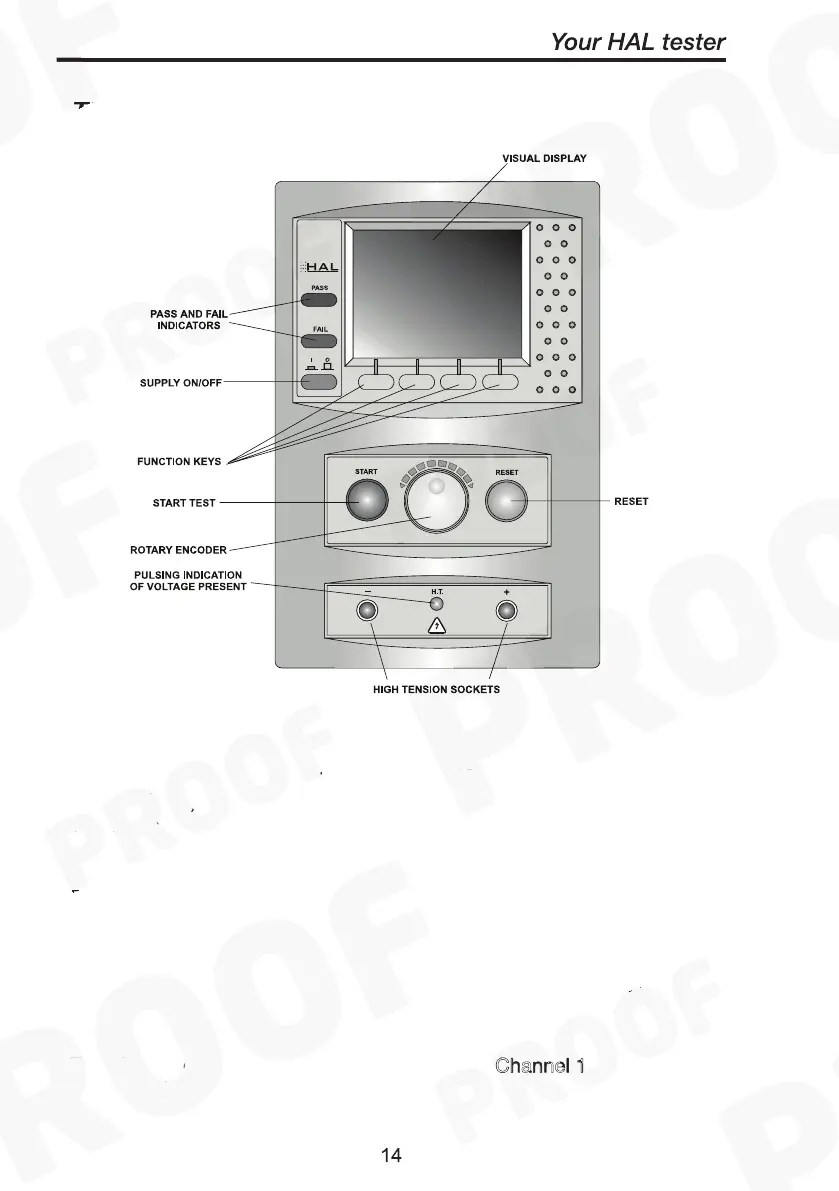
The Front Fascia
The user is provided with a 320 x 240 1/4 VGA Graphical Liquid Crystal
Display (LCD). To the bottom of the screen are four function keys
which allow the user fast access to options displayed on the Display
There is a rotary encoder used to navigate the menus.
Both side of the rotary encoder is a green and red, start and stop
button.
The Hal also has the ability to use non-standard characters, which can
be displayed by pressing the ‘Symbols’ key during text entry. Simply
use the encoder to highlight the required character and press the
Green button.
The -/+ HT sockets on the Front Fascia are the C
hannel 1 output pair
for H102 Unit.



 To Next Page