Ed
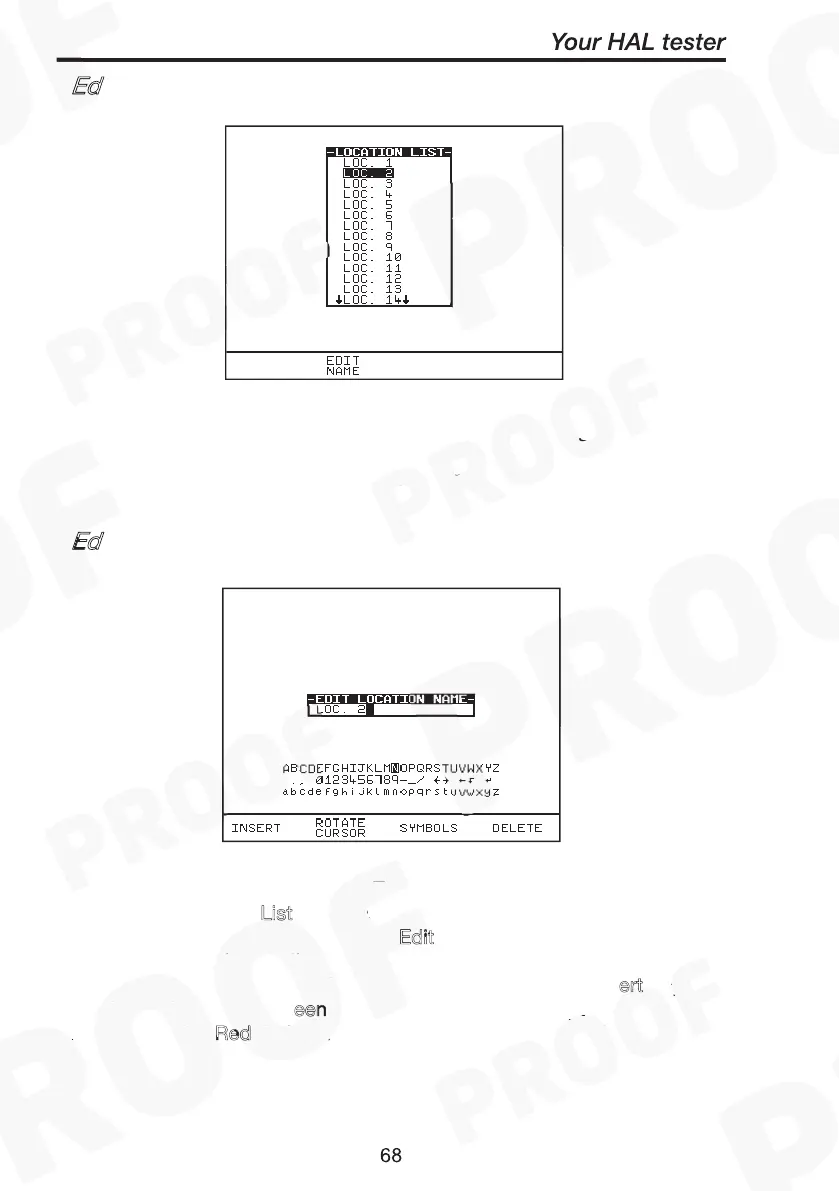
it Location List
Edit Location Name
Setup
Edit Location List
Edit Name
Insert
Green Red
Red
Edit Location List
Edit Location Name
Select S
from Main Menu. The setup screen will be displayed.
Select E
List and press Green to enter. Use the encoder to
highlight a location name and press E
dit
fast key or press Green
to select the desired option. You will be prompted to edit the existing
location name. Select data fields with cursor and press I
ert key as
required. Then press G
een followed by R
to accept new location
name. Pressing R
ed during any changes will abort Edit mode.
Edit Location List
Edit Location Name
Setup
Edit Location List
Edit Name
Insert
Green Red
Red
Note
If you change the name of the location during testing all of the
previous tests will still be referenced to the old location name;
this gives unlimited amounts of locations within memory.
Ed
it Location Name
Setup
Edit Location List
Edit Name
Insert
Green Red
Red
Edit Location List
Edit Location Name
Setup
Edit Location List
Edit Name
Insert
Green Red
Red



 To Next Page