Apex Tool Group GmbH P2398PM | 2018-12 11
Menus and Functions
3
EN
3.2.2 Footer
The buttons in the footer are not displayed in every menu.
3.2.3 General presentation of the buttons
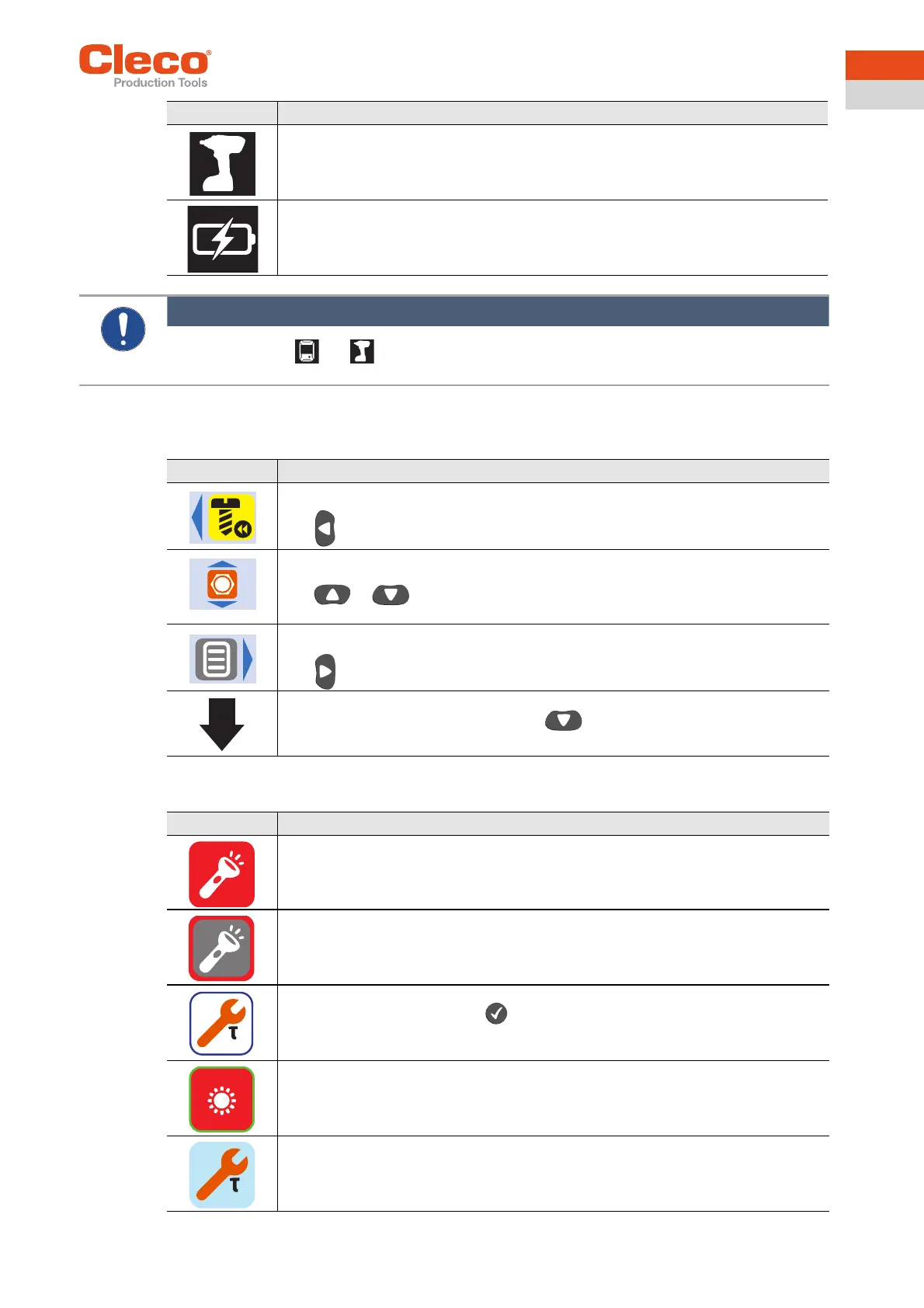
FastApps mode is activated.
Undervoltage limit is reached. Siehe “Setting the shut-off properties” auf Seite 28.
Symbol Description
Note
When the symbols and are displayed, the FastApps mode is selected and, at the same time, the
tool is connected to the controller. In this case, the parameters for the FastApps mode are used.
Button Description
This button is displayed on the run screen and in counterclockwise rotation.
must be pressed to change between counterclockwise rotation and runscreen.
Select linking group. This button only applies to the run screen.
or must be pressed to change between ten possible Linking groups
in the FastApps mode.
This button is displayed on the run screen and in counterclockwise rotation.
must be pressed to go to the main menu.
Arrow down indicates that there are other menu items available that are not yet dis-
played on the LCD. To reach them, press .
Button Description
Button is in color: Function selectable.
Button highlighted in gray: Function disabled.
Button outlined in blue: Function is currently selected with the arrow buttons and can
be opened or activated with the button.
Button outlined in green: Function is selected and activated.
Button highlighted in blue: Function is selected and activated.


 To Next Page