Apex Tool Group GmbH P2398PM | 2018-12 15
Menus and Functions
3
EN
Selecting the Linking group
To change between the Linking groups in the FastApps mode, press or .
→ Only Linking groups that have already been parameterized can be selected.
→ A new display appears with the following selection options:
If the Linking group is blocked (under: > > ), then the selection options are not available.
In this case, a PIN must be entered to switch to another Linking group. A requirement is that a PIN has been
defined in the PIN menu ( > > ).
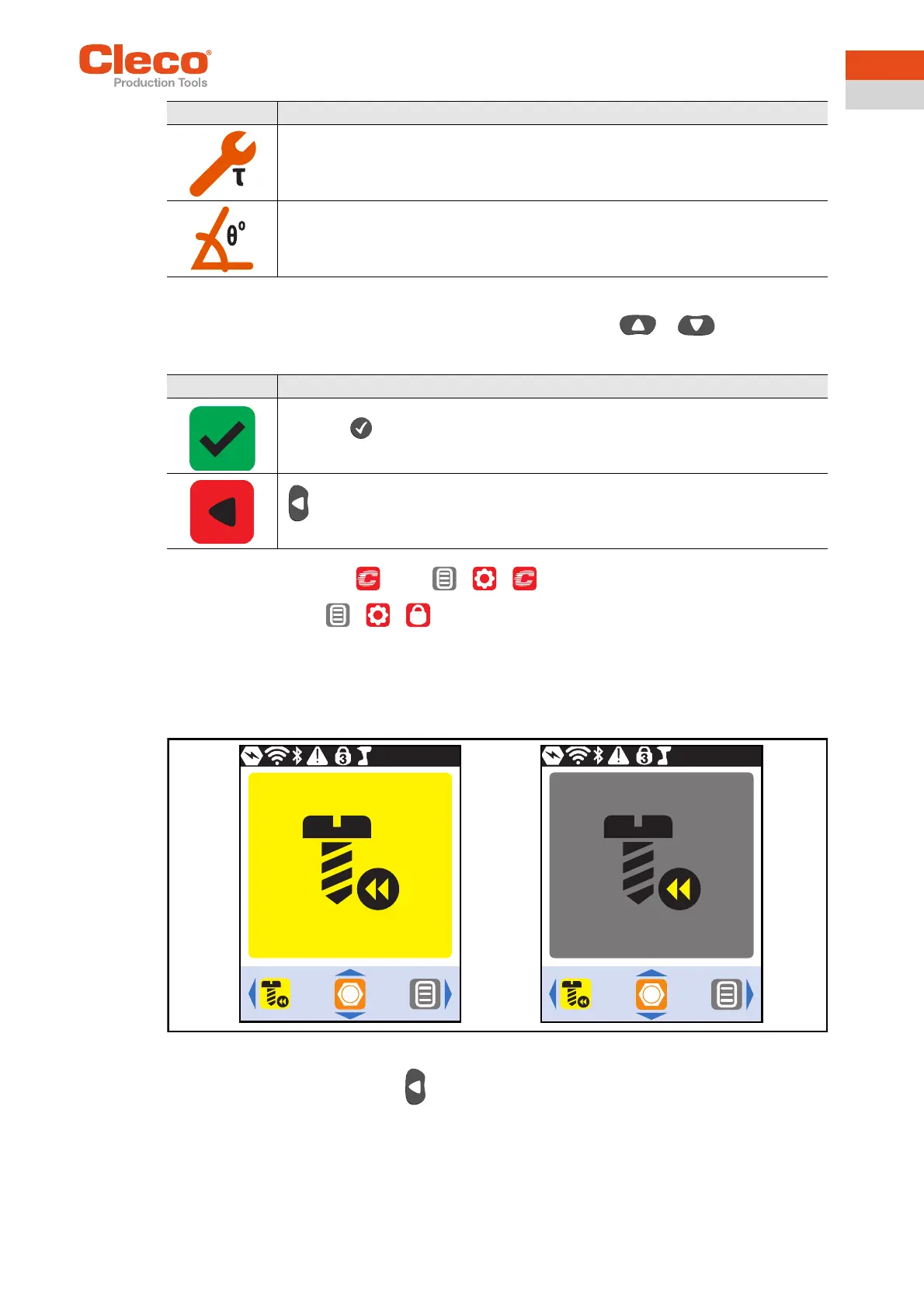
3.5 Counterclockwise rotation
In the Counterclockwise Rotation menu, the tool rotates in the opposite direction of rotation as programmed
for the Linking group in the controller or in the FastApps menu. During tightening, the LCD flashes yellow-
gray. The speed for the counterclockwise rotation starts at 20 rpm and increases to 300 rpm.
Abb. 3-4: LCD during counterclockwise rotation
To return to the run screen, press .
Display of the torque for the current tightening.
If an arrow pointing up appears next to the symbol, the result is too high.
If an arrow pointing down appears next to the symbol, the result is too low.
Display of the angle for the current tightening.
If an arrow pointing up appears next to the symbol, the result is too high.
If an arrow pointing down appears next to the symbol, the result is too low.
Button Description
Press the button to select a new Linking group.
must be pressed to cancel the process and return to the run screen
Symbol Description


 To Next Page