Menus and Functions
18 P2398PM | 2018-12 Apex Tool Group GmbH
3
EN
3.7.1 Configuring FastApps
Up to ten Linking groups can be programmed. The maximum tightening time is ten seconds.
> >
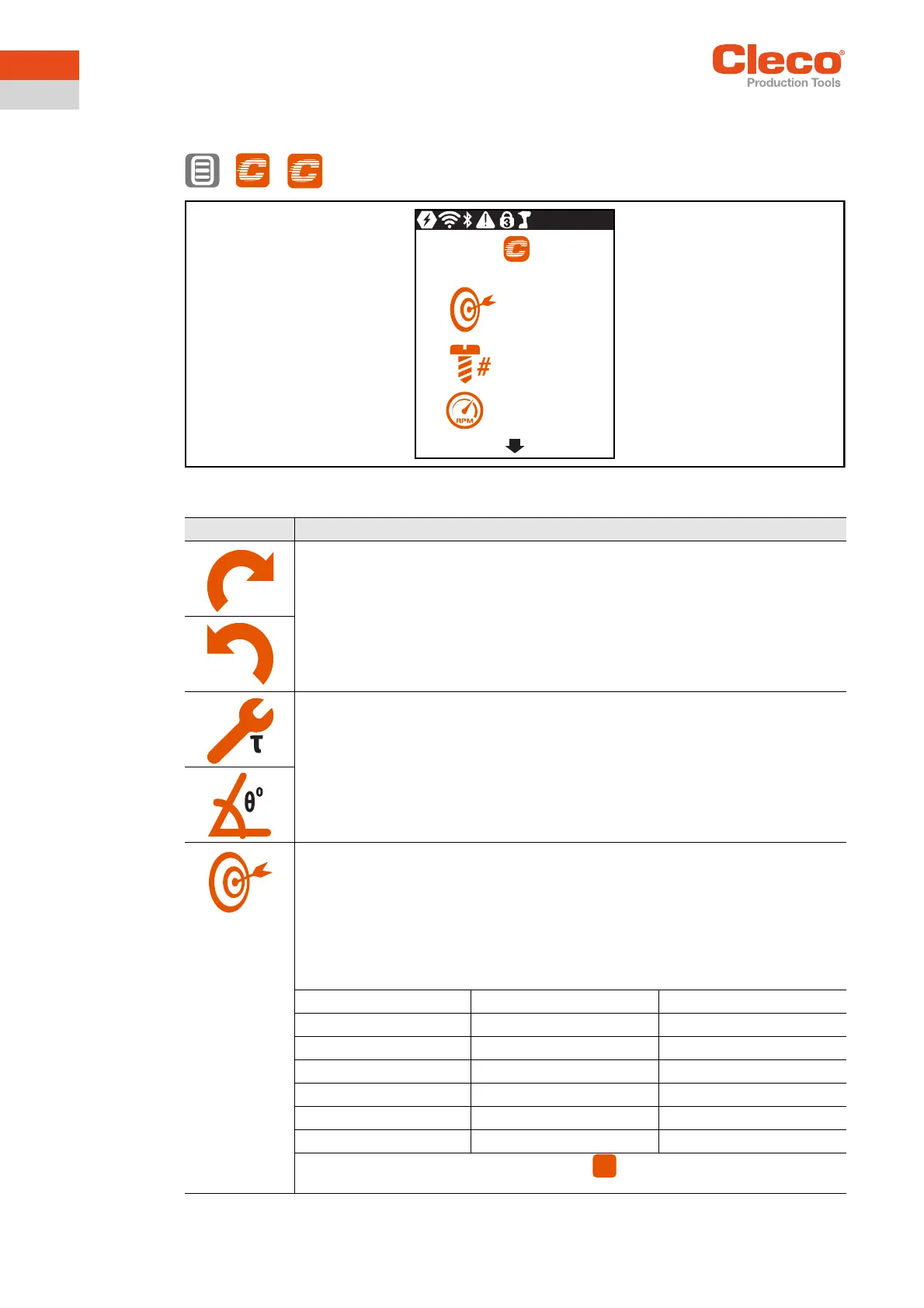
Abb. 3-7: Submenu – Configuring FastApps
Button Description
Display of the selected direction of rotation.
Depending on the selected direction of rotation, one of the two symbols is displayed.
Display of the tightening strategy. Depending on the selected shutoff, one of the sym-
bols will be displayed. One torque and one angle shutoff is possible.
• Display of the torque shutoff.
• Display of the angle shutoff.
For a torque shutoff, enter the shut-off torque.
For an angle shutoff, enter the shut-off angle.
Once the value has been reached, the tightening process is completed. This setting
option is the same as in the menu Advanced settings, Seite 21.
Note
If the shut-off value is entered here in the Configuring FastApps menu, then the follow-
ing values are calculated automatically:
Parameter Torque shutoff Angle shutoff
Low torque -15% of the shut-off torque Threshold torque
MaxTorque +15% of the shut-off torque Tool capacity
Minimum angle 0 -15% of the shut-off angle
Maximum angle 9999 +15% of the shut-off angle
Threshold torque 1/4 x shut-off torque Manual input
Final speed 50 50
These values can be changed manually in the menu, see Advanced settings,
Seite 21.
1
270
3
350
1
ADV



 To Next Page