Menus and Functions
46 P2398PM | 2018-12 Apex Tool Group GmbH
3
EN
To load the parameters:
1. Save a parameters_(DateTime).zip file to a USB stick. The USB stick may only contain one file
with the extension .zip.
2. Connect the USB stick with the tool via the Micro B USB cable.
3. Navigate to Load parameters:
> >
4. must be pressed to start the loading process.
→ The progress bar and status bar indicate when the data are loaded.
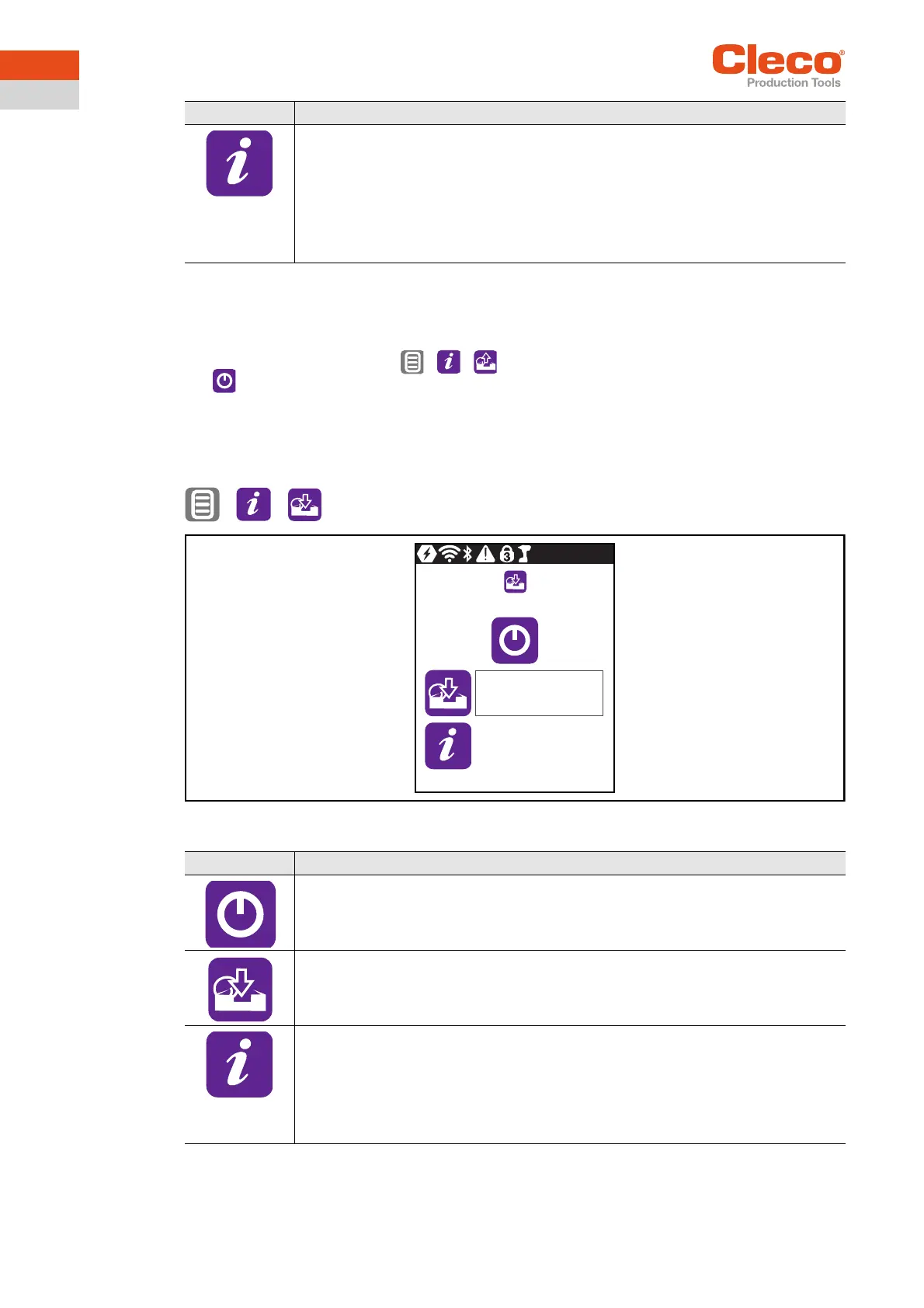
3.11.5 Saving parameters
Data about parameters, messages, information and settings are saved. Archive data are not saved.
> >
Abb. 3-37: Submenu – Saving parameters
Display of the status of the loaded parameters.
After loading, the status bar is red or green:
• Green: The loading process has been successfully completed. There is an "OK" in
the status line.
• Red: An error occurred during the loading process. See Error messages, software
updates and data storage, Seite 52.
•
Button Description
Button Description
Start the saving process.
Display of the saving progress.
The status bar indicates what percentage of the archive is already saved.
Display of the status of the saved parameters.
After saving, the status bar is red or green:
• Green: The saving process has been successfully completed. There is an "OK" in
the status line.
• Red: An error occurred during the saving process. See Error messages, software
updates and data storage, Seite 52.
0%
0


 To Next Page