Apex Tool Group GmbH P2398PM | 2018-12 27
Menus and Functions
3
EN
3.8.3 Adjusting the tool light
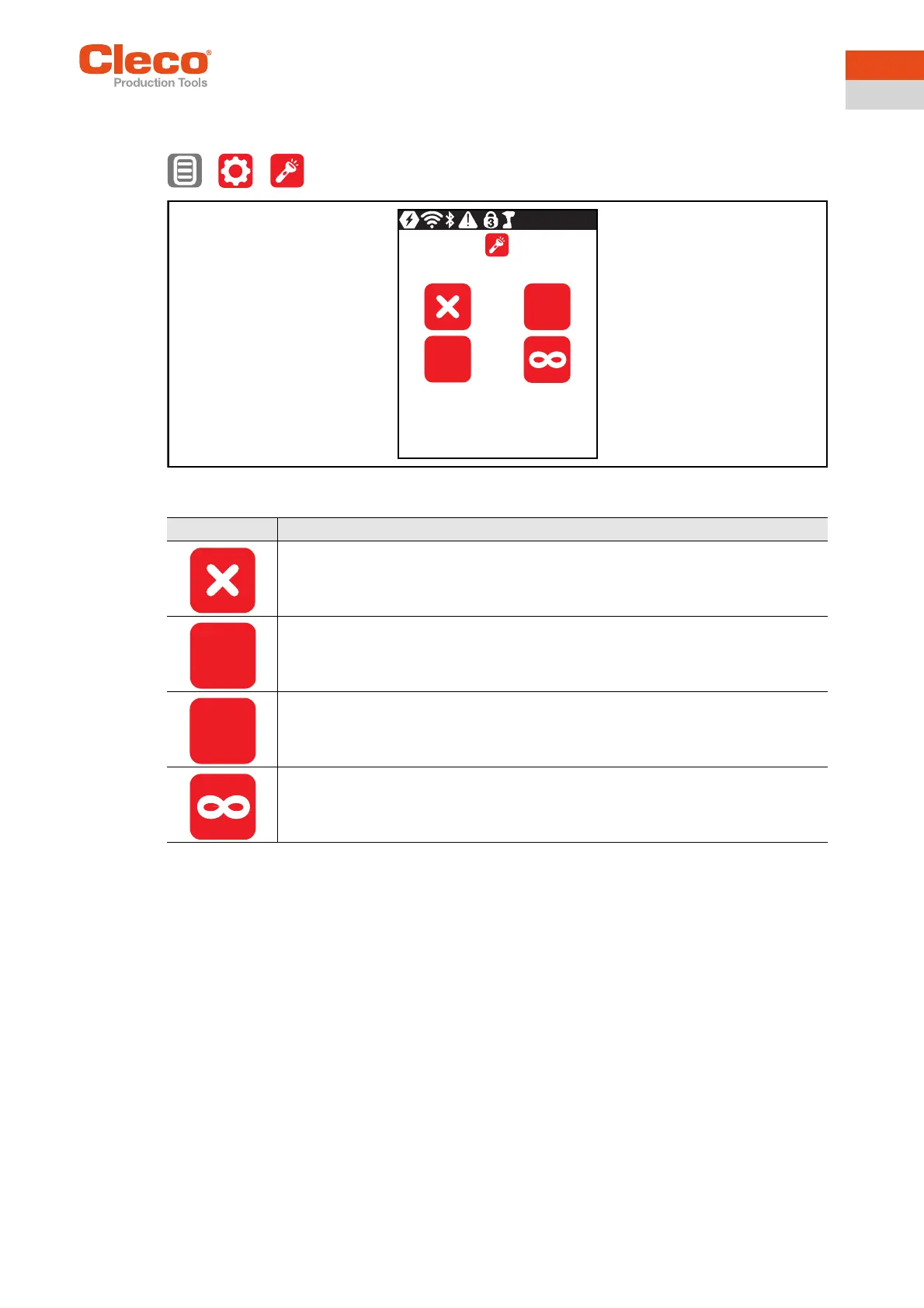
This menu is only available in the FastApps mode. The tool light illuminates the tightening position.
> >
Abb. 3-15: Submenu - Adjusting the tool light
Button Description
Tool light disabled. Tool light never goes on.
Tool light will only go on when the Start switch is pressed halfway. During tightening, it
is switched off.
Tool light is on as long as the Start switch is pressed halfway. If the Start switch is
pressed all the way, the tool light will go on for three seconds before it switches off.
Tool light is on as long as the Start switch is pressed. Tool light is on during the tighten-
ing process until the Start switch is released.
0s
3s
0s
3s


 To Next Page