Menus and Functions
48 P2398PM | 2018-12 Apex Tool Group GmbH
3
EN
There are two options for carrying out a software update.
Option 1:
1. Download the software update from the website http://software.apextoolgroup.com/.
2. Save the .tma file to a USB stick. The USB stick may only contain one file with a .tma extension.
3. Connect the USB stick with the tool via the Micro B USB cable.
4. Navigate to Software update:
> >
5. must be pressed to start the software update.
→ The progress bar and status bar indicate when the software update has been completed.
→ After the software update has been completed, the tool restarts.
Option 2:
Carry out the software update using the LiveWire RF Configuration software. See Document P2372JH.
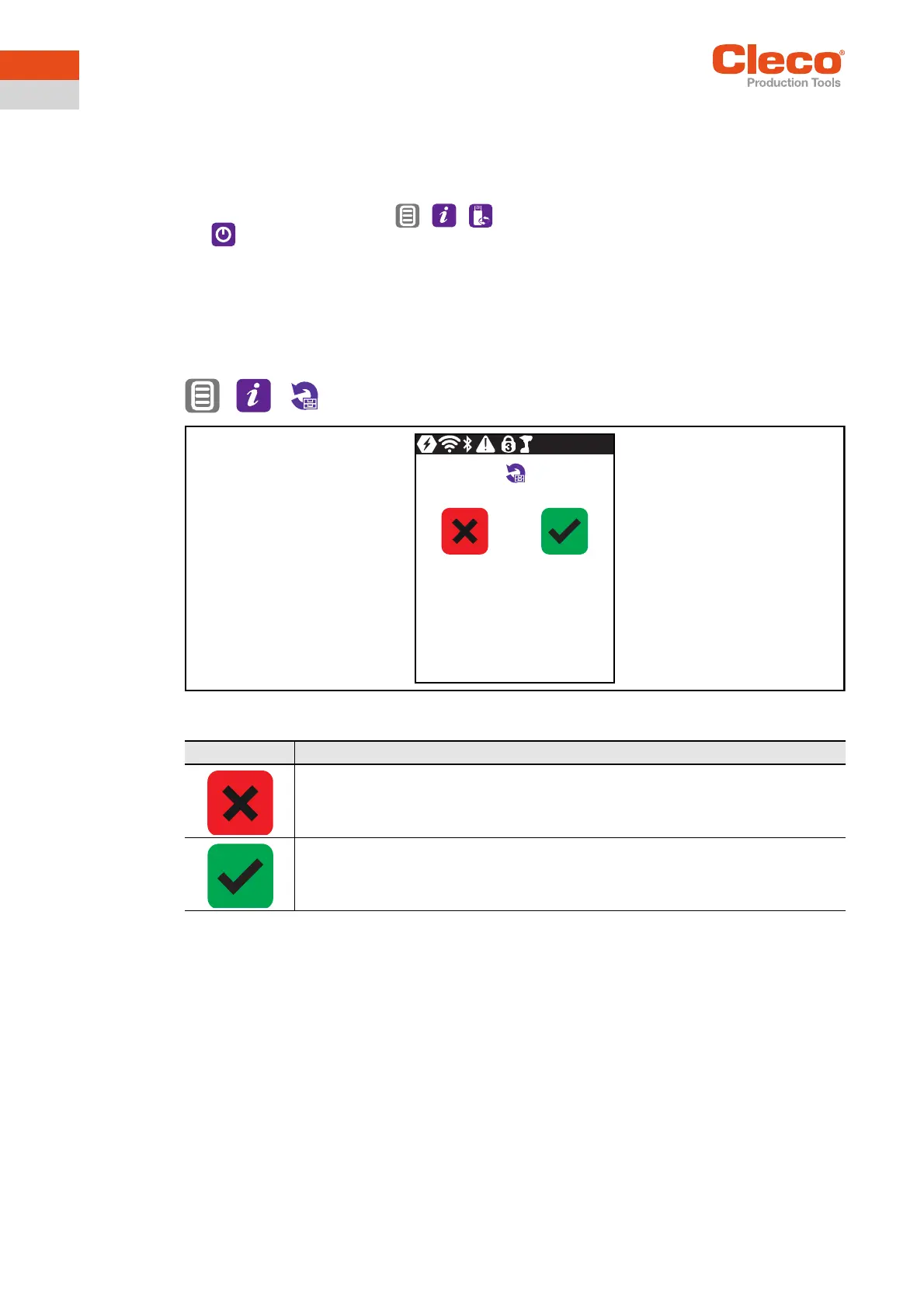
3.11.7 Deleting an archive
> >
Abb. 3-39: Submenu – Deleting an archive
Button Description
Press to cancel the process.
→ The tightening results and the torque graphs are not deleted.
→ The Reset archive menu is exited.
Press to delete the archive.
→ All tightening results and torque graphs are deleted.
→ The Reset archive menu is exited.


 To Next Page