Menus and Functions
44 P2398PM | 2018-12 Apex Tool Group GmbH
3
EN
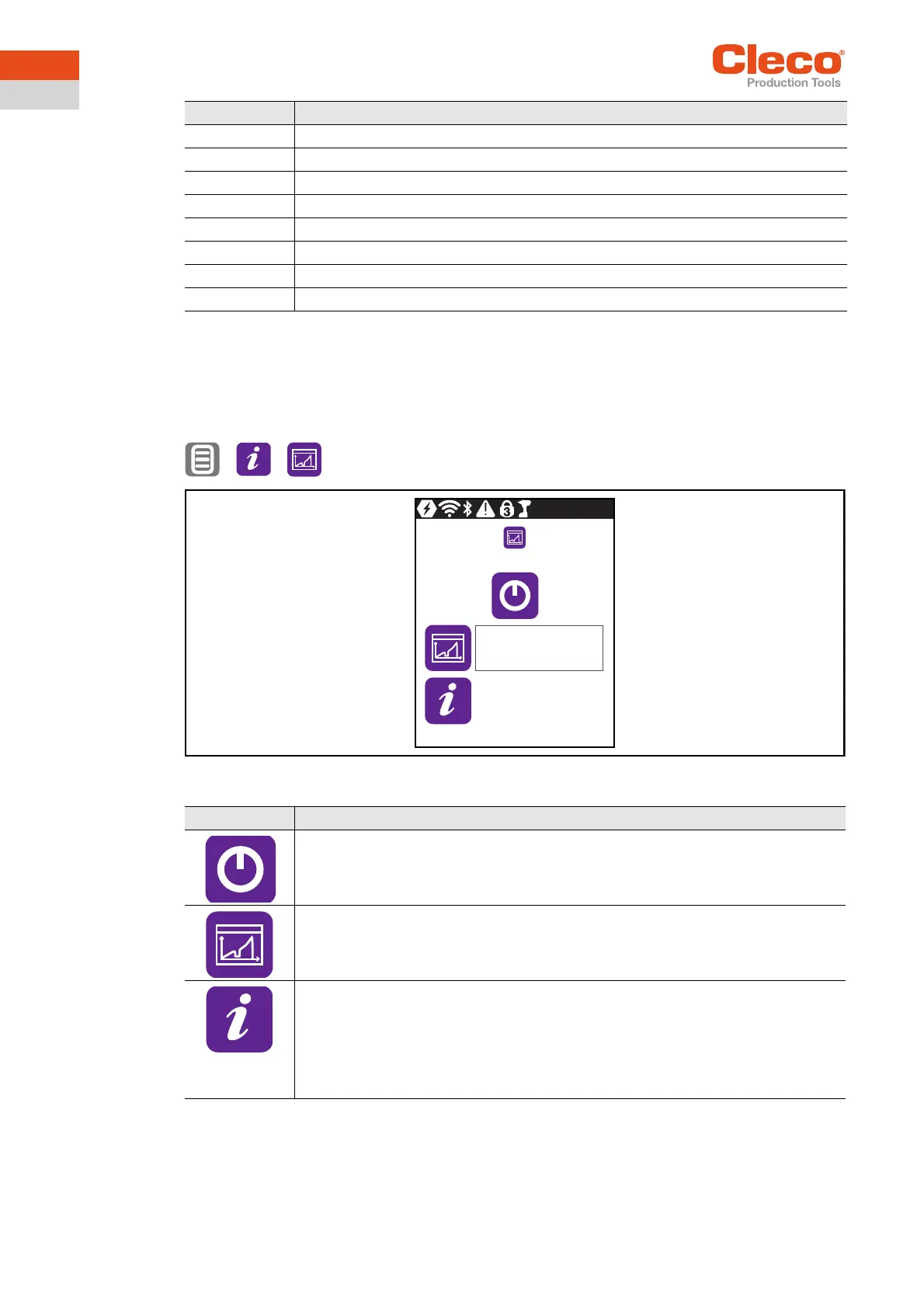
3.11.3 Saving a torque graph
The torque graphs can only be saved in the FastApps mode. In the mPro mode, no torque graph is
recorded on the tool.
The torque graph shows how the torque increases over the course of a tightening.
> >
Abb. 3-35: Submenu – Saving a torque graph
PTq Peak torque
Angle Angle
AngleMin Minimum angle
AngleMax Maximum angle
Evaluation Evaluation of the result. Either OK or NOK is entered.
Stage Fastening stage
Reason Shut-off cause. See Error messages for shut-off cause, Seite 52.
GraphicID Number of the graphic entry.
Column Description
Button Description
Start the saving process.
Display of the saving progress.
The status bar indicates what percentage of the torque graphs are already saved.
Display of the status of the saved torque graphs.
After saving, the status bar is red or green:
• Green: The saving process has been successfully completed. There is an "OK" in
the status line.
• Red: An error occurred during the saving process. See Error messages, software
updates and data storage, Seite 52.
0%
0


 To Next Page